Einleitung
Is your 2013 Nissan Rogue Key Fob not working properly, or isn't working at all? It might be time to replace the battery, and while it's open, take the time to clean out the inside.
Fob batteries needs to be replaced every 3 years to work at maximum range and not sporadically fail.
This guide demonstrates how to replace the battery and clean out your 2013 Nissan Rogue Key Fob.
Was du brauchst
-
-
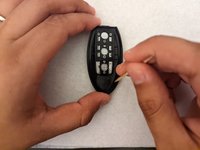
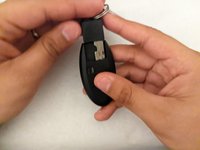
Slide the small tab on the back of your fob to the left.
-
While holding the tab to the left, pull the metal key out from the top of your fob.
-
-
-
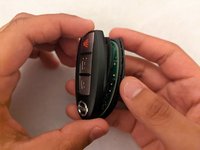
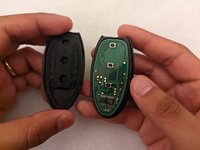
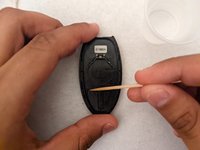
Insert your opening pick into the small gap between the two halves of the fob and lightly pry until they separate.
-
-
-
-
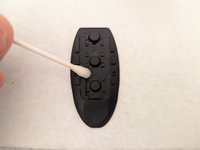
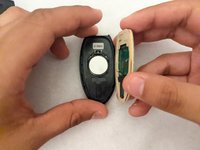
Lightly saturate a cotton swab with 70% isopropyl alcohol and wipe down the inside of the shells and the rubber pad.
-
-
-
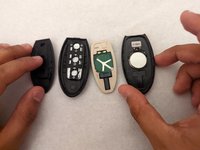
Once the alcohol is dried, place a new battery into the battery housing with the proper orientation.
-
-
-
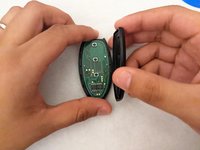
Replace the internal components and click the two halves of the fob back together.
-






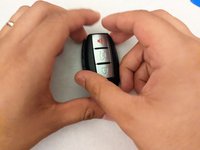


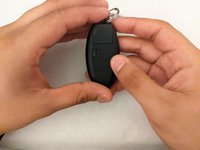
Your fob should now be fully functional!
Your fob should now be fully functional!
Rückgängig: Ich habe diese Anleitung nicht absolviert.
Eine weitere Person hat diese Anleitung absolviert.



Team

University of Memphis, Team 2-7, Willis Spring 2022 Mitglied von University of Memphis, Team 2-7, Willis Spring 2022
UM-WILLIS-S22S2G7
1 Mitglied
1 Anleitung geschrieben
2 Kommentare
OMG… I wish I had read this before and attempted to take my key fob apart. I’ve got it all scraped up and ugly from them telling me to use a screwdriver….never mind just do exacty everything this post tells you. I had no problems opening the key fob once I read this article .
Trust me do as this tells you step by step. Just don’t use a screwdriver as another on the www will inform you to do.
Thank you so much for posting this key fob battery replacement info.
Thanks worked perfectly and as stated above don't use a screwdriver I also read that but thank goodness I didn't have one
