Einleitung
Whether due to accident or age, hard drives oftentimes need to be replaced. This guide will show you how to replace your laptop's hard drive with a new one.
Was du brauchst
-
-
Begin by unscrewing the four Phillips #0 7.5mm screws holding the bottom panel.
-
Then lift the panel off the laptop by the tab on its top.
-
-
-
-
Unscrew all the Phillips #0 6.0mm screws holding the hard drive tray to the laptop.
-
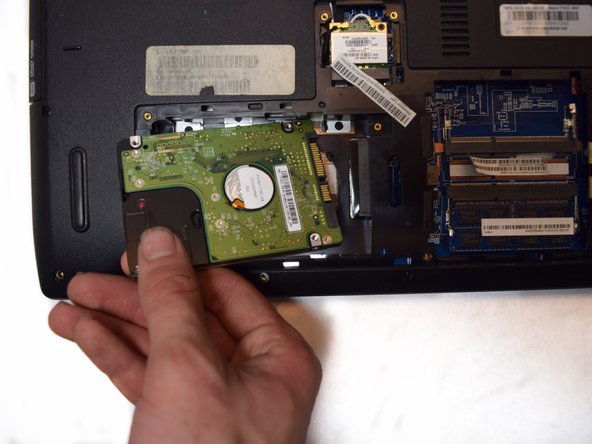
Remove the hard drive tray.
-


To reassemble your device, follow these instructions in reverse order.
To reassemble your device, follow these instructions in reverse order.
Rückgängig: Ich habe diese Anleitung nicht absolviert.
Eine weitere Person hat diese Anleitung absolviert.


Team

UC Davis, Team S11-G4, Lore Fall 2018 Mitglied von UC Davis, Team S11-G4, Lore Fall 2018
UCD-LORE-F18S11G4
4 Mitglieder
4 Anleitungen geschrieben
