Zum Hauptinhalt wechseln
Gemeinsam reparieren - Jetzt registrieren

Acer Aspire One 722 Screen Replacement

Was du brauchst

    1. Acer Aspire One 722 Screen Replacement, Battery: Schritt 1, Bild 1 von 1
      • Power down the netbook by pressing the power button on the top left corner.

      Frag FixBot

      Kommentar hinzufügen

    2. Acer Aspire One 722 Screen Replacement: Schritt 2, Bild 1 von 1
      • Close the netbook and flip it over so that the back is facing up.

      Frag FixBot

      Kommentar hinzufügen

    3. Acer Aspire One 722 Screen Replacement: Schritt 3, Bild 1 von 1
      • Slide the button below the battery to the right while simultaneously pulling the battery out.

      Frag FixBot

      Kommentar hinzufügen

    4. Acer Aspire One 722 Screen Replacement: Schritt 4, Bild 1 von 2 Acer Aspire One 722 Screen Replacement: Schritt 4, Bild 2 von 2
      • If necessary, remove the old battery and replace it with a new one.

      Frag FixBot

      Kommentar hinzufügen

    5. Acer Aspire One 722 Screen Replacement: Schritt 5, Bild 1 von 1
      • Check the thin grooves on the side of the battery entry and line the replacement battery up to the grooves.

      Frag FixBot

      Kommentar hinzufügen

    1. Acer Aspire One 722 Screen Replacement, Screen: Schritt 6, Bild 1 von 2 Acer Aspire One 722 Screen Replacement, Screen: Schritt 6, Bild 2 von 2
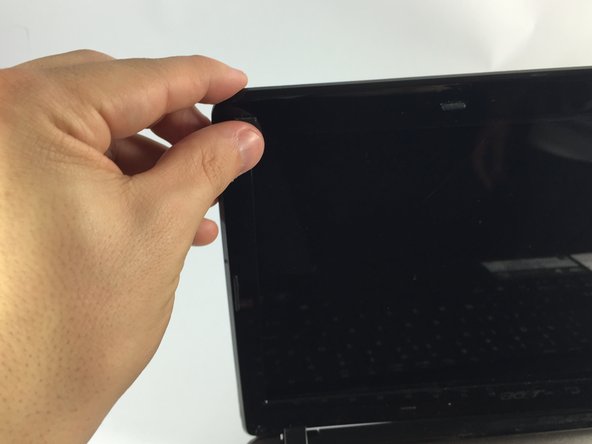
      • Remove the black rubber clips from the bottom right and left of the netbook screen.

      Frag FixBot

      Kommentar hinzufügen

    2. Acer Aspire One 722 Screen Replacement: Schritt 7, Bild 1 von 2 Acer Aspire One 722 Screen Replacement: Schritt 7, Bild 2 von 2
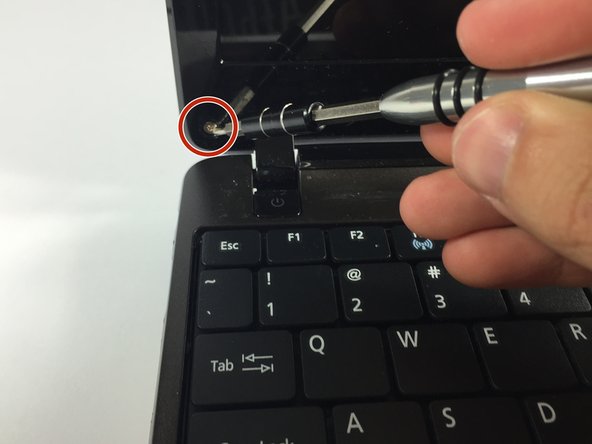
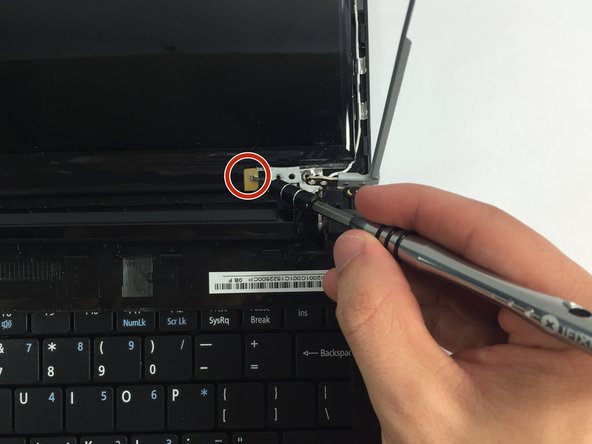
      • Remove the screws under the black caps.

      Frag FixBot

      Kommentar hinzufügen

    3. Acer Aspire One 722 Screen Replacement: Schritt 8, Bild 1 von 3 Acer Aspire One 722 Screen Replacement: Schritt 8, Bild 2 von 3 Acer Aspire One 722 Screen Replacement: Schritt 8, Bild 3 von 3
      • Slowly separate the screen casing from the screen.

      • Potential for device damage: Be careful when detaching the screen casing from the screen. If not done slowly, it can break.

      Frag FixBot

      Kommentar hinzufügen

    4. Acer Aspire One 722 Screen Replacement: Schritt 9, Bild 1 von 3 Acer Aspire One 722 Screen Replacement: Schritt 9, Bild 2 von 3 Acer Aspire One 722 Screen Replacement: Schritt 9, Bild 3 von 3
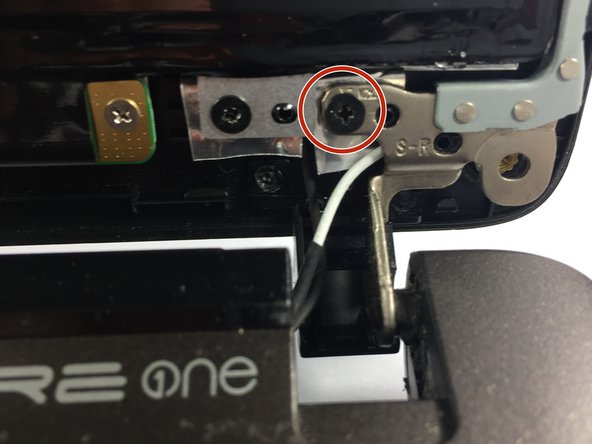
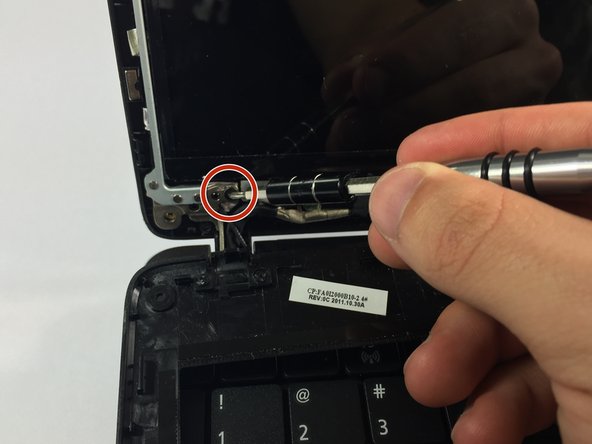
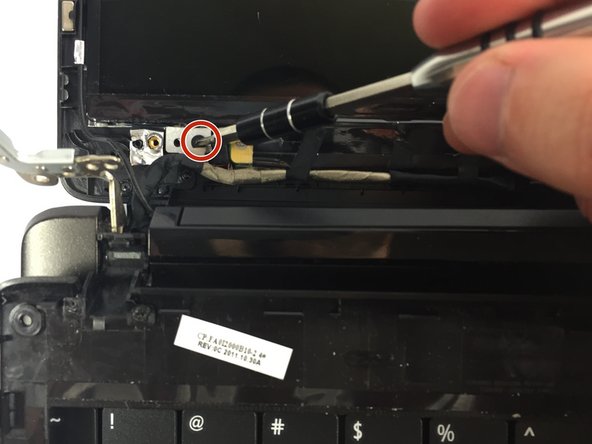
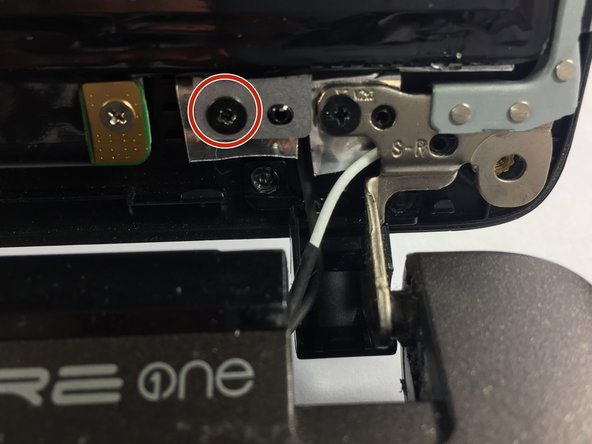
      • Remove the screws located on the four corners of the screen.

      Frag FixBot

      Kommentar hinzufügen

    5. Acer Aspire One 722 Screen Replacement: Schritt 10, Bild 1 von 3 Acer Aspire One 722 Screen Replacement: Schritt 10, Bild 2 von 3 Acer Aspire One 722 Screen Replacement: Schritt 10, Bild 3 von 3
      • Remove the two bottom screws.

      • Taking out these screws will allow you to remove the screen from its attachment.

      Frag FixBot

      Kommentar hinzufügen

    6. Acer Aspire One 722 Screen Replacement: Schritt 11, Bild 1 von 3 Acer Aspire One 722 Screen Replacement: Schritt 11, Bild 2 von 3 Acer Aspire One 722 Screen Replacement: Schritt 11, Bild 3 von 3
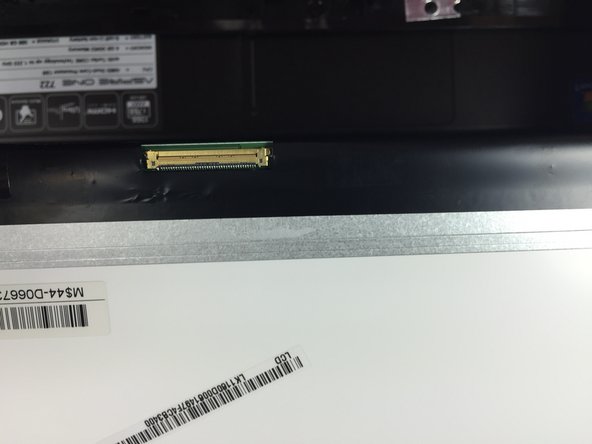
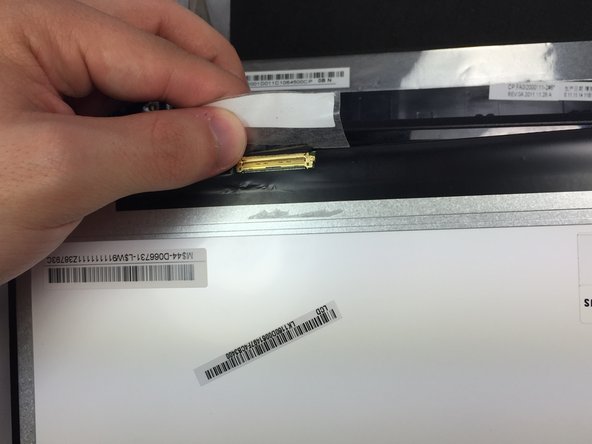
      • On the bottom left of the screen there is a cord attached. Remove the tape that is attached to the screen.

      Frag FixBot

      Kommentar hinzufügen

    7. Acer Aspire One 722 Screen Replacement: Schritt 12, Bild 1 von 3 Acer Aspire One 722 Screen Replacement: Schritt 12, Bild 2 von 3 Acer Aspire One 722 Screen Replacement: Schritt 12, Bild 3 von 3
      • On the green board, remove the two screws.

      • Remove the board.

      Frag FixBot

      Kommentar hinzufügen

Abschluss

To reassemble your device, follow these instructions in reverse order.

Rückgängig: Ich habe diese Anleitung nicht absolviert.

4 weitere Personen haben diese Anleitung absolviert.

Team

UMass Dartmouth, Team 5-6, Gulbrandsen Fall 2015 Mitglied von UMass Dartmouth, Team 5-6, Gulbrandsen Fall 2015

UMASSD-GULBRANDSEN-F15S5G6

3 Mitglieder

60 Anleitungen geschrieben

0 Kommentare zur Anleitung

Kommentar hinzufügen

Seitenaufrufe:

Letzte 24 Stunden: 0

Letzte 7 Tage: 4

Letzte 30 Tage: 40

Insgesamt: 3,816