Zum Hauptinhalt wechseln
Gemeinsam reparieren - Jetzt registrieren

Backbone One Phone Connector Replacement

Was du brauchst

  1. Backbone One Phone Connector Replacement, Remove the screws: Schritt 1, Bild 1 von 1
    • Use a Phillips screwdriver to remove the four 5.9 mm-long screws.

    Frag FixBot

    Kommentar hinzufügen

  2. Backbone One Phone Connector Replacement, Rotate the upper part: Schritt 2, Bild 1 von 3 Backbone One Phone Connector Replacement, Rotate the upper part: Schritt 2, Bild 2 von 3 Backbone One Phone Connector Replacement, Rotate the upper part: Schritt 2, Bild 3 von 3
    • Lift up the upper cover of the controller.

    • Swing the upper cover over and place it on the controller case.

    • Make sure that the interconnecting cable has no tension.

    Frag FixBot

    Kommentar hinzufügen

  3. Backbone One Phone Connector Replacement, Remove the screws: Schritt 3, Bild 1 von 1
    • Use a Phillips screwdriver to remove the two 4.8 mm-long screws securing the phone connector.

    Frag FixBot

    Kommentar hinzufügen

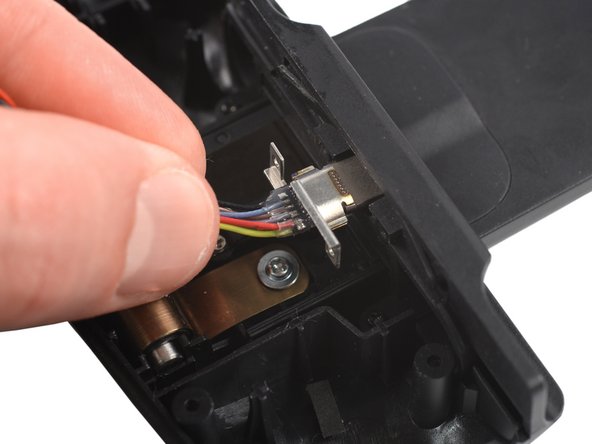
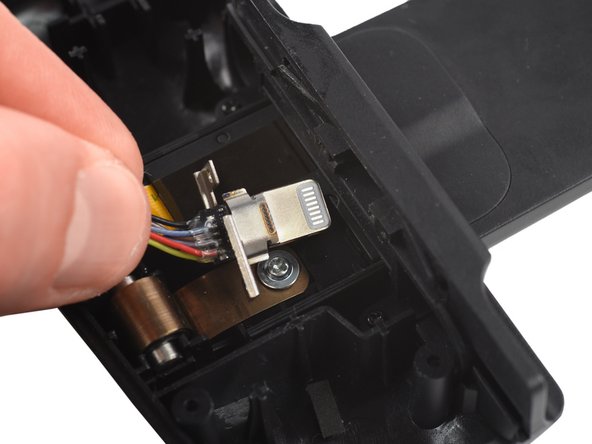
  4. Backbone One Phone Connector Replacement, Unthread the phone connector: Schritt 4, Bild 1 von 3 Backbone One Phone Connector Replacement, Unthread the phone connector: Schritt 4, Bild 2 von 3 Backbone One Phone Connector Replacement, Unthread the phone connector: Schritt 4, Bild 3 von 3
    • Use your fingers to thread the phone connecter through the opening in the plastic cover at the right side of the rear cover.

    Frag FixBot

    Kommentar hinzufügen

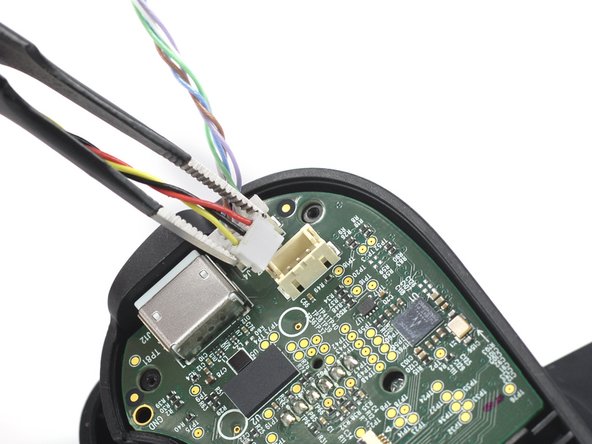
  5. Backbone One Phone Connector Replacement, Disconnect the phone connector cable: Schritt 5, Bild 1 von 2 Backbone One Phone Connector Replacement, Disconnect the phone connector cable: Schritt 5, Bild 2 von 2
    In diesem Schritt verwendetes Werkzeug:
    Tweezers
    $4.99
    • Use a pair of tweezers to disconnect the first phone connector cable from the mainboard.

    Frag FixBot

    Kommentar hinzufügen

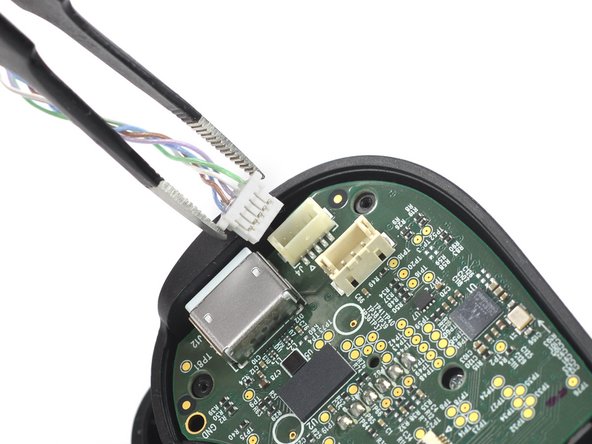
  6. Backbone One Phone Connector Replacement, Disconnect the phone connector cable: Schritt 6, Bild 1 von 2 Backbone One Phone Connector Replacement, Disconnect the phone connector cable: Schritt 6, Bild 2 von 2
    • Use a pair of tweezers to disconnect the second phone connector cable from the mainboard.

    Frag FixBot

    Kommentar hinzufügen

  7. Backbone One Phone Connector Replacement, Remove the phone connector cable: Schritt 7, Bild 1 von 1
    • Remove the phone connector cable.

    Frag FixBot

    Kommentar hinzufügen

Abschluss

To reassemble your device, follow these instructions in reverse order.

Take your e-waste to an R2 or e-Stewards certified recycler.

Repair didn’t go as planned? Ask our Answers community for help.

Rückgängig: Ich habe diese Anleitung nicht absolviert.

Eine weitere Person hat diese Anleitung absolviert.

Team

iFixit Mitglied von iFixit

Staff

122 Mitglieder

25.813 Anleitungen geschrieben

6 Kommentare zur Anleitung

Where can i buy a new part

reye_s - Antwort Teilen

Unfortunately we haven't found any replacement parts yet. If you find a website that offers replacement parts feel free to share your experience with us.

Adriana Zwink - Antwort Teilen

Where can I find the connector

Big_deppresion_time_14 Xxx - Antwort Teilen

My son bent the connector cable. Where do I buy a new one?

Please update as soon as possible!

Krystal Glavic - Antwort Teilen

Has anyone found a place to buy a replacement lightning connector yet?

Ump_ - Antwort Teilen

Kommentar hinzufügen

Seitenaufrufe:

Letzte 24 Stunden: 2

Letzte 7 Tage: 30

Letzte 30 Tage: 167

Insgesamt: 6,161