Diese Übersetzung wurde maschinell erstellt und noch nicht von einem Menschen überprüft. Sprichst du diese Sprache? Schau es dir an.

Bose SoundDock Portable v2 Akku austauschen

Evan Low und
Zuletzt aktualisiert am 17. Aug 2026
Aufrufe: 28.710
Statistik anzeigen:
- Letzte 24 Stunden:
- 2
- Letzte 7 Tage:
- 43
- Letzte 30 Tage:
- 187
- Insgesamt:
- 28.710
Kommentare: 8
8 Kommentare zur Anleitung.
Zu den KommentarenAbgeschlossen: 4 5
4 Personen haben diese Anleitung schon erfolgreich absolviert. Du auch?
5 Personen haben diese Anleitung schon erfolgreich absolviert, unter anderem du. Gut gemacht!
Favoriten: 0 1
Diese Anleitung hat noch niemand unter Favoriten gespeichert (und abonniert). Mach du den Anfang!
1 Person hat diese Anleitung als Favorit gespeichert (und abonniert) – du!
Bessere Einleitung
Verbessere diese Anleitung, indem du die Einleitung vervollständigst oder überarbeitest.
Was du brauchst
Ersatzteile
Werkzeuge

-
-
-
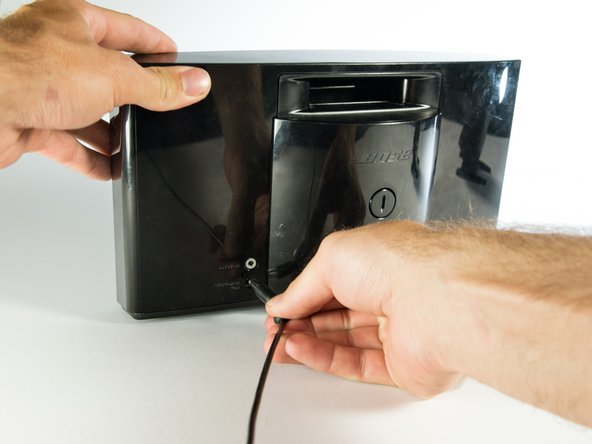
Drücke mit dem Fingernagel oder einer Münze auf den geschlitzten Drehknopf am Akku und drehe ihn gegen den Uhrzeigersinn, um den Akku zu entriegeln.
 Frag FixBot
-
-
-
-
Achte beim neuen Akku darauf, dass der Schlitz im Knopf des Akkus waagerecht steht.
-
Setze den Akku in den Stecker ein.
-
-
-
Drücke den Schlitzknopf hinein und drehe ihn im Uhrzeigersinn, bis der Schlitz vertikal steht. Dadurch verriegelt der Akku.
-
-


Um dein Gerät wieder zusammenzubauen, folge den Schritten dieser Anleitung in umgekehrter Reihenfolge.
Rückgängig: Ich habe diese Anleitung nicht absolviert.
4 weitere Personen haben diese Anleitung absolviert.

Team

Cal Poly, Team 4-1, Maness Spring 2015 Mitglied von Cal Poly, Team 4-1, Maness Spring 2015
CPSU-MANESS-S15S4G1
4 Mitglieder
60 Anleitungen geschrieben
8 Kommentare zur Anleitung
I think it would be cool to show a Teardown of the Bose SoundDock Portable v2 Battery.
I agree. These batteries seem prone to failure and I’d like to replace the cells or whatever it is that is the failure point.
Thanks for your easy and concise help.
Battery is repairable.
There are 4 screws under plastic plugs under sticker. They are one way heads :( use force or a drill.
Locking thingy removal - push the cross pin through - pliers or vise grips to grab and pull out completely. Keep an eye on where spring went.
There may be a bit of glue or tape holding cover too.
4 x 18650 Li-ion cells in 2 banks at each side of the charging board which is held down by 5 screws. Some adhesive was used to hold the cells to the back.
Use meter to check. Mine had one cell at 0V so that was the culprit.
Remove any bad cells by cutting the glue about the temp sensors to carefully get them out of the way. Then cut the cell tags - careful not to short anything as there is charge about. I found it faster to cut tags but you could unglue all cells and lift the board and do that way. My replacement cell came from a Dell laptop pack. Glue the new battery in place (I used automotive trim tape as it was handy) and solder the new cell. Reglue temp sensors.
Reassemble with some new screws.
Hi. How do you push the cross pin through? I can’t
