Einleitung
This guide will be showing you how to replace the LCD screen on a Brother CS6000i sewing machine. The LCD screen helps the user identify what sewing mode and speed they are working with. Some common symptoms particularly related to a faulty LCD screen would be faulty diodes or a blank screen while the machine is in operation.
Before beginning make sure power is disconnected and needle is removed from machine to prevent injury from electrical shock and or sharp objects.
Was du brauchst
-
-
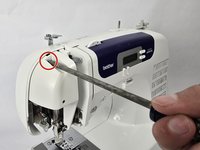
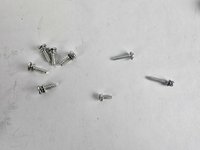
Remove the five 20 mm Phillips #2 screws on the back of the device.
-
Remove the single 28 mm Phillips #2 screw on the back of the device.
-
Remove the single 23 mm Phillips #2 screw on the back of the device.
-
-
-
-
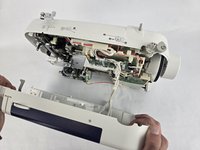
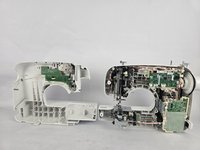
Slightly pull apart the two halves of the machine, taking care not to strain the attached cables.
-
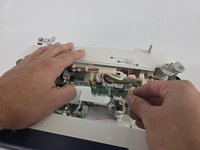
Unhook the white wires that are connected to the motherboard.
-
Fully separate the two halves.
-
-
-
Remove the two 10 mm Philips #2 screws that secure the screen.
-
Unplug the ribbon cable located at the top of the circuit board, then gently remove the LCD screen.
-





To reassemble your device, follow these instructions in reverse order.
Rückgängig: Ich habe diese Anleitung nicht absolviert.
Eine weitere Person hat diese Anleitung absolviert.


Team

Cuesta, Team 20-1, Krynen Fall 2024 Mitglied von Cuesta, Team 20-1, Krynen Fall 2024
CUESTA-KRYNEN-F24S20G1
5 Mitglieder
8 Anleitungen geschrieben
