Was du brauchst
-
-
Turn off the power and remove the battery before working on your Eee PC
-
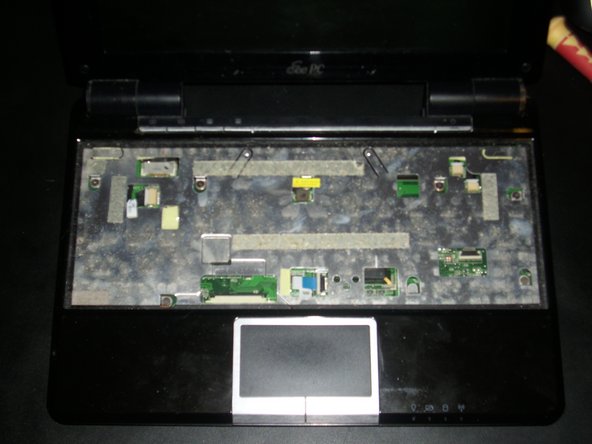
Start by removing the keyboard
-
There are four latches on the top of the keyboard, use a paper clip or other object to disengage the latches
-
You may have to pull the keyboard up enough with the object - there is no spring mechanism to pop the keyboard out. One trick is after lifting it enough, to slide it (not too much) upward to remove the bottom side.
-
The keyboard assembly has also two plastic retention points on the sides, and some thermal tape sticking the keyboard down.
-
-
-
-
7 screws hold the front plate to the motherboard, as well as the ones on the rear of the PC.
-
Before taking off the case, you need to disconnect the touchpad and hotkeys cables.
-


To reassemble your device, follow these instructions in reverse order.
To reassemble your device, follow these instructions in reverse order.
Rückgängig: Ich habe diese Anleitung nicht absolviert.
Ein:e weitere:r Nutzer:in hat diese Anleitung absolviert.



