Zum Hauptinhalt wechseln
Gemeinsam reparieren - Jetzt registrieren

Disassembling Asus W2W-A1 Front Panel

Was du brauchst

  1. Disassembling Asus W2W-A1 Front Panel, Keyboard: Schritt 1, Bild 1 von 3 Disassembling Asus W2W-A1 Front Panel, Keyboard: Schritt 1, Bild 2 von 3 Disassembling Asus W2W-A1 Front Panel, Keyboard: Schritt 1, Bild 3 von 3
    • Remove the battery, then unscrew the 7 3 mm Phillips screws behind the battery. Make sure they go in separate, organized piles.

    • Unscrew the 2 4 mm Phillips head screws by the battery.

    Frag FixBot
  2. Disassembling Asus W2W-A1 Front Panel: Schritt 2, Bild 1 von 1
    • Remove the panel above the keyboard with a plastic spudger.

    Frag FixBot
  3. Disassembling Asus W2W-A1 Front Panel: Schritt 3, Bild 1 von 1
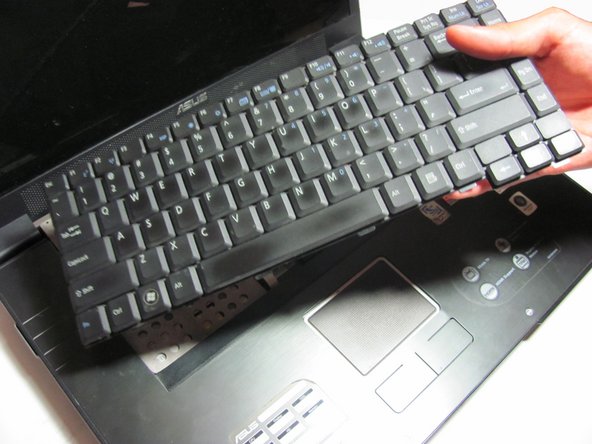
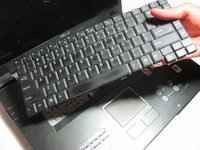
    • Once the panel is removed, use the spudger to pry out the keyboard.

    • Do not fully remove, for the keyboard is still attached to the ribbon cable.

    Frag FixBot
  4. Disassembling Asus W2W-A1 Front Panel: Schritt 4, Bild 1 von 2 Disassembling Asus W2W-A1 Front Panel: Schritt 4, Bild 2 von 2
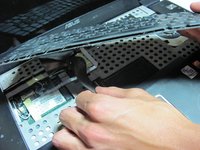
    • Detach the ribbon cable from the keyboard by pulling the end of the ribbon cable that is attached inside of the laptop.

    • Be sure to detach from the root rather than from near the middle. It should slide out with ease.

    • Now you can fully remove the keyboard from the laptop.

    Frag FixBot
  5. Disassembling Asus W2W-A1 Front Panel, Front Panel: Schritt 5, Bild 1 von 1
    • Place your fingers or a spudger between the front panel and the rest of the laptop.

    • Pull upwards gently to detach the side you are grabbing.

    • Repeat on the other side until the panel easily peels off the laptop.

    Frag FixBot
Abschluss

To reassemble your device, follow these instructions in reverse order.

Team

Cal Poly, Team 13-29, Maness Spring 2014 Mitglied von Cal Poly, Team 13-29, Maness Spring 2014

CPSU-MANESS-S14S13G29

4 Mitglieder

8 Anleitungen geschrieben

0 Kommentare zur Anleitung

Kommentar hinzufügen

Seitenaufrufe:

Letzte 24 Stunden: 0

Letzte 7 Tage: 7

Letzte 30 Tage: 45

Insgesamt: 576