Zum Hauptinhalt wechseln

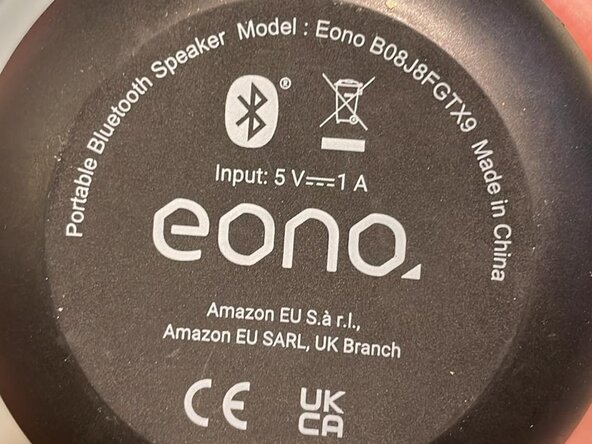
EONO B08J8J8FGTX9 Bluetooth Speaker Button Replacement (Won't switch on)

Was du brauchst

  1. EONO B08J8J8FGTX9 Bluetooth Speaker Button Replacement (Won't switch on), Problem description: Schritt 1, Bild 1 von 2 EONO B08J8J8FGTX9 Bluetooth Speaker Button Replacement (Won't switch on), Problem description: Schritt 1, Bild 2 von 2
    • The buttons on these speakers can fail due to corrosion or repeated pressing. They are easy to replace.

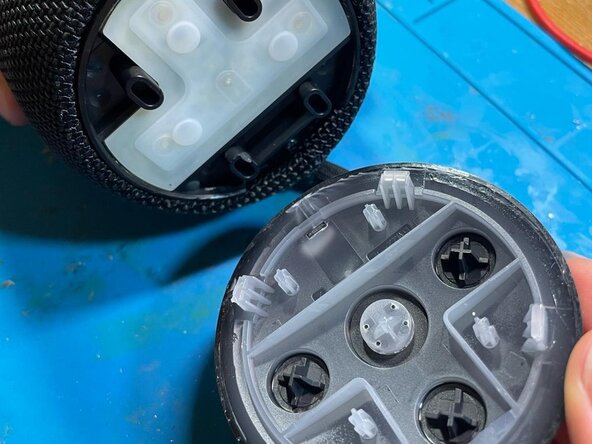
  2. EONO B08J8J8FGTX9 Bluetooth Speaker Button Replacement (Won't switch on): Schritt 2, Bild 1 von 2 EONO B08J8J8FGTX9 Bluetooth Speaker Button Replacement (Won't switch on): Schritt 2, Bild 2 von 2
    • There are four clips in total

    • Pop the top cover up using a flat spudger.

  3. EONO B08J8J8FGTX9 Bluetooth Speaker Button Replacement (Won't switch on): Schritt 3, Bild 1 von 1
    • Peel off the silicone cover. It is glued on with double-sided tape which can be removed with isopropanol if desired.

  4. EONO B08J8J8FGTX9 Bluetooth Speaker Button Replacement (Won't switch on), Remove the broken switch: Schritt 4, Bild 1 von 1
    • You can cut out the old switch using flush cutters or a rotary tool, be careful not to rip the solder pads of the circuit board.

    • Alternatively, use a hot air gun. You can use low-melting solder to make removal easier.

  5. EONO B08J8J8FGTX9 Bluetooth Speaker Button Replacement (Won't switch on): Schritt 5, Bild 1 von 1
    • Solder the replacement button into place using a hot air gun, solder and flux.

    • The buttons measure 5.1mm x 5.1mm (excluding the legs). They are about 1.5mm tall excluding the push button

  6. EONO B08J8J8FGTX9 Bluetooth Speaker Button Replacement (Won't switch on): Schritt 6, Bild 1 von 1
    • Solder the new button into place.

    • Test before reassembly

    • Glue the silicone back into place.

Abschluss

Reassembly is very simple, you can stick the silicone in case and push the cap back on.

Leafy Williams

Mitglied seit: 06/05/24

162 Reputation

1 Anleitung geschrieben

0 Kommentare zur Anleitung

Kommentar hinzufügen

Seitenaufrufe:

Letzte 24 Stunden: 0

Letzte 7 Tage: 5

Letzte 30 Tage: 19

Insgesamt: 154