Zum Hauptinhalt wechseln
Gemeinsam reparieren - Jetzt registrieren

GameStop GS3 GameCube Controller Disassembly

Was du brauchst

  1. GameStop GS3 GameCube Controller Disassembly, Remove four screws on the back of the unit: Schritt 1, Bild 1 von 2 GameStop GS3 GameCube Controller Disassembly, Remove four screws on the back of the unit: Schritt 1, Bild 2 von 2
    • Turn the controller over so the back is facing upwards.

    Frag FixBot

    Kommentar hinzufügen

  2. GameStop GS3 GameCube Controller Disassembly: Schritt 2, Bild 1 von 3 GameStop GS3 GameCube Controller Disassembly: Schritt 2, Bild 2 von 3 GameStop GS3 GameCube Controller Disassembly: Schritt 2, Bild 3 von 3
    • Carefully pry open the controller. Ensure that the rumble assembly stays intact.

    Frag FixBot

    Kommentar hinzufügen

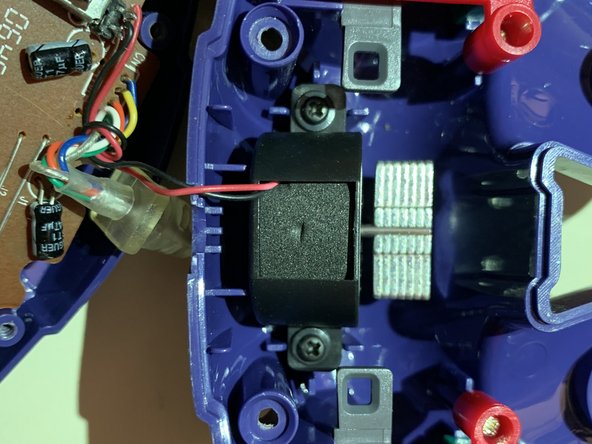
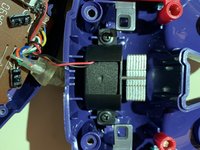
  3. GameStop GS3 GameCube Controller Disassembly: Schritt 3, Bild 1 von 2 GameStop GS3 GameCube Controller Disassembly: Schritt 3, Bild 2 von 2
    • Locate the two black screws attached to the rumble assembly. Remove them and separate the motor from the back casing.

    Frag FixBot

    Kommentar hinzufügen

  4. GameStop GS3 GameCube Controller Disassembly: Schritt 4, Bild 1 von 3 GameStop GS3 GameCube Controller Disassembly: Schritt 4, Bild 2 von 3 GameStop GS3 GameCube Controller Disassembly: Schritt 4, Bild 3 von 3
    • Locate the green pcb on the main assembly. Remove the silver screw on the green pcb to separate it from the controller casing.

    Frag FixBot

    Kommentar hinzufügen

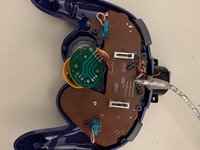
  5. GameStop GS3 GameCube Controller Disassembly: Schritt 5, Bild 1 von 2 GameStop GS3 GameCube Controller Disassembly: Schritt 5, Bild 2 von 2
    • Locate the two silver screws on the brown pcb. Remove them and carefully pry both pcbs off of the controller casing. Ensure that the buttons on the controller casing remain in place.

    Frag FixBot

    Kommentar hinzufügen

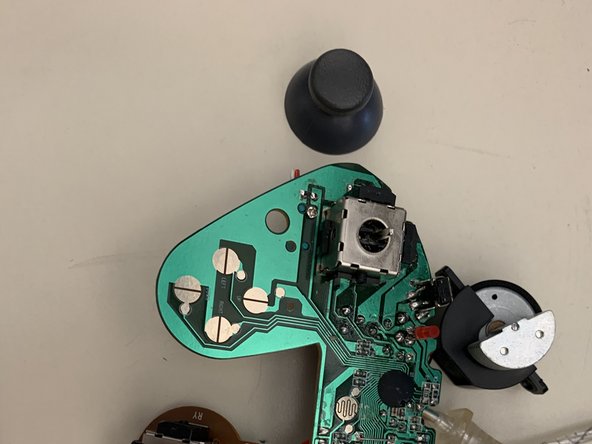
  6. GameStop GS3 GameCube Controller Disassembly: Schritt 6, Bild 1 von 2 GameStop GS3 GameCube Controller Disassembly: Schritt 6, Bild 2 von 2
    • Firmly pry the plastic part of the problematic joystick off of the pcb. Take care to ensure that the pcb remains intact.

    Frag FixBot

    Kommentar hinzufügen

  7. GameStop GS3 GameCube Controller Disassembly: Schritt 7, Bild 1 von 1
    • Examine the joystick module on the pcb. Stick drift is a common problem and is usually caused by dirt and debris inside the metal casing. Use rubbing alcohol and a tissue to clean the affected area.

    Frag FixBot

    Kommentar hinzufügen

Abschluss

To reassemble your device, follow these instructions in reverse order.

Rückgängig: Ich habe diese Anleitung nicht absolviert.

Brandon

Mitglied seit: 11/18/19

145 Reputation

1 Anleitung geschrieben

0 Kommentare zur Anleitung

Kommentar hinzufügen

Seitenaufrufe:

Letzte 24 Stunden: 2

Letzte 7 Tage: 4

Letzte 30 Tage: 38

Insgesamt: 582