Einleitung
If your hard drive is not working or you want to add in a larger hard drive, follow this guide.
Was du brauchst
-
-
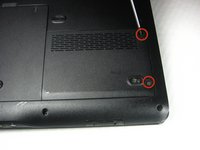
Remove the two screws from the hard drive shield and lift it off starting at the right side. The screws will remain in the shield.
-
-
-
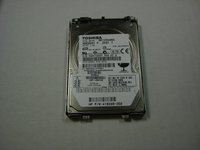
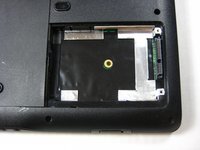
Pull the plastic tab attached to the hard drive. The hard drive lifts right out. Pull gently so you don't damage the contacts.
-
-
-
-
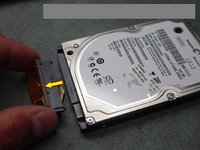
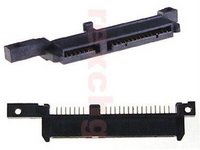
Gently pull forward the HP adapter from the top of the hard drive.
-
Insert the adapter onto the new SATA hard drive, to be replaced in the laptop.
-






To reassemble your device, follow these instructions in reverse order.
To reassemble your device, follow these instructions in reverse order.
Rückgängig: Ich habe diese Anleitung nicht absolviert.
20 weitere Personen haben diese Anleitung absolviert.



Team

Cal Poly, Team 21-33, Regan Fall 2010 Mitglied von Cal Poly, Team 21-33, Regan Fall 2010
CPSU-REGAN-F10S21G33
4 Mitglieder
12 Anleitungen geschrieben
2 Kommentare
I was scratching my head when I recvd the new hd w/out the adapter... LOL! thanks
