Zum Hauptinhalt wechseln
Gemeinsam reparieren - Jetzt registrieren

HP Pavilion g4-1117dx Screen Replacement

Was du brauchst

  1. HP Pavilion g4-1117dx Screen Replacement, Battery: Schritt 1, Bild 1 von 1
    • Slide pill shaped tab to the other side of the channel.

    Frag FixBot

    Kommentar hinzufügen

    • Remove battery while keeping the tab to the side.

    Frag FixBot

    Kommentar hinzufügen

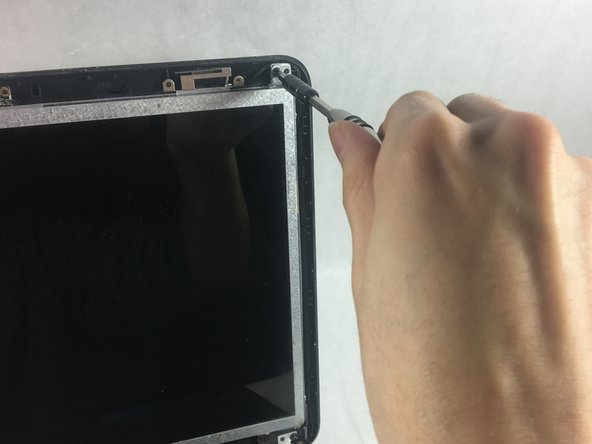
  2. HP Pavilion g4-1117dx Screen Replacement, Screen: Schritt 3, Bild 1 von 3 HP Pavilion g4-1117dx Screen Replacement, Screen: Schritt 3, Bild 2 von 3 HP Pavilion g4-1117dx Screen Replacement, Screen: Schritt 3, Bild 3 von 3
    • Remove two triangular shaped screw covers in the bottom corners of the monitor near the hinges.

    • Unscrew the two 4.0 mm JIS #0 screws holding the hinge covers.

    Frag FixBot

    Kommentar hinzufügen

  3. HP Pavilion g4-1117dx Screen Replacement: Schritt 4, Bild 1 von 1
    • Pry off the monitor border cover.

    Frag FixBot

    Kommentar hinzufügen

  4. HP Pavilion g4-1117dx Screen Replacement: Schritt 5, Bild 1 von 2 HP Pavilion g4-1117dx Screen Replacement: Schritt 5, Bild 2 von 2
    • Remove four 4.0mm JIS #0 screws located at each corner of the monitor.

    Frag FixBot

    Kommentar hinzufügen

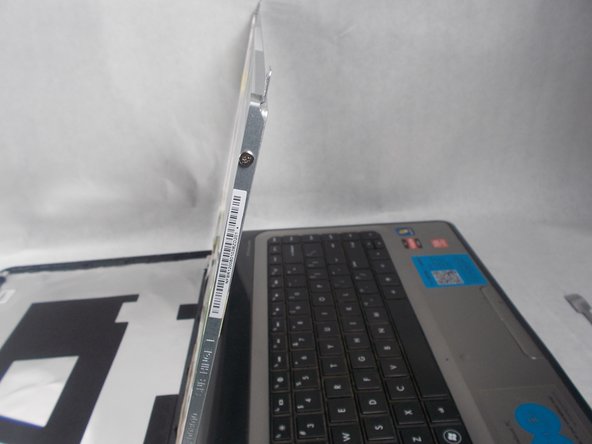
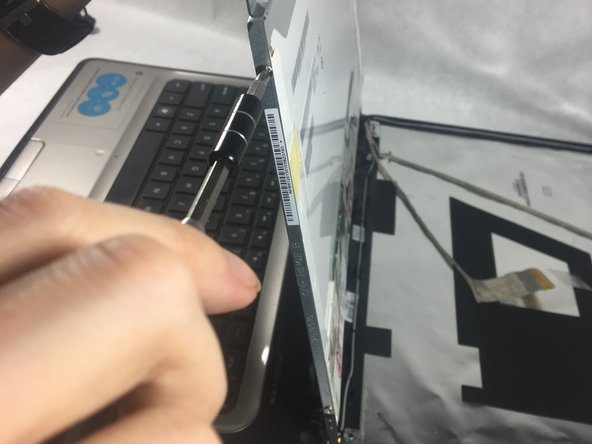
  5. HP Pavilion g4-1117dx Screen Replacement: Schritt 6, Bild 1 von 3 HP Pavilion g4-1117dx Screen Replacement: Schritt 6, Bild 2 von 3 HP Pavilion g4-1117dx Screen Replacement: Schritt 6, Bild 3 von 3
    • Remove the two silver hinge covers.

    Frag FixBot

    Kommentar hinzufügen

  6. HP Pavilion g4-1117dx Screen Replacement: Schritt 7, Bild 1 von 2 HP Pavilion g4-1117dx Screen Replacement: Schritt 7, Bild 2 von 2
    • Unplug at golden connector.

    Frag FixBot

    Kommentar hinzufügen

  7. HP Pavilion g4-1117dx Screen Replacement: Schritt 8, Bild 1 von 3 HP Pavilion g4-1117dx Screen Replacement: Schritt 8, Bild 2 von 3 HP Pavilion g4-1117dx Screen Replacement: Schritt 8, Bild 3 von 3
    • Remove four 3.0mm JIS #0 screws, two on each side of the screen.

    Frag FixBot

    Kommentar hinzufügen

  8. HP Pavilion g4-1117dx Screen Replacement: Schritt 9, Bild 1 von 1
    • Carefully remove the screen.

    Frag FixBot

    Kommentar hinzufügen

Abschluss

To reassemble your device, follow these instructions in reverse order.

Rückgängig: Ich habe diese Anleitung nicht absolviert.

2 weitere Personen haben diese Anleitung absolviert.

Team

UMass Dartmouth, Team S2-G7, Simcock Spring 2018 Mitglied von UMass Dartmouth, Team S2-G7, Simcock Spring 2018

UMASSD-SIMCOCK-S18S2G7

4 Mitglieder

10 Anleitungen geschrieben

2 Kommentare zur Anleitung

nice very informative

S i n o for pc - Antwort Teilen

Uma pergunta pra colocar uma tela nova nesse mesmo modelo o processo de montagem e o mesmo que o de desmontagem ?

Maisa Mariana - Antwort Teilen

Kommentar hinzufügen

Seitenaufrufe:

Letzte 24 Stunden: 2

Letzte 7 Tage: 7

Letzte 30 Tage: 42

Insgesamt: 1,237