Zum Hauptinhalt wechseln
Gemeinsam reparieren - Jetzt registrieren

HP iPAQ HW6515 Flash LED Bulb Replacement

Was du brauchst

    1. HP iPAQ HW6515 Flash LED Bulb Replacement, Battery: Schritt 1, Bild 1 von 3 HP iPAQ HW6515 Flash LED Bulb Replacement, Battery: Schritt 1, Bild 2 von 3 HP iPAQ HW6515 Flash LED Bulb Replacement, Battery: Schritt 1, Bild 3 von 3
      • Flip the HP iPAQ HW6515 over with the screen facing down.

      • Take the back cover off by pressing on the small silver button while pulling back then up on the case.

      • Place the back of the case aside for now.

      Frag FixBot

      Kommentar hinzufügen

    2. HP iPAQ HW6515 Flash LED Bulb Replacement: Schritt 2, Bild 1 von 1
      • Remove the battery by pulling up on the black tab.

      Frag FixBot

      Kommentar hinzufügen

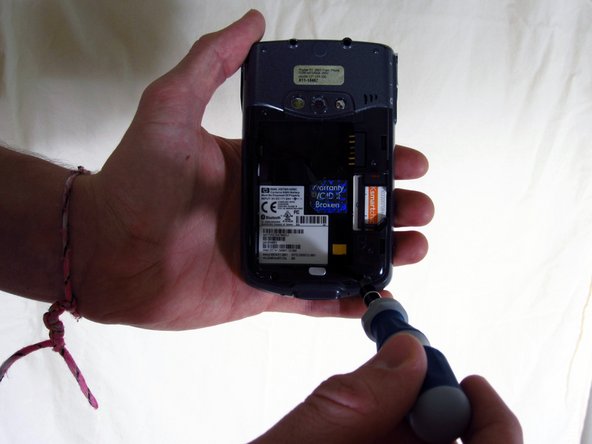
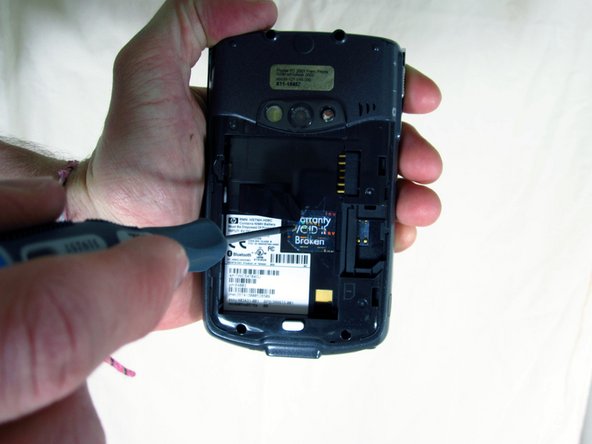
    1. HP iPAQ HW6515 Flash LED Bulb Replacement, Flash LED Bulb: Schritt 3, Bild 1 von 3 HP iPAQ HW6515 Flash LED Bulb Replacement, Flash LED Bulb: Schritt 3, Bild 2 von 3 HP iPAQ HW6515 Flash LED Bulb Replacement, Flash LED Bulb: Schritt 3, Bild 3 von 3
      • Unscrew the four screws using the T6 hexagonal star screwdriver.

      • Unscrew the middle screw using the Phillips 00 screwdriver.

      • "Warranty VOID if broken" sticker might be covering the middle screw, if this is the case, peel it off to reveal the screw.

      Frag FixBot

      Kommentar hinzufügen

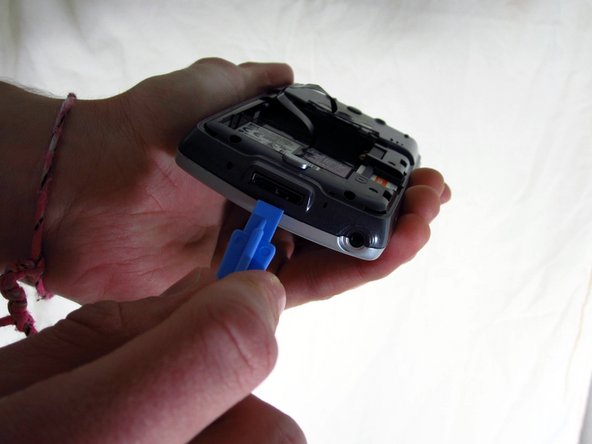
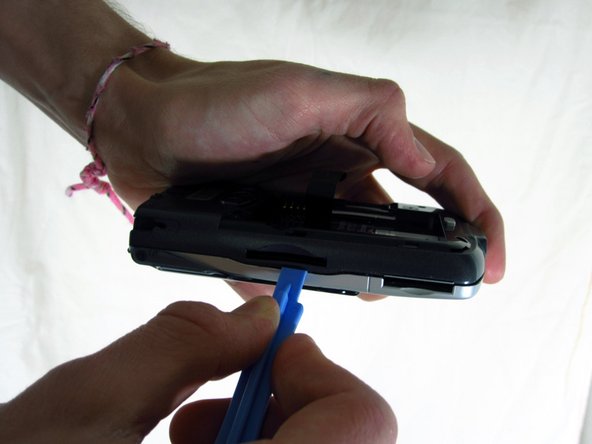
    2. HP iPAQ HW6515 Flash LED Bulb Replacement: Schritt 4, Bild 1 von 3 HP iPAQ HW6515 Flash LED Bulb Replacement: Schritt 4, Bild 2 von 3 HP iPAQ HW6515 Flash LED Bulb Replacement: Schritt 4, Bild 3 von 3
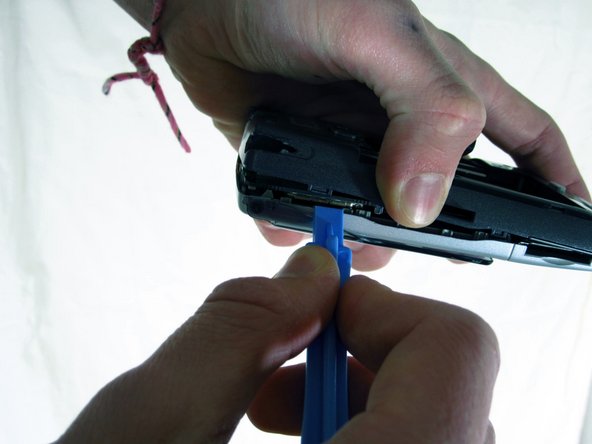
      • Use the plastic opening tool to pry apart the covers along the bottom of the phone.

      • Slide the plastic opening tool along the seam until the two halves of the case separate.

      Frag FixBot

      Kommentar hinzufügen

    3. HP iPAQ HW6515 Flash LED Bulb Replacement: Schritt 5, Bild 1 von 2 HP iPAQ HW6515 Flash LED Bulb Replacement: Schritt 5, Bild 2 von 2
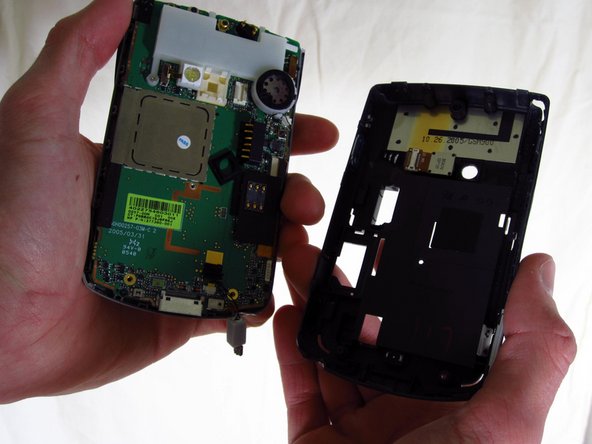
      • Unplug the sensor wire that connects the two halves of the case before pulling the two halves apart. Not doing so will damage the sensor wire.

      Frag FixBot

      Kommentar hinzufügen

    4. HP iPAQ HW6515 Flash LED Bulb Replacement: Schritt 6, Bild 1 von 3 HP iPAQ HW6515 Flash LED Bulb Replacement: Schritt 6, Bild 2 von 3 HP iPAQ HW6515 Flash LED Bulb Replacement: Schritt 6, Bild 3 von 3
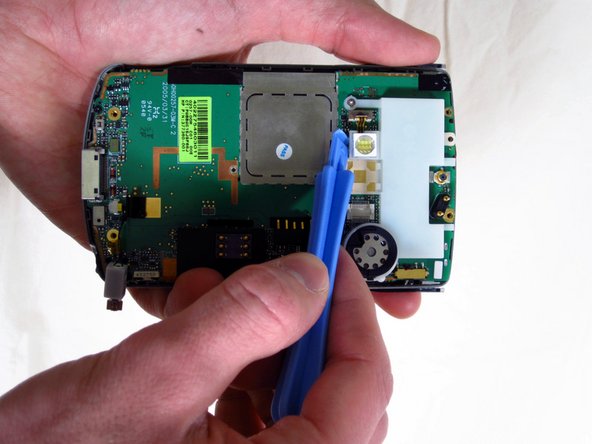
      • Gently pull off the black rubber square covering the LED light.

      • The LED is now exposed.

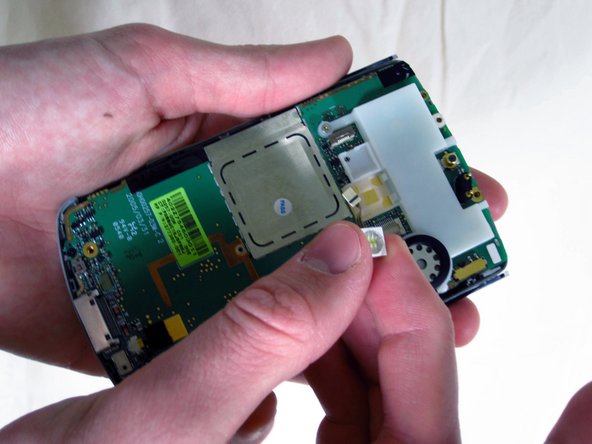
      • Wedge the plastic opening tool under the LED to pop it out and expose its wire.

      • Using your index finger and thumb, unplug the wire from the phone and remove the LED.

      Frag FixBot

      Kommentar hinzufügen

Abschluss

To reassemble your device, follow these instructions in reverse order.

Rückgängig: Ich habe diese Anleitung nicht absolviert.

Eine weitere Person hat diese Anleitung absolviert.

Team

Cal Poly, Team 15-17, Forte Spring 2012 Mitglied von Cal Poly, Team 15-17, Forte Spring 2012

CPSU-FORTE-S12S15G17

4 Mitglieder

60 Anleitungen geschrieben

0 Kommentare zur Anleitung

Kommentar hinzufügen

Seitenaufrufe:

Letzte 24 Stunden: 0

Letzte 7 Tage: 6

Letzte 30 Tage: 19

Insgesamt: 1,648