Einleitung
If your Hori Real Arcade Pro N button is not registering button presses, then use this guide to replace the Sanwa 30 or 24 mm push button found in the RAP N fight stick.
What is needed to replace the fight stick buttons is a Sanwa 30 or 24 mm push button and a Phillips head screwdriver to remove the screws found in this fight stick.
Before you begin if you need to fix the opt right button a 24mm push button is needed but if it is for the 8 buttons, you need the 30mm Sanwa buttons.
Was du brauchst
-
-
Flip your Fight Stick so the bottom is facing up.
-
Remove the sticker covering the screw in the bottom middle of the device.
-
Remove eight screws from the bottom of the device using a Phillips #0 screwdriver.
-
-
-
Find the storage compartment that holds the USB wire.
-
Open the case by putting your hand in the compartment and pushing up.
-
-
-
-
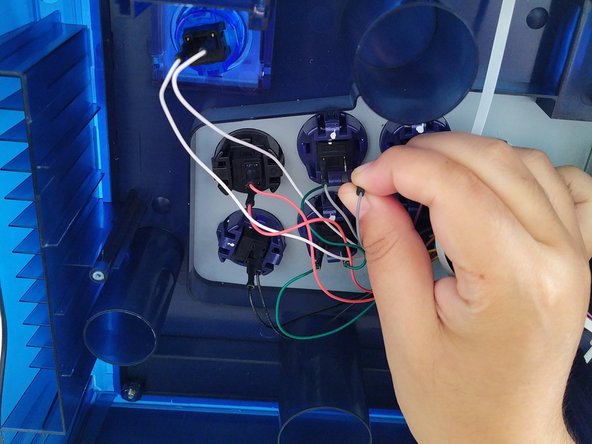
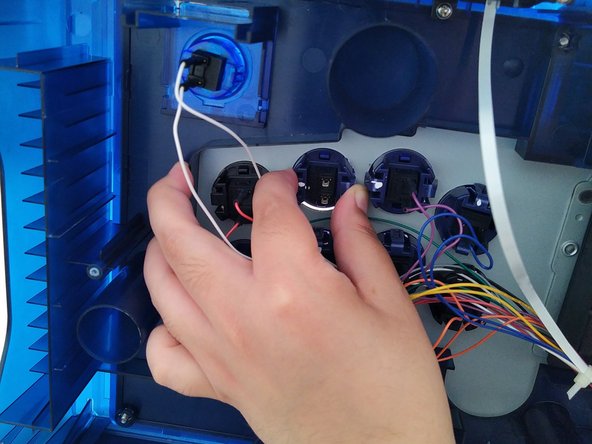
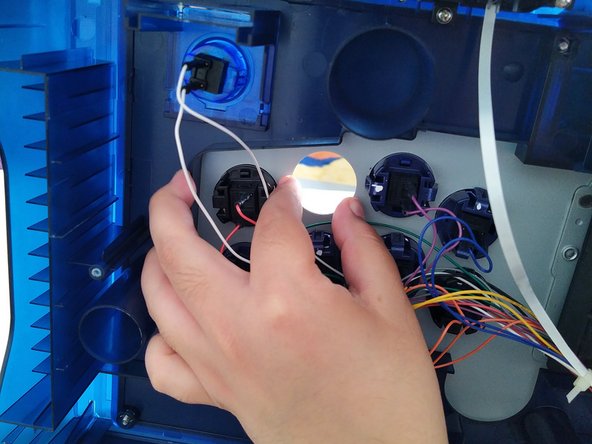
Use your fingers to pull the black grip to detach both wires connected to the pushbutton.
-
-
-
Squeeze the tabs in the button.
-
While squeezing, push the button inward, so it falls out.
-






To reassemble your device, follow these instructions in reverse order.
Rückgängig: Ich habe diese Anleitung nicht absolviert.
Eine weitere Person hat diese Anleitung absolviert.


Team

CSU Los Angeles, Team 21-17, Briggs Spring 2022 Mitglied von CSU Los Angeles, Team 21-17, Briggs Spring 2022
CSULA-BRIGGS-S22S21G17
1 Mitglied
2 Anleitungen geschrieben
