Zum Hauptinhalt wechseln
Gemeinsam reparieren - Jetzt registrieren

How to fix scratches in the screen of a macbook

Was du brauchst

    1. How to fix scratches in the screen of a macbook, How to Fix your Macbook screen with Toothpaste: Schritt 1, Bild 1 von 1
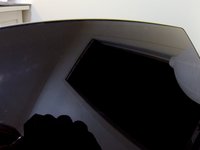
      • This is a guide how I fixed the scratches in my screen.

      Frag FixBot

      Kommentar hinzufügen

    2. How to fix scratches in the screen of a macbook, what do you need?: Schritt 2, Bild 1 von 1
      • You just need some toothpaste, an old toothbrush and some soft cloth. I used tissue.

      Frag FixBot

      Kommentar hinzufügen

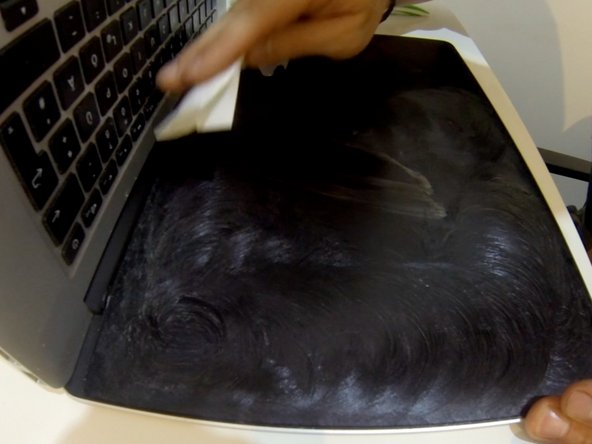
    3. How to fix scratches in the screen of a macbook, Fix your scratches: Schritt 3, Bild 1 von 2 How to fix scratches in the screen of a macbook, Fix your scratches: Schritt 3, Bild 2 von 2
      • Add some toothpaste on the screen, deal it out with the toothbrush and polish the screen with the soft cloth. You may need to add a very little water to the cloth if the toothpaste gets to sticky.

      Frag FixBot

      Kommentar hinzufügen

    4. Frag FixBot

      Kommentar hinzufügen

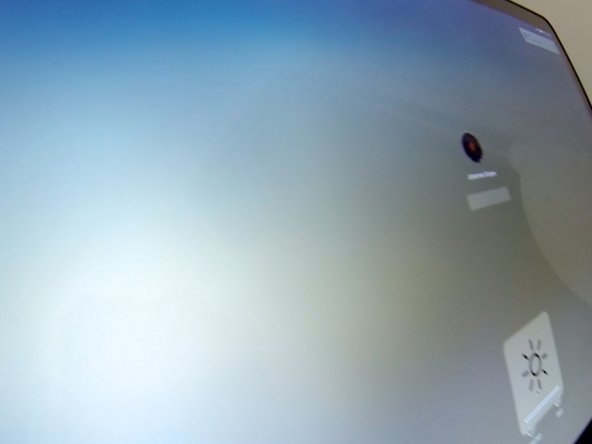
    5. How to fix scratches in the screen of a macbook, The result: Schritt 5, Bild 1 von 2 How to fix scratches in the screen of a macbook, The result: Schritt 5, Bild 2 von 2
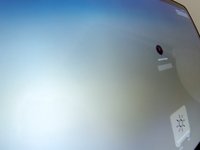
      • No scratches. Everything looks nice again.

      Frag FixBot

      Kommentar hinzufügen

Abschluss

To reassemble your device, follow these instructions in reverse order.

Rückgängig: Ich habe diese Anleitung nicht absolviert.

Eine weitere Person hat diese Anleitung absolviert.

mojografx

Mitglied seit: 04/15/16

37 Reputation

1 Anleitung geschrieben

0 Kommentare zur Anleitung

Kommentar hinzufügen

Seitenaufrufe:

Letzte 24 Stunden: 0

Letzte 7 Tage: 9

Letzte 30 Tage: 46

Insgesamt: 3,136