Einleitung
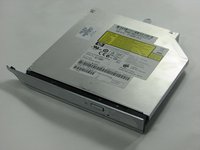
This guide will show you how to safely remove the CD/DVD optical drive in the laptop.
Was du brauchst
-
-
Flip the computer around to the back side.
-
Remove the three screws from the memory module cover.
-
-
-
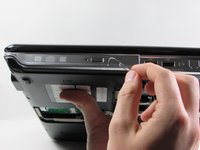
Remove the screw completely from the memory module panel to help release the Optical drive from the body of the computer.
-
The screw is 7mm long and head is 4mm wide.
-
-
-
-
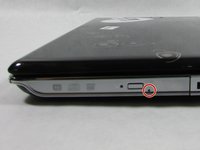
Locate the small hole next to the eject button.
-
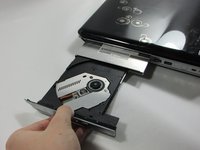
Get a paper clip and insert in to the small hole until you hear a clicking sound and seeing the tray pop out.
-




To reassemble your device, follow these instructions in reverse order.
To reassemble your device, follow these instructions in reverse order.
Rückgängig: Ich habe diese Anleitung nicht absolviert.
2 weitere Personen haben diese Anleitung absolviert.



Team

UMass Dartmouth, Team 2-2, Isaacson Fall 2016 Mitglied von UMass Dartmouth, Team 2-2, Isaacson Fall 2016
UMASSD-ISAACSON-F16S2G2
3 Mitglieder
5 Anleitungen geschrieben
