Zum Hauptinhalt wechseln

Kaffelogic Nano 7/LINK (A/B/C-N Serial) Element Replacement

Was du brauchst

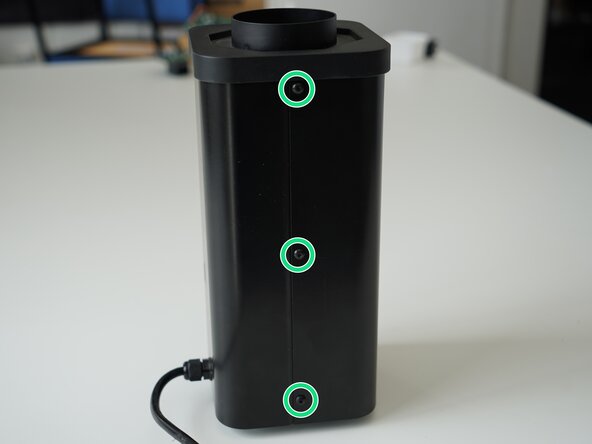
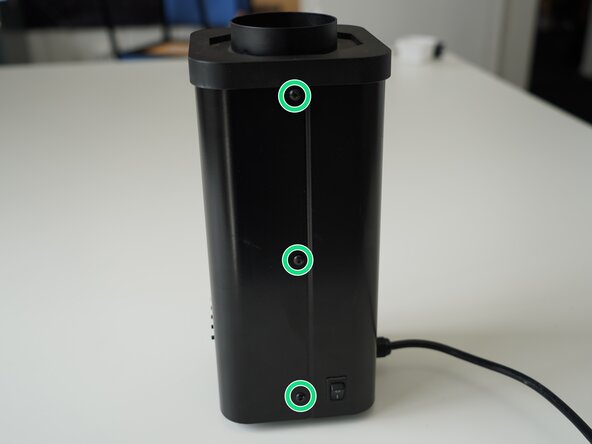
  1. Kaffelogic Nano 7/LINK (A/B/C-N Serial) Element Replacement, Removing Panel Screws: Schritt 1, Bild 1 von 2 Kaffelogic Nano 7/LINK (A/B/C-N Serial) Element Replacement, Removing Panel Screws: Schritt 1, Bild 2 von 2
    • Remove the 6x 2.5mm Hex screws on the left and right side of the roaster.

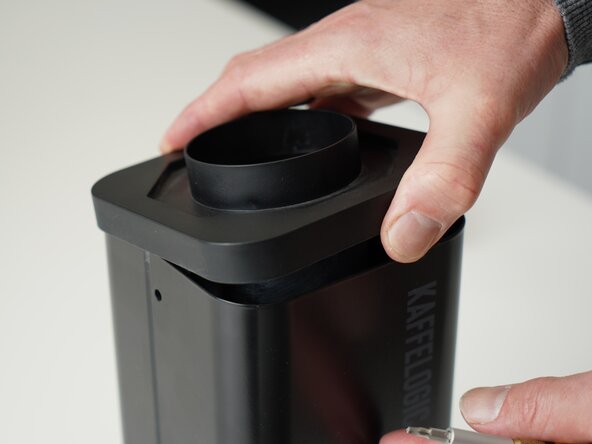
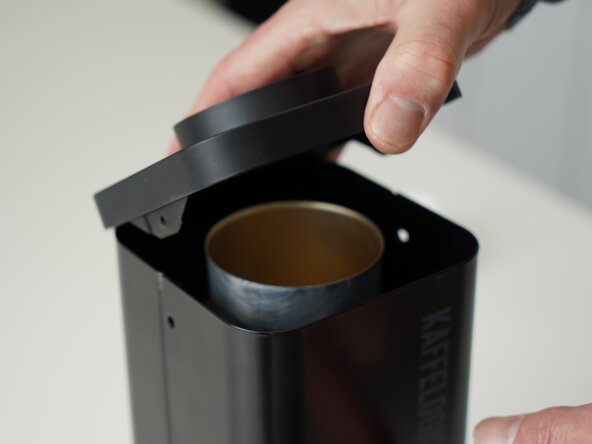
  2. Kaffelogic Nano 7/LINK (A/B/C-N Serial) Element Replacement, Lift the closure: Schritt 2, Bild 1 von 2 Kaffelogic Nano 7/LINK (A/B/C-N Serial) Element Replacement, Lift the closure: Schritt 2, Bild 2 von 2
    • Hold the roaster steady while removing the plastic top/closure.

    • Panels may spring apart slightly once removed.

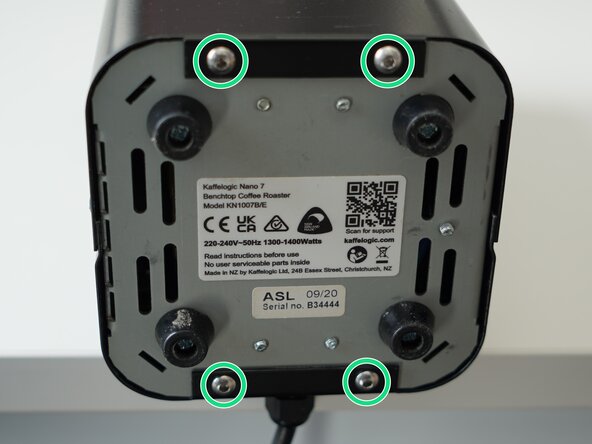
  3. Kaffelogic Nano 7/LINK (A/B/C-N Serial) Element Replacement, Remove bottom panel screws: Schritt 3, Bild 1 von 3 Kaffelogic Nano 7/LINK (A/B/C-N Serial) Element Replacement, Remove bottom panel screws: Schritt 3, Bild 2 von 3 Kaffelogic Nano 7/LINK (A/B/C-N Serial) Element Replacement, Remove bottom panel screws: Schritt 3, Bild 3 von 3
    • Remove the 4x 2.5mm Hex screws on the bottom of the roaster.

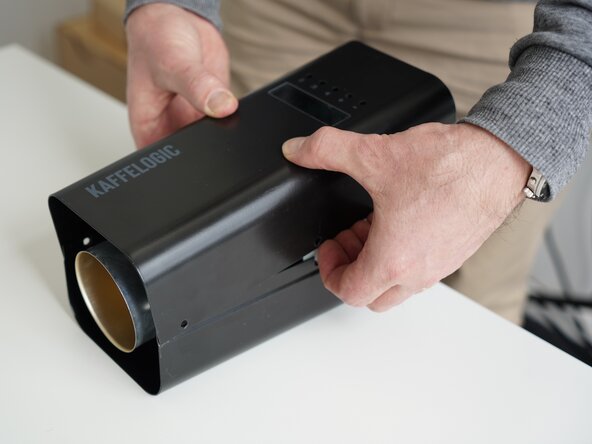
  4. Kaffelogic Nano 7/LINK (A/B/C-N Serial) Element Replacement, Remove the front panel: Schritt 4, Bild 1 von 3 Kaffelogic Nano 7/LINK (A/B/C-N Serial) Element Replacement, Remove the front panel: Schritt 4, Bild 2 von 3 Kaffelogic Nano 7/LINK (A/B/C-N Serial) Element Replacement, Remove the front panel: Schritt 4, Bild 3 von 3
    • Pull away the front panel carefully.

    • Take care not to damage the buttons while maneuvering the front panel.

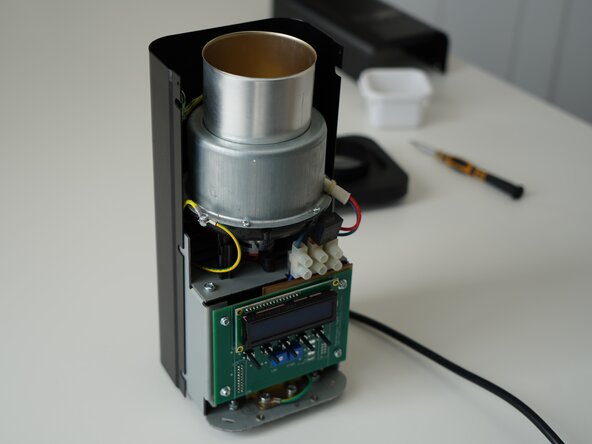
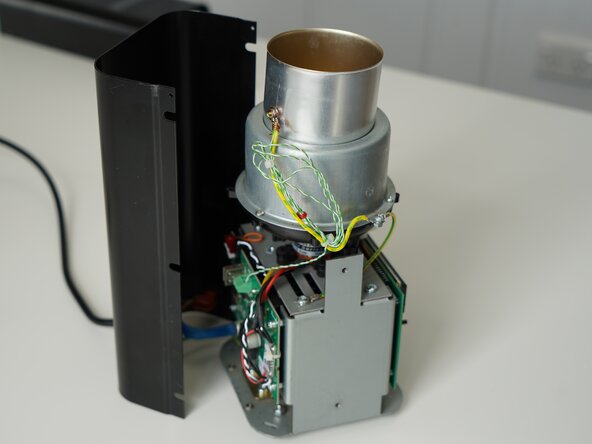
  5. Kaffelogic Nano 7/LINK (A/B/C-N Serial) Element Replacement, Remove rear panel: Schritt 5, Bild 1 von 3 Kaffelogic Nano 7/LINK (A/B/C-N Serial) Element Replacement, Remove rear panel: Schritt 5, Bild 2 von 3 Kaffelogic Nano 7/LINK (A/B/C-N Serial) Element Replacement, Remove rear panel: Schritt 5, Bild 3 von 3
    • Stand the roaster up again and pull away the rear panel from the chassis to expose the remaining components.

    • The mains cable is routed through the panel and it will remain attached, place the panel in a soft bag if you wish to protect the paint throughout the rest of your repairs.

  6. Kaffelogic Nano 7/LINK (A/B/C-N Serial) Element Replacement, Remove element chamber screws: Schritt 6, Bild 1 von 3 Kaffelogic Nano 7/LINK (A/B/C-N Serial) Element Replacement, Remove element chamber screws: Schritt 6, Bild 2 von 3 Kaffelogic Nano 7/LINK (A/B/C-N Serial) Element Replacement, Remove element chamber screws: Schritt 6, Bild 3 von 3
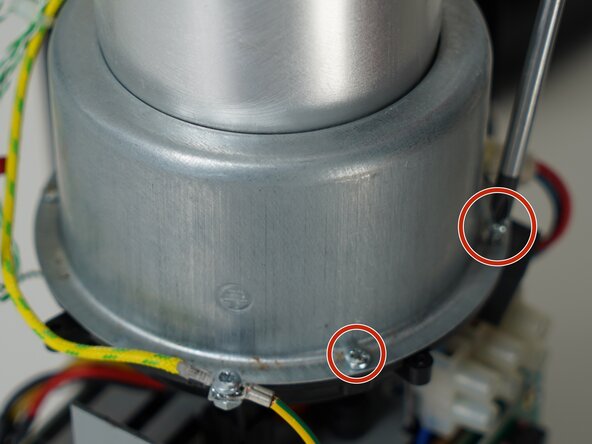
    • Remove the 4x PH1 element chamber screws from the plastic bowl. (One screw not pictured)

    • When reassembling make sure there is no airgap indicated by the red and blue arrow

  7. Kaffelogic Nano 7/LINK (A/B/C-N Serial) Element Replacement, Remove roast chamber: Schritt 7, Bild 1 von 1
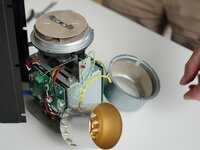
    • Set the roast chamber aside but do not disconnect any wires.

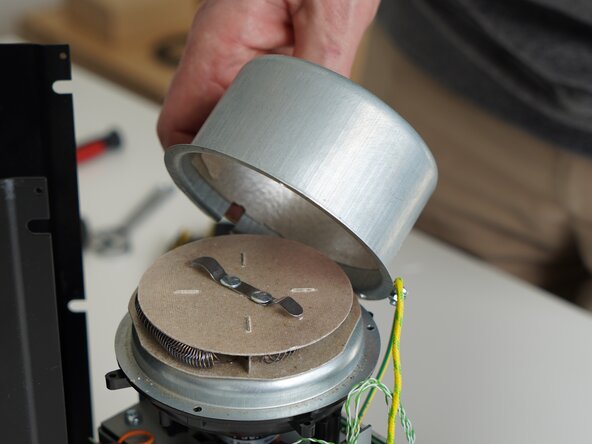
  8. Kaffelogic Nano 7/LINK (A/B/C-N Serial) Element Replacement, Remove the element chamber: Schritt 8, Bild 1 von 2 Kaffelogic Nano 7/LINK (A/B/C-N Serial) Element Replacement, Remove the element chamber: Schritt 8, Bild 2 von 2
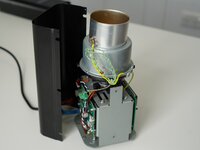
    • Lift the element chamber up carefully to expose the element. Set this aside.

  9. Kaffelogic Nano 7/LINK (A/B/C-N Serial) Element Replacement, Remove support ring: Schritt 9, Bild 1 von 3 Kaffelogic Nano 7/LINK (A/B/C-N Serial) Element Replacement, Remove support ring: Schritt 9, Bild 2 von 3 Kaffelogic Nano 7/LINK (A/B/C-N Serial) Element Replacement, Remove support ring: Schritt 9, Bild 3 von 3
    • Lift up the element slightly and remove the support ring.

    • Do not touch the element coil directly. Skin oils can create hotspots on the wire.

  10. Kaffelogic Nano 7/LINK (A/B/C-N Serial) Element Replacement, Disconnect the element: Schritt 10, Bild 1 von 3 Kaffelogic Nano 7/LINK (A/B/C-N Serial) Element Replacement, Disconnect the element: Schritt 10, Bild 2 von 3 Kaffelogic Nano 7/LINK (A/B/C-N Serial) Element Replacement, Disconnect the element: Schritt 10, Bild 3 von 3
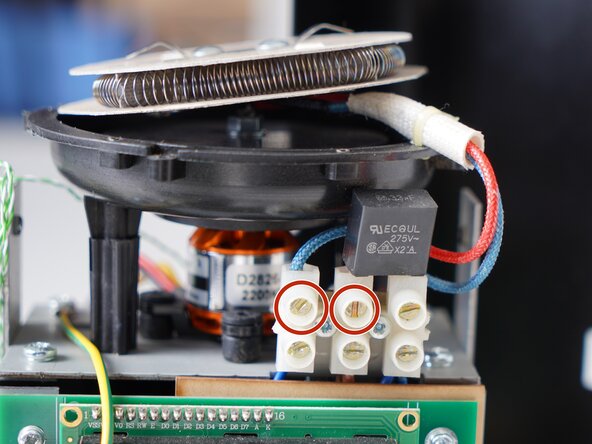
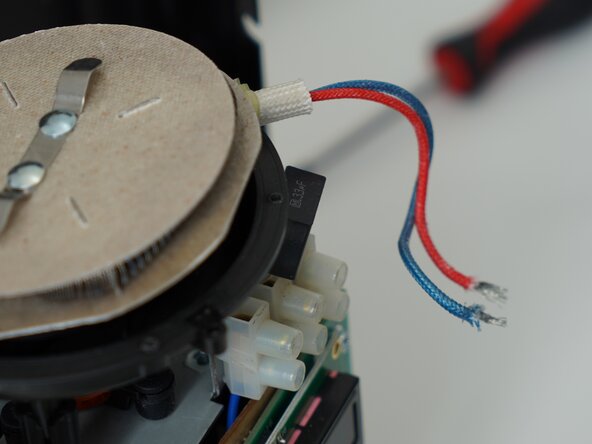
    • Use a flathead screwdriver to remove the element leads from the terminal block.

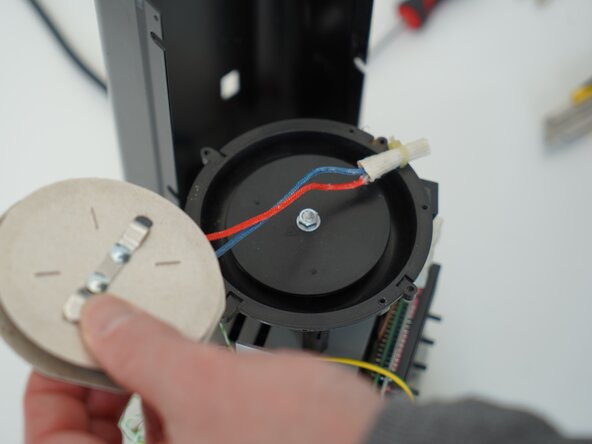
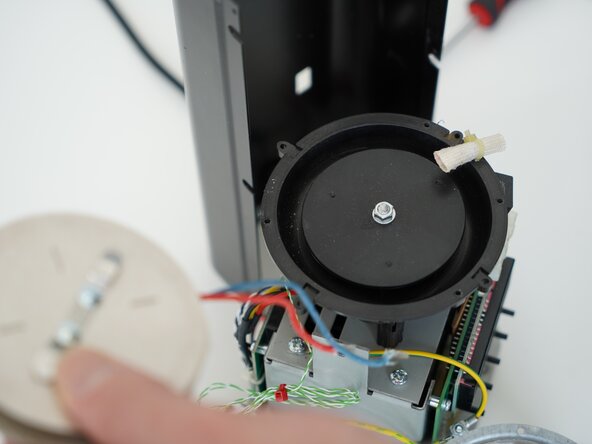
  11. Kaffelogic Nano 7/LINK (A/B/C-N Serial) Element Replacement, Remove the element: Schritt 11, Bild 1 von 3 Kaffelogic Nano 7/LINK (A/B/C-N Serial) Element Replacement, Remove the element: Schritt 11, Bild 2 von 3 Kaffelogic Nano 7/LINK (A/B/C-N Serial) Element Replacement, Remove the element: Schritt 11, Bild 3 von 3
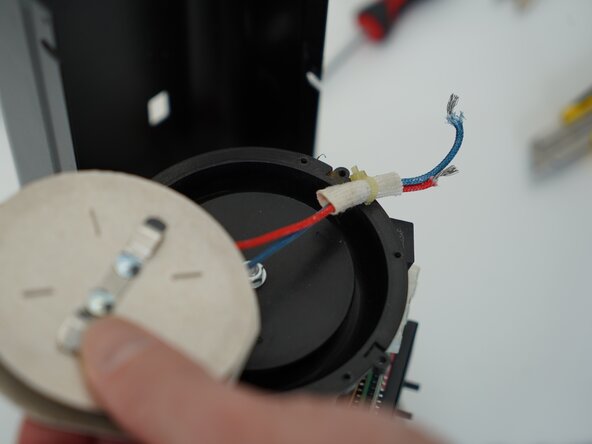
    • Pull the element leads through the fibreglass tubing to remove the element.

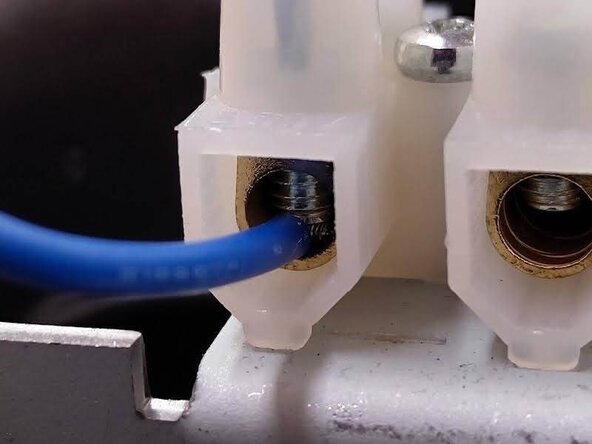
  12. Kaffelogic Nano 7/LINK (A/B/C-N Serial) Element Replacement, Checking the connections: Schritt 12, Bild 1 von 2 Kaffelogic Nano 7/LINK (A/B/C-N Serial) Element Replacement, Checking the connections: Schritt 12, Bild 2 von 2
    • Double check the cable position, so that the screw is coming down on the wire and not the insulation of the element.

    • Head through to our wiki for instructions on recalibrating your fan speed and element resistance after replacing the element. Nucleus Link anemometer instructions can be found here.

Abschluss

To reassemble your device, follow these instructions in reverse order.

Kaffelogic

Mitglied seit: 07/23/25

2.098 Reputation

18 Anleitungen geschrieben

Team

Kaffelogic Staff Mitglied von Kaffelogic Staff

Community

3 Mitglieder

18 Anleitungen geschrieben

0 Kommentare zur Anleitung

Kommentar hinzufügen

Seitenaufrufe:

Letzte 24 Stunden: 5

Letzte 7 Tage: 19

Letzte 30 Tage: 55

Insgesamt: 123