Zum Hauptinhalt wechseln

Kaffelogic Nano 7/LINK (A/B/C-N Serial) SSR Replacement

Was du brauchst

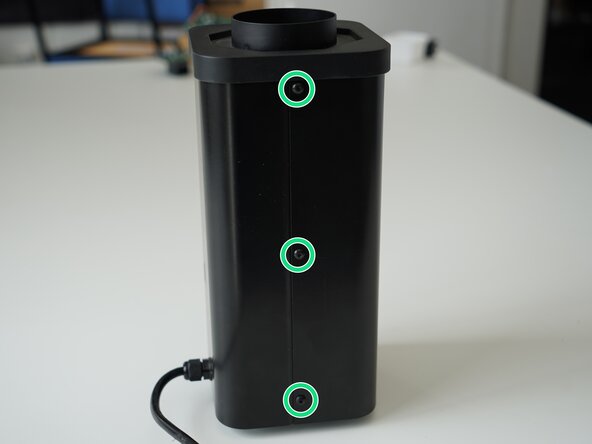
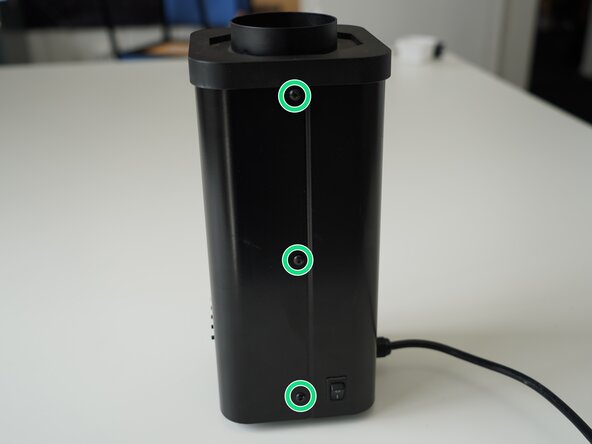
  1. Kaffelogic Nano 7/LINK (A/B/C-N Serial) SSR Replacement, Removing Panel Screws: Schritt 1, Bild 1 von 2 Kaffelogic Nano 7/LINK (A/B/C-N Serial) SSR Replacement, Removing Panel Screws: Schritt 1, Bild 2 von 2
    • Remove the 6x 2.5mm Hex screws on the left and right side of the roaster.

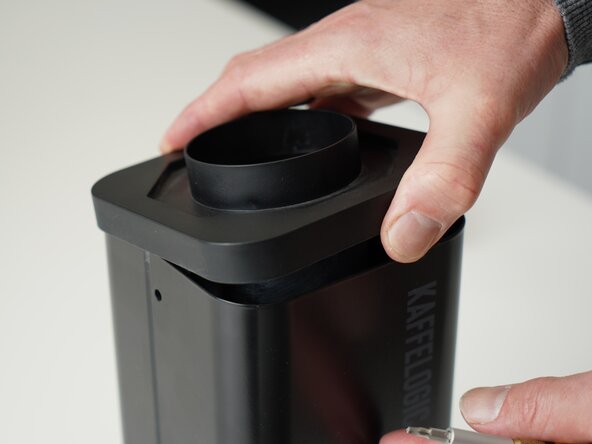
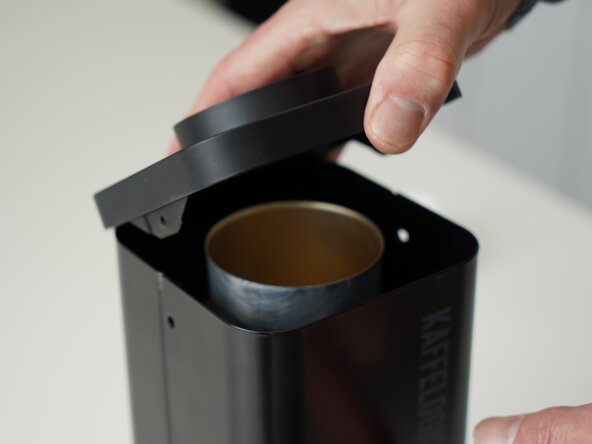
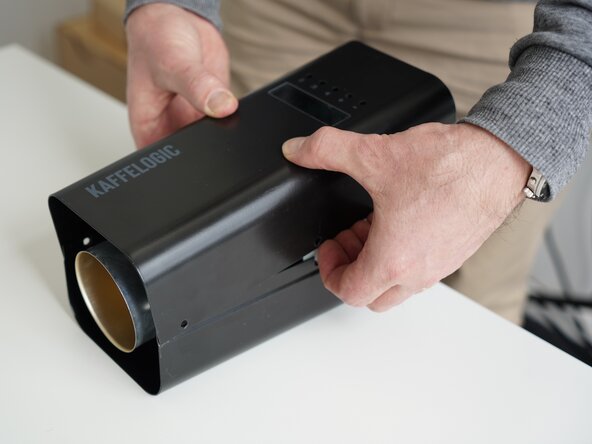
  2. Kaffelogic Nano 7/LINK (A/B/C-N Serial) SSR Replacement, Lift the closure: Schritt 2, Bild 1 von 2 Kaffelogic Nano 7/LINK (A/B/C-N Serial) SSR Replacement, Lift the closure: Schritt 2, Bild 2 von 2
    • Hold the roaster steady while removing the plastic top/closure.

    • Panels may spring apart slightly once removed.

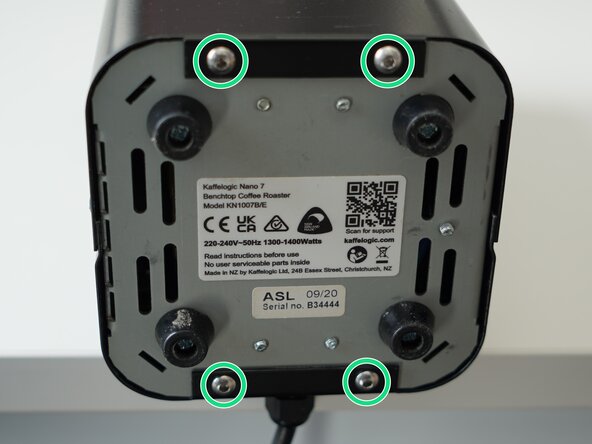
  3. Kaffelogic Nano 7/LINK (A/B/C-N Serial) SSR Replacement, Remove bottom panel screws: Schritt 3, Bild 1 von 3 Kaffelogic Nano 7/LINK (A/B/C-N Serial) SSR Replacement, Remove bottom panel screws: Schritt 3, Bild 2 von 3 Kaffelogic Nano 7/LINK (A/B/C-N Serial) SSR Replacement, Remove bottom panel screws: Schritt 3, Bild 3 von 3
    • Remove the 4x 2.5mm Hex screws on the bottom of the roaster.

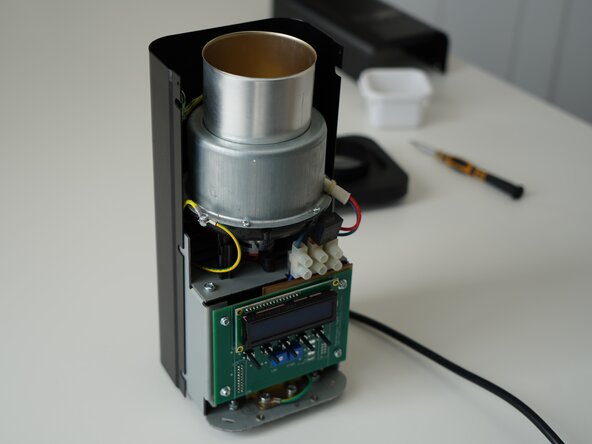
  4. Kaffelogic Nano 7/LINK (A/B/C-N Serial) SSR Replacement, Remove the front panel: Schritt 4, Bild 1 von 3 Kaffelogic Nano 7/LINK (A/B/C-N Serial) SSR Replacement, Remove the front panel: Schritt 4, Bild 2 von 3 Kaffelogic Nano 7/LINK (A/B/C-N Serial) SSR Replacement, Remove the front panel: Schritt 4, Bild 3 von 3
    • Pull away the front panel carefully.

    • Take care not to damage the buttons while maneuvering the front panel.

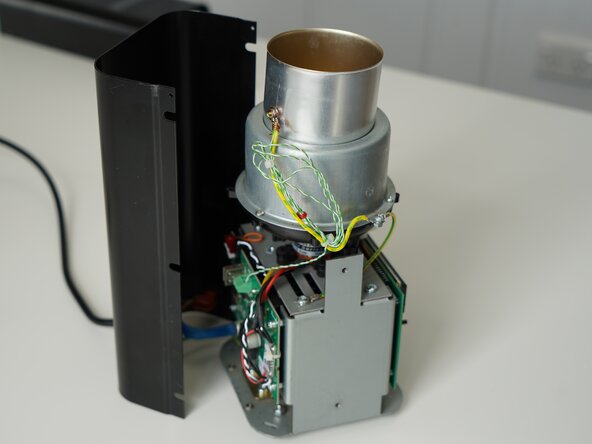
  5. Kaffelogic Nano 7/LINK (A/B/C-N Serial) SSR Replacement, Remove rear panel: Schritt 5, Bild 1 von 3 Kaffelogic Nano 7/LINK (A/B/C-N Serial) SSR Replacement, Remove rear panel: Schritt 5, Bild 2 von 3 Kaffelogic Nano 7/LINK (A/B/C-N Serial) SSR Replacement, Remove rear panel: Schritt 5, Bild 3 von 3
    • Stand the roaster up again and pull away the rear panel from the chassis to expose the remaining components.

    • The mains cable is routed through the panel and it will remain attached, place the panel in a soft bag if you wish to protect the paint throughout the rest of your repairs.

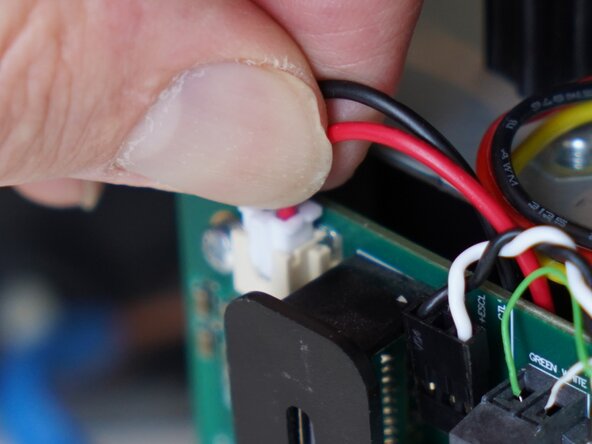
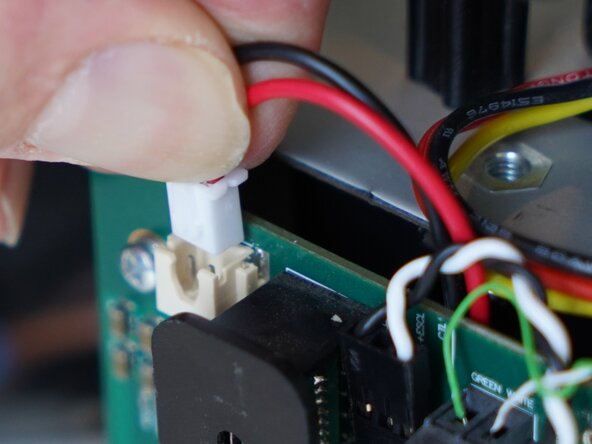
  6. Kaffelogic Nano 7/LINK (A/B/C-N Serial) SSR Replacement, Disconnect gantry cables: Schritt 6, Bild 1 von 3 Kaffelogic Nano 7/LINK (A/B/C-N Serial) SSR Replacement, Disconnect gantry cables: Schritt 6, Bild 2 von 3 Kaffelogic Nano 7/LINK (A/B/C-N Serial) SSR Replacement, Disconnect gantry cables: Schritt 6, Bild 3 von 3
    • Disconnect the SSR signal lead and motor from the PCB-A

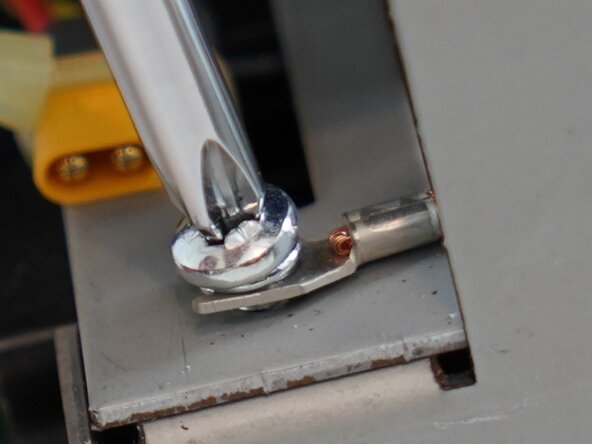
  7. Kaffelogic Nano 7/LINK (A/B/C-N Serial) SSR Replacement, Remove gantry screws: Schritt 7, Bild 1 von 3 Kaffelogic Nano 7/LINK (A/B/C-N Serial) SSR Replacement, Remove gantry screws: Schritt 7, Bild 2 von 3 Kaffelogic Nano 7/LINK (A/B/C-N Serial) SSR Replacement, Remove gantry screws: Schritt 7, Bild 3 von 3
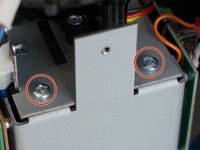
    • Remove the 4x PH2 screws securing the gantry plate to the base.

    • Be sure to place the earth spade under the screw head when reassembling.

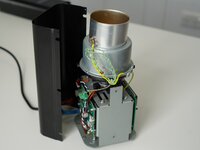
  8. Kaffelogic Nano 7/LINK (A/B/C-N Serial) SSR Replacement, Lift the stack: Schritt 8, Bild 1 von 3 Kaffelogic Nano 7/LINK (A/B/C-N Serial) SSR Replacement, Lift the stack: Schritt 8, Bild 2 von 3 Kaffelogic Nano 7/LINK (A/B/C-N Serial) SSR Replacement, Lift the stack: Schritt 8, Bild 3 von 3
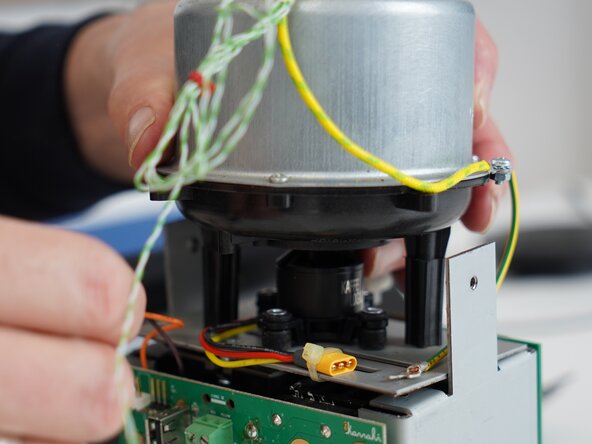
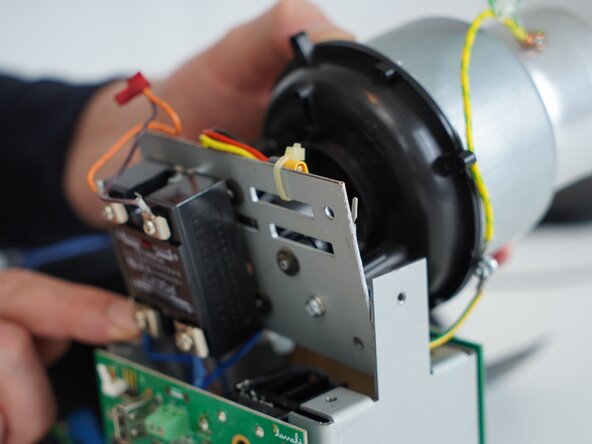
    • Tip the stack forward to gain access to the SSR.

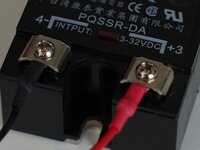
  9. Kaffelogic Nano 7/LINK (A/B/C-N Serial) SSR Replacement, Remove trigger lead: Schritt 9, Bild 1 von 2 Kaffelogic Nano 7/LINK (A/B/C-N Serial) SSR Replacement, Remove trigger lead: Schritt 9, Bild 2 von 2
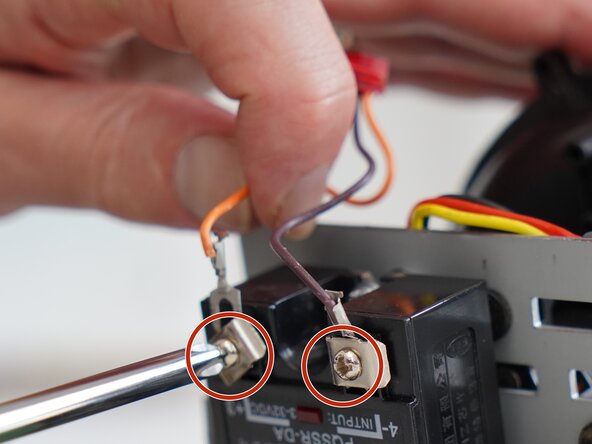
    • Use a PH2 screwdriver to remove the trigger lead.

    • Note that this connection is polarized. Connect red/orange to (+) and black/brown to (-) markers on the SSR.

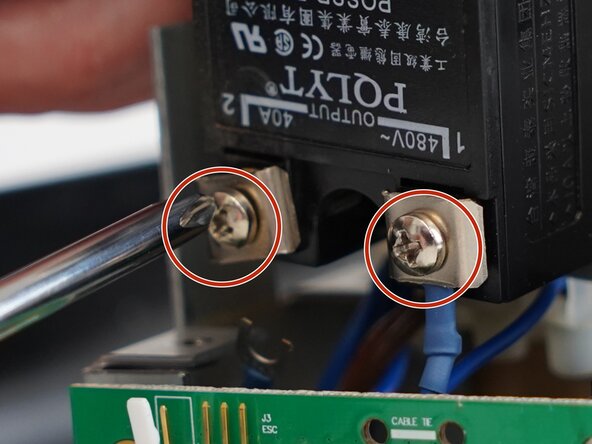
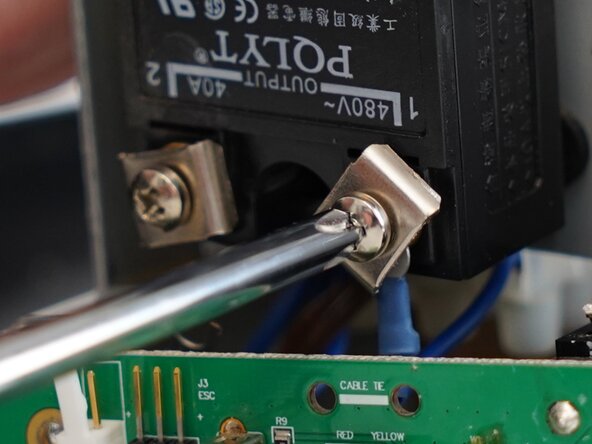
  10. Kaffelogic Nano 7/LINK (A/B/C-N Serial) SSR Replacement, Remove the mains wiring: Schritt 10, Bild 1 von 2 Kaffelogic Nano 7/LINK (A/B/C-N Serial) SSR Replacement, Remove the mains wiring: Schritt 10, Bild 2 von 2
    • Use a PH2 screwdriver to remove the two mains spade terminals.

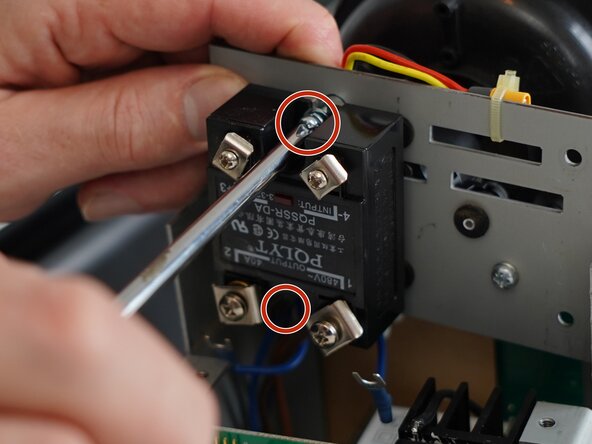
  11. Kaffelogic Nano 7/LINK (A/B/C-N Serial) SSR Replacement, Remove the SSR screws: Schritt 11, Bild 1 von 2 Kaffelogic Nano 7/LINK (A/B/C-N Serial) SSR Replacement, Remove the SSR screws: Schritt 11, Bild 2 von 2
    • Remove the 2x PH2 screws securing the SSR to the bottom of the gantry plate.

  12. Kaffelogic Nano 7/LINK (A/B/C-N Serial) SSR Replacement, SSR removed: Schritt 12, Bild 1 von 1
    • SSR can now be pulled out of the roaster and replaced.

Abschluss

To reassemble your device, follow these instructions in reverse order.

Kaffelogic

Mitglied seit: 07/23/25

2.098 Reputation

18 Anleitungen geschrieben

Team

Kaffelogic Staff Mitglied von Kaffelogic Staff

Community

3 Mitglieder

18 Anleitungen geschrieben

0 Kommentare zur Anleitung

Kommentar hinzufügen

Seitenaufrufe:

Letzte 24 Stunden: 0

Letzte 7 Tage: 1

Letzte 30 Tage: 16

Insgesamt: 46