Zum Hauptinhalt wechseln

Kaffelogic Nano 7/LINK (D-P Serial) LCD Board Replacement

Was du brauchst

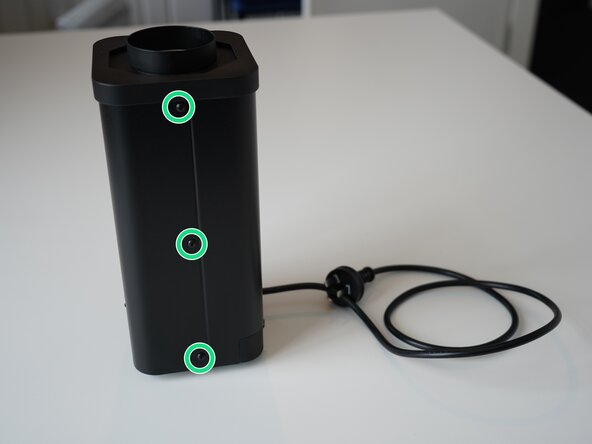
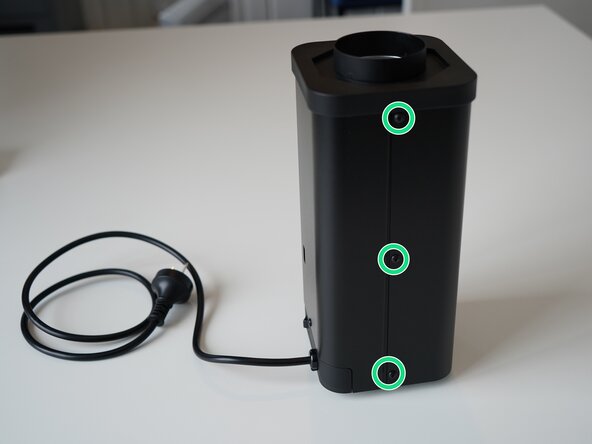
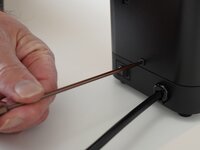
  1. Kaffelogic Nano 7/LINK (D-P Serial) LCD Board Replacement, Removing Front Panel Screws: Schritt 1, Bild 1 von 2 Kaffelogic Nano 7/LINK (D-P Serial) LCD Board Replacement, Removing Front Panel Screws: Schritt 1, Bild 2 von 2
    • Remove the 6x 2.5mm Hex screws on the left and right side of the roaster.

    • Take care not to damage the buttons while maneuvering the front panel, with all six screws removed it may fall away.

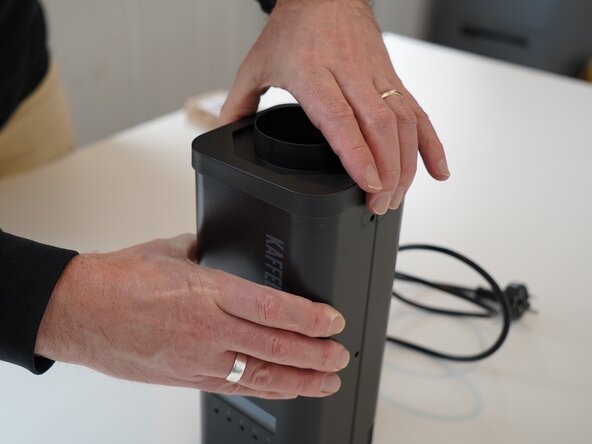
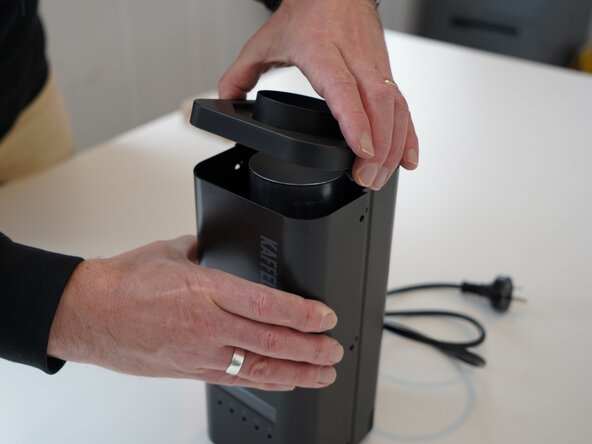
  2. Kaffelogic Nano 7/LINK (D-P Serial) LCD Board Replacement, Lift the closure: Schritt 2, Bild 1 von 2 Kaffelogic Nano 7/LINK (D-P Serial) LCD Board Replacement, Lift the closure: Schritt 2, Bild 2 von 2
    • Hold the front panel steady while removing the plastic top/closure.

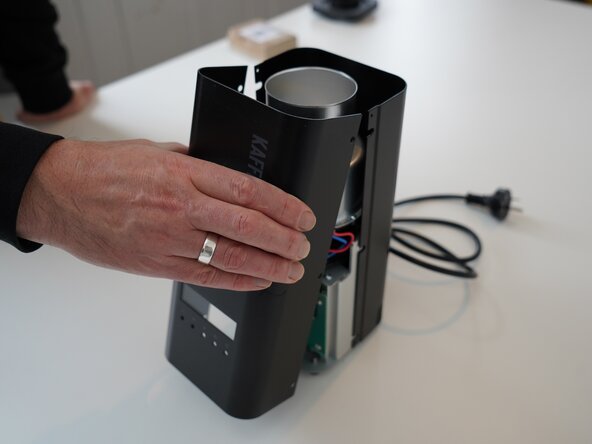
  3. Kaffelogic Nano 7/LINK (D-P Serial) LCD Board Replacement, Removing the front panel: Schritt 3, Bild 1 von 1
    • Pull away the front panel carefully.

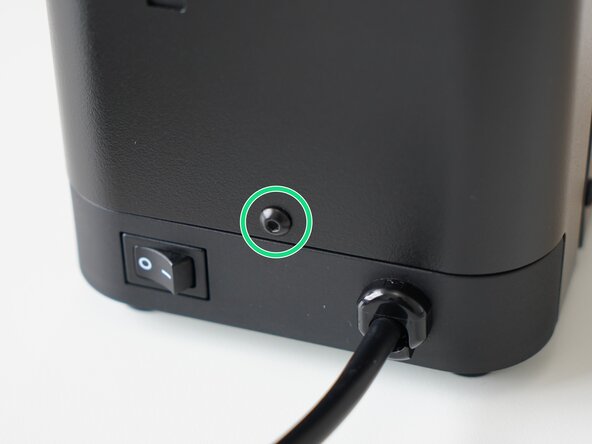
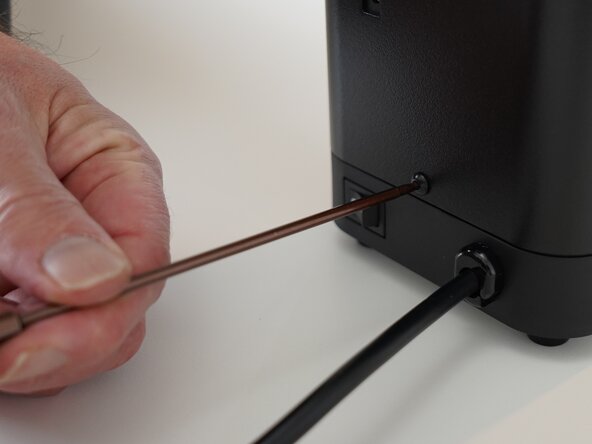
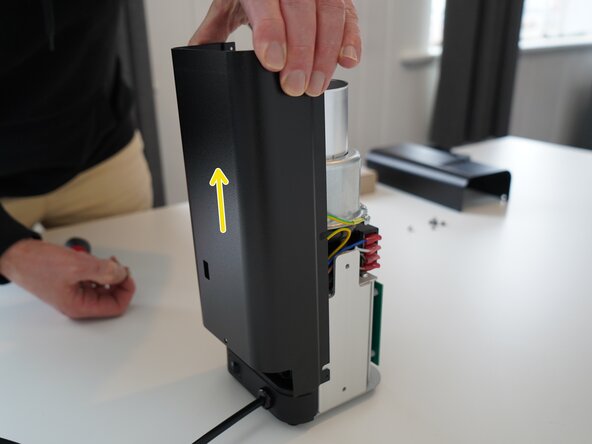
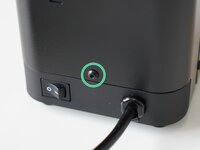
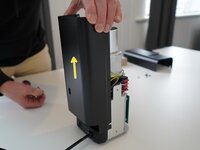
  4. Kaffelogic Nano 7/LINK (D-P Serial) LCD Board Replacement, Removing the rear panel: Schritt 4, Bild 1 von 3 Kaffelogic Nano 7/LINK (D-P Serial) LCD Board Replacement, Removing the rear panel: Schritt 4, Bild 2 von 3 Kaffelogic Nano 7/LINK (D-P Serial) LCD Board Replacement, Removing the rear panel: Schritt 4, Bild 3 von 3
    • Remove the last 2.5mm Hex screw securing the rear panel.

    • Pull up on the rear panel to remove it from the roaster.

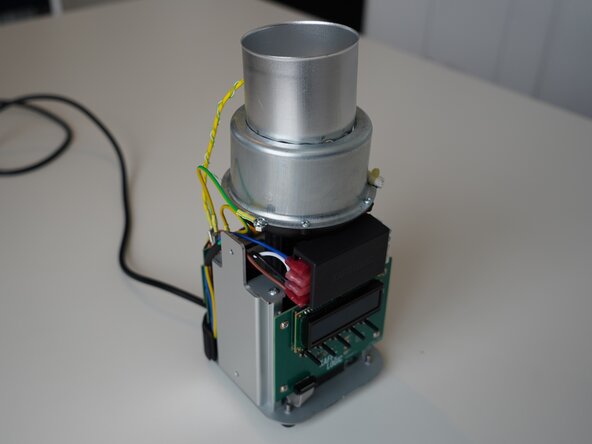
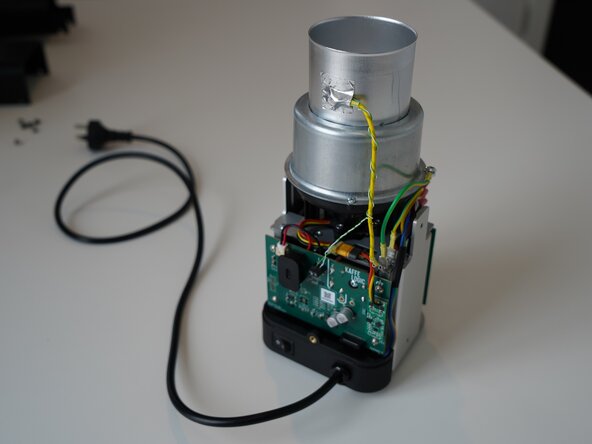
  5. Kaffelogic Nano 7/LINK (D-P Serial) LCD Board Replacement, Access granted: Schritt 5, Bild 1 von 2 Kaffelogic Nano 7/LINK (D-P Serial) LCD Board Replacement, Access granted: Schritt 5, Bild 2 von 2
    • Set the panels aside somewhere safe and bask in the beauty of your naked roaster.

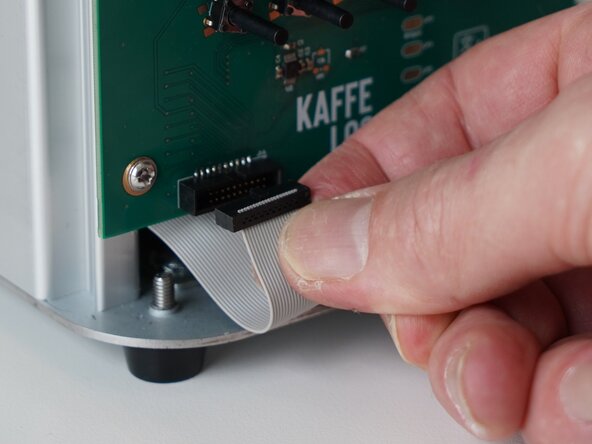
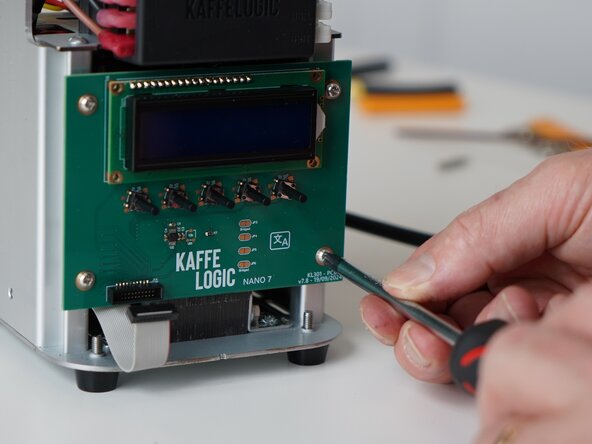
  6. Kaffelogic Nano 7/LINK (D-P Serial) LCD Board Replacement, Remove ribbon cable: Schritt 6, Bild 1 von 3 Kaffelogic Nano 7/LINK (D-P Serial) LCD Board Replacement, Remove ribbon cable: Schritt 6, Bild 2 von 3 Kaffelogic Nano 7/LINK (D-P Serial) LCD Board Replacement, Remove ribbon cable: Schritt 6, Bild 3 von 3
    • Gently remove the ribbon cable from the PCB.

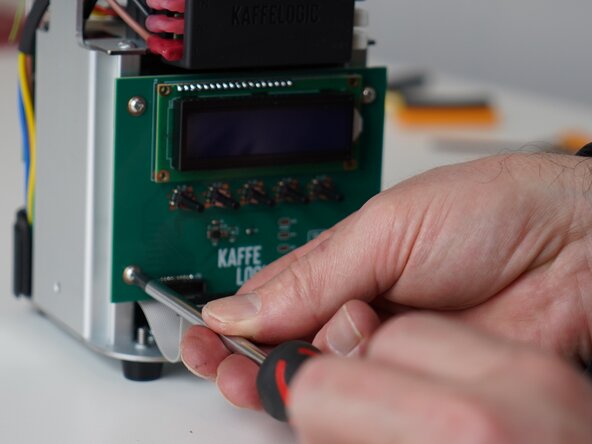
  7. Kaffelogic Nano 7/LINK (D-P Serial) LCD Board Replacement, Remove PCB screws: Schritt 7, Bild 1 von 3 Kaffelogic Nano 7/LINK (D-P Serial) LCD Board Replacement, Remove PCB screws: Schritt 7, Bild 2 von 3 Kaffelogic Nano 7/LINK (D-P Serial) LCD Board Replacement, Remove PCB screws: Schritt 7, Bild 3 von 3
    • Unscrew the 4x PH2 PCB screws.

    • These screws are captive to the PCB.

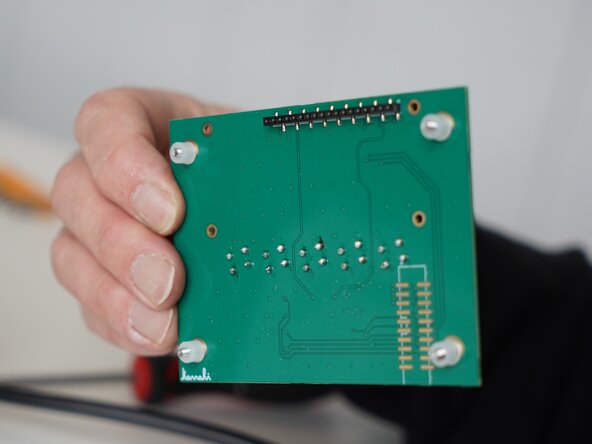
  8. Kaffelogic Nano 7/LINK (D-P Serial) LCD Board Replacement, Remove PCB: Schritt 8, Bild 1 von 3 Kaffelogic Nano 7/LINK (D-P Serial) LCD Board Replacement, Remove PCB: Schritt 8, Bild 2 von 3 Kaffelogic Nano 7/LINK (D-P Serial) LCD Board Replacement, Remove PCB: Schritt 8, Bild 3 von 3
    • Carefully remove the display PCB.

    • You may replace the ribbon cable while you have the panels off.

Abschluss

To reassemble your device, follow these instructions in reverse order.

Kaffelogic

Mitglied seit: 07/23/25

2.098 Reputation

18 Anleitungen geschrieben

Team

Kaffelogic Staff Mitglied von Kaffelogic Staff

Community

3 Mitglieder

18 Anleitungen geschrieben

0 Kommentare zur Anleitung

Kommentar hinzufügen

Seitenaufrufe:

Letzte 24 Stunden: 0

Letzte 7 Tage: 3

Letzte 30 Tage: 9

Insgesamt: 50