Zum Hauptinhalt wechseln

Kaffelogic Nano 7/LINK (D-P Serial) Power Cable Replacement

Was du brauchst

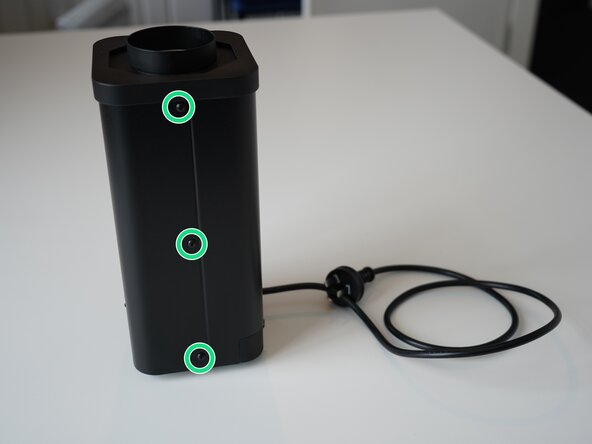
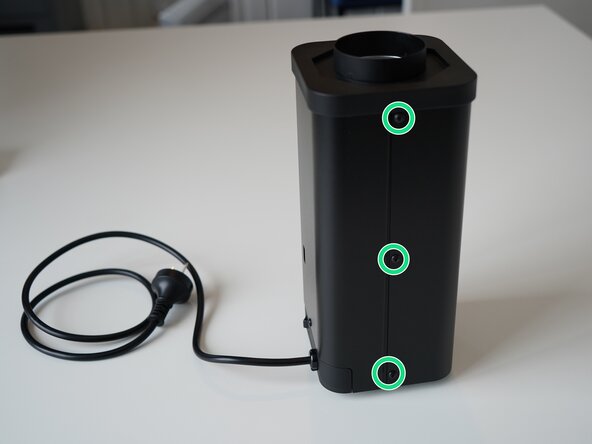
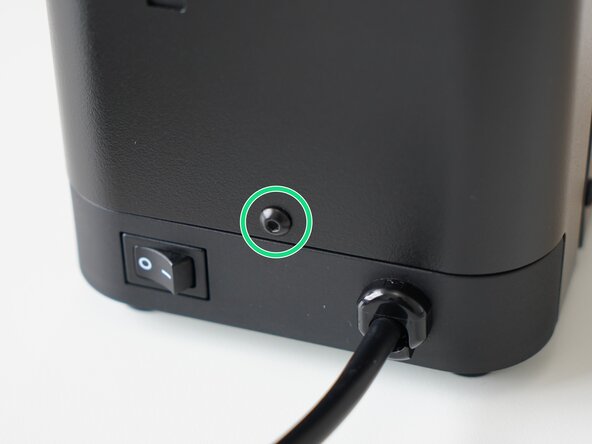
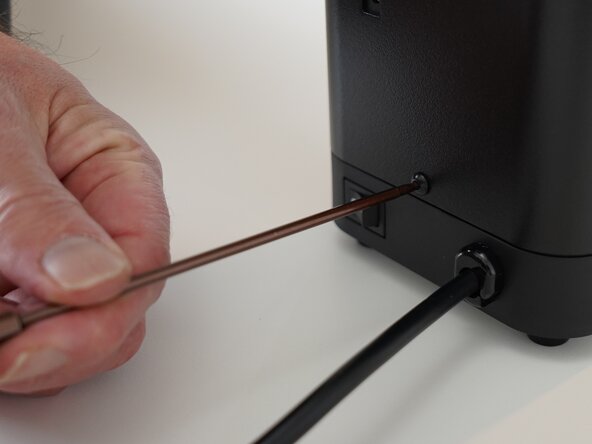
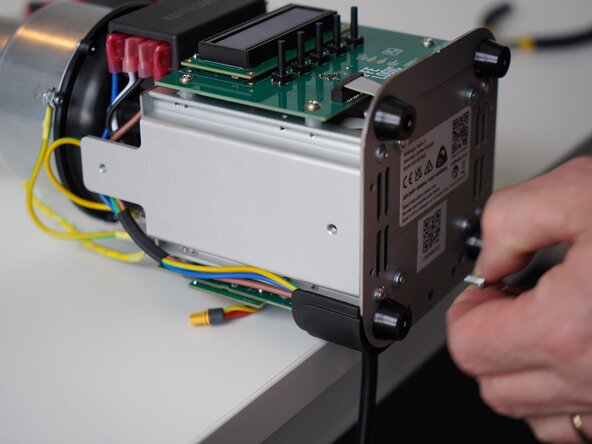
  1. Kaffelogic Nano 7/LINK (D-P Serial) Power Cable Replacement, Removing Front Panel Screws: Schritt 1, Bild 1 von 2 Kaffelogic Nano 7/LINK (D-P Serial) Power Cable Replacement, Removing Front Panel Screws: Schritt 1, Bild 2 von 2
    • Remove the 6x 2.5mm Hex screws on the left and right side of the roaster.

    • Take care not to damage the buttons while maneuvering the front panel, with all six screws removed it may fall away.

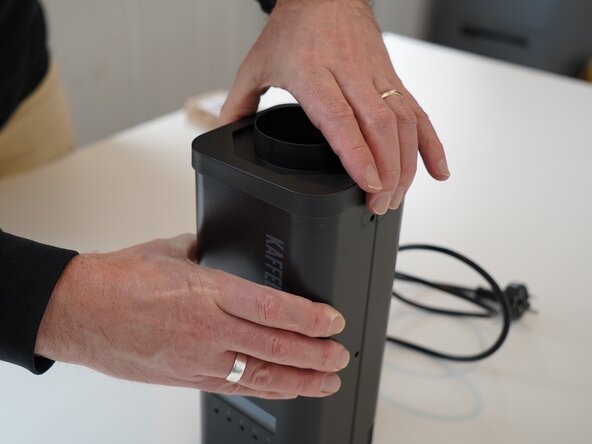
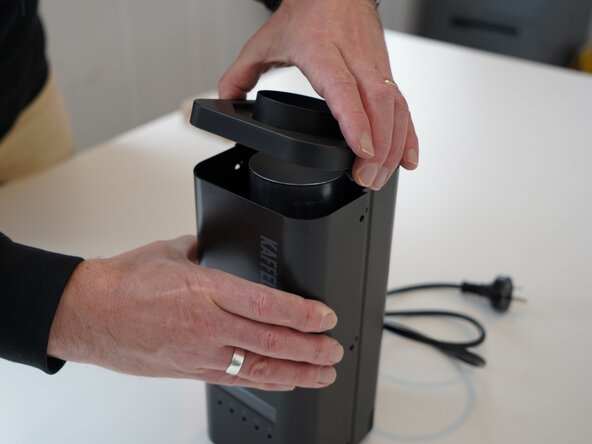
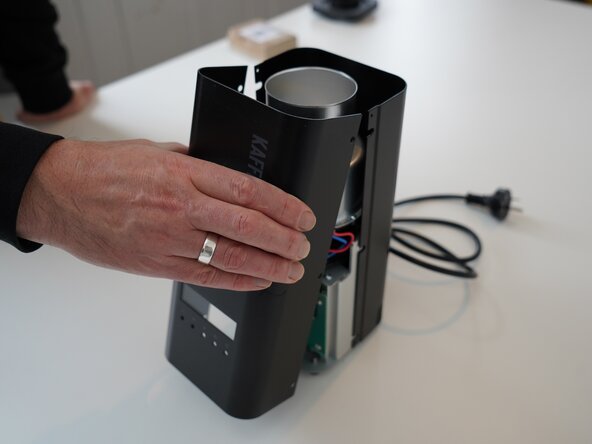
  2. Kaffelogic Nano 7/LINK (D-P Serial) Power Cable Replacement, Lift the closure: Schritt 2, Bild 1 von 2 Kaffelogic Nano 7/LINK (D-P Serial) Power Cable Replacement, Lift the closure: Schritt 2, Bild 2 von 2
    • Hold the front panel steady while removing the plastic top/closure.

  3. Kaffelogic Nano 7/LINK (D-P Serial) Power Cable Replacement, Removing the front panel: Schritt 3, Bild 1 von 1
    • Pull away the front panel carefully.

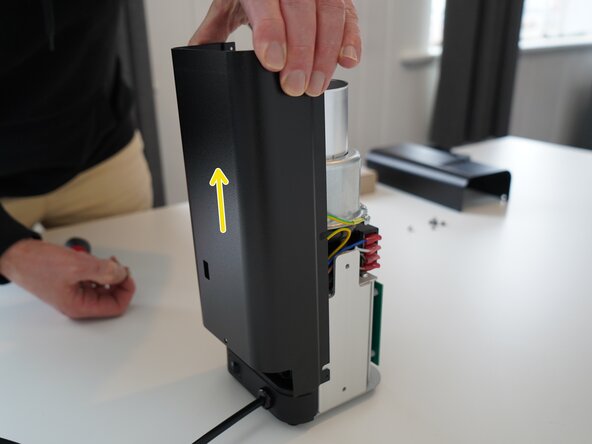
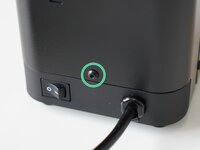
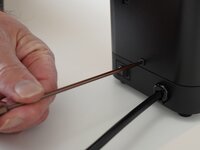
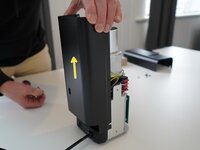
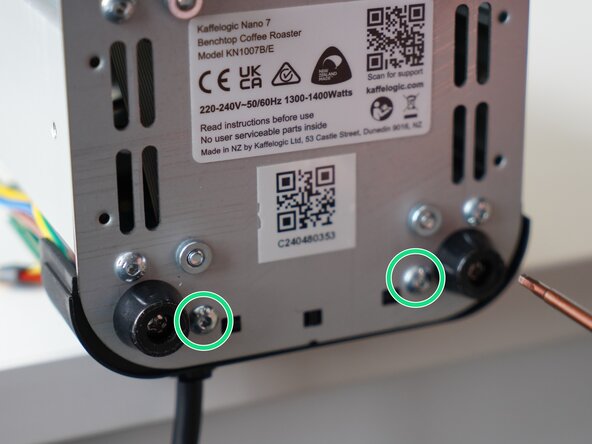
  4. Kaffelogic Nano 7/LINK (D-P Serial) Power Cable Replacement, Removing the rear panel: Schritt 4, Bild 1 von 3 Kaffelogic Nano 7/LINK (D-P Serial) Power Cable Replacement, Removing the rear panel: Schritt 4, Bild 2 von 3 Kaffelogic Nano 7/LINK (D-P Serial) Power Cable Replacement, Removing the rear panel: Schritt 4, Bild 3 von 3
    • Remove the last 2.5mm Hex screw securing the rear panel.

    • Pull up on the rear panel to remove it from the roaster.

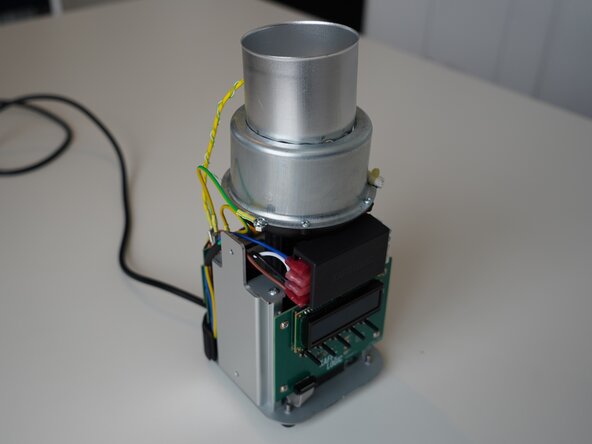
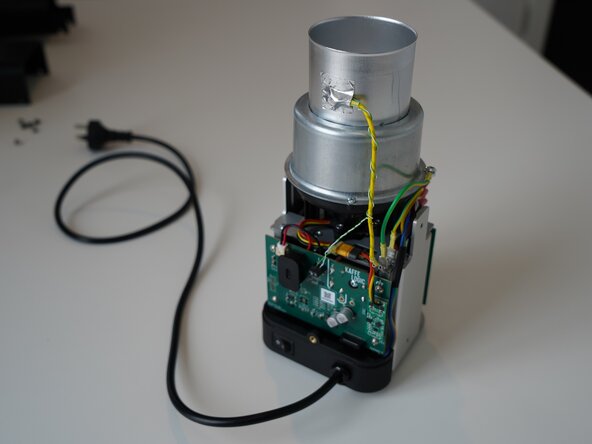
  5. Kaffelogic Nano 7/LINK (D-P Serial) Power Cable Replacement, Access granted: Schritt 5, Bild 1 von 2 Kaffelogic Nano 7/LINK (D-P Serial) Power Cable Replacement, Access granted: Schritt 5, Bild 2 von 2
    • Set the panels aside somewhere safe and bask in the beauty of your naked roaster.

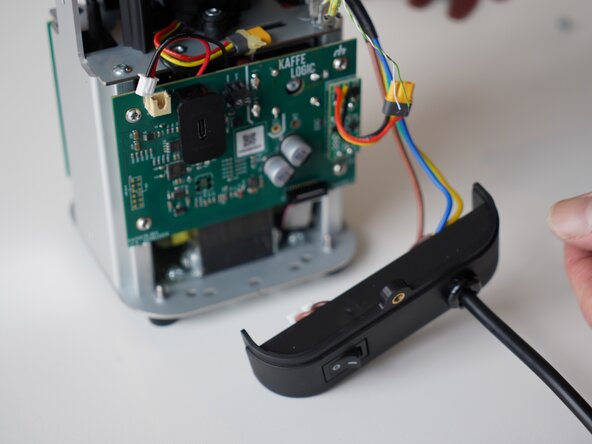
  6. Kaffelogic Nano 7/LINK (D-P Serial) Power Cable Replacement, Remove the cable carrier: Schritt 6, Bild 1 von 3 Kaffelogic Nano 7/LINK (D-P Serial) Power Cable Replacement, Remove the cable carrier: Schritt 6, Bild 2 von 3 Kaffelogic Nano 7/LINK (D-P Serial) Power Cable Replacement, Remove the cable carrier: Schritt 6, Bild 3 von 3
    • Remove the 2x 2.5mm Hex screws securing the cable carrier to the base.

    • Be careful not to lay the roaster on its front as the buttons can be damaged or broken off.

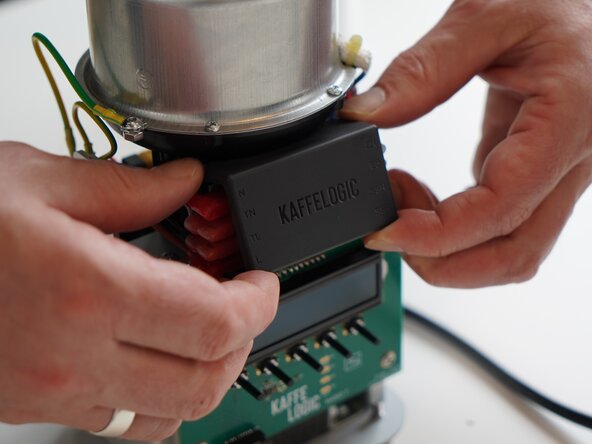
  7. Kaffelogic Nano 7/LINK (D-P Serial) Power Cable Replacement, Remove the mains wiring cover: Schritt 7, Bild 1 von 3 Kaffelogic Nano 7/LINK (D-P Serial) Power Cable Replacement, Remove the mains wiring cover: Schritt 7, Bild 2 von 3 Kaffelogic Nano 7/LINK (D-P Serial) Power Cable Replacement, Remove the mains wiring cover: Schritt 7, Bild 3 von 3
    • Remove the terminal PCB cover and set it aside. This is held in with four small plastic clips at each corner.

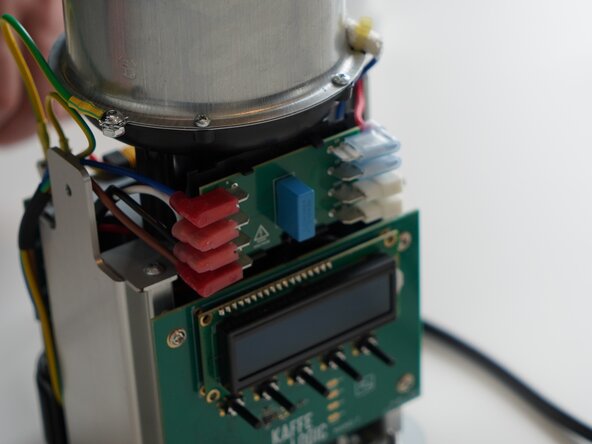
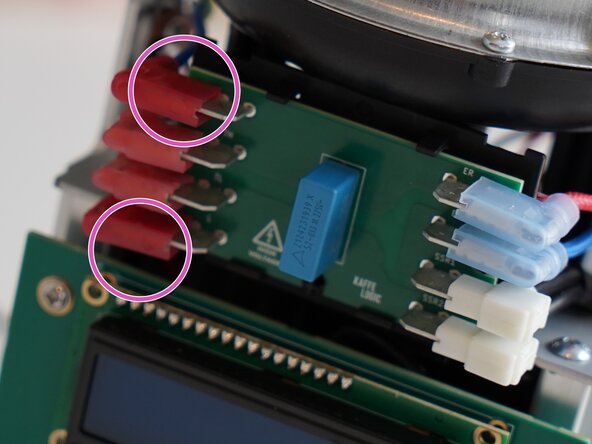
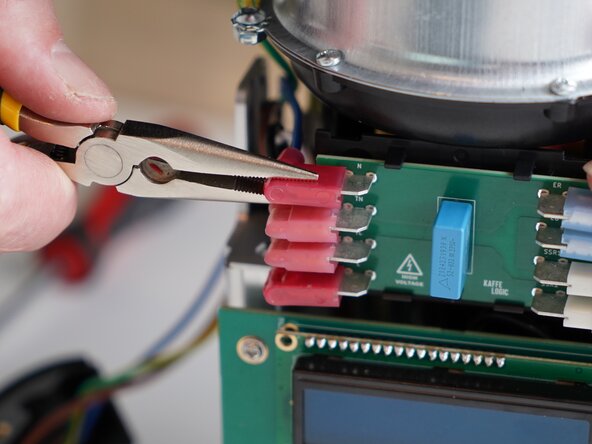
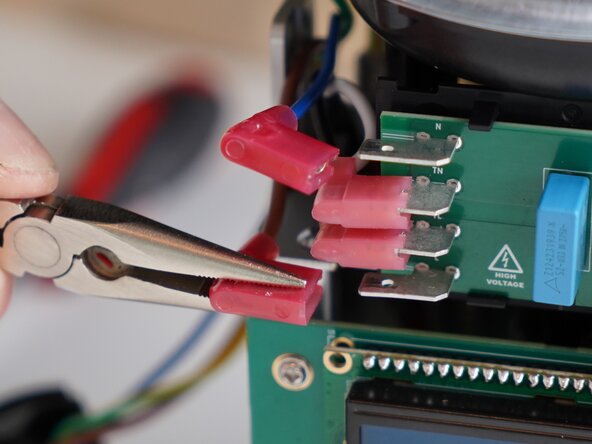
  8. Kaffelogic Nano 7/LINK (D-P Serial) Power Cable Replacement, Disconnect the mains input: Schritt 8, Bild 1 von 3 Kaffelogic Nano 7/LINK (D-P Serial) Power Cable Replacement, Disconnect the mains input: Schritt 8, Bild 2 von 3 Kaffelogic Nano 7/LINK (D-P Serial) Power Cable Replacement, Disconnect the mains input: Schritt 8, Bild 3 von 3
    • Disconnect the mains cables. Marked an N (Neutral) and L (Live)

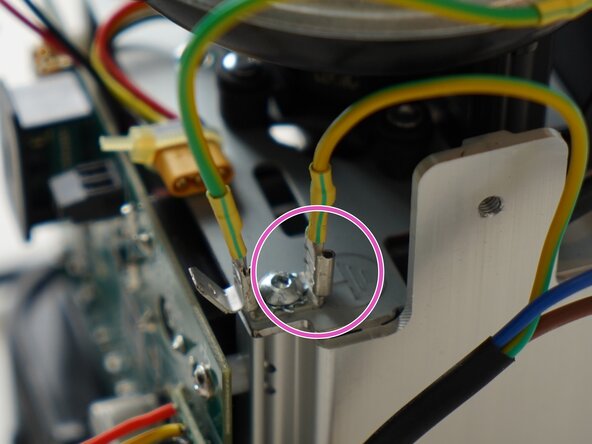
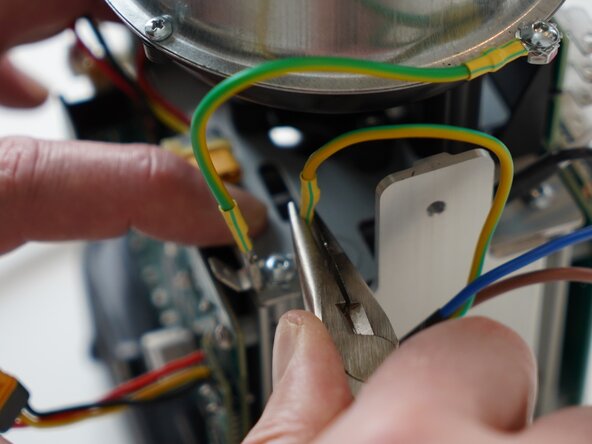
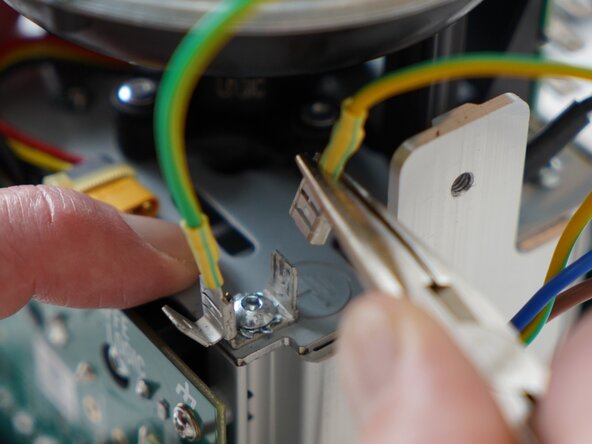
  9. Kaffelogic Nano 7/LINK (D-P Serial) Power Cable Replacement, Remove the earth tab: Schritt 9, Bild 1 von 3 Kaffelogic Nano 7/LINK (D-P Serial) Power Cable Replacement, Remove the earth tab: Schritt 9, Bild 2 von 3 Kaffelogic Nano 7/LINK (D-P Serial) Power Cable Replacement, Remove the earth tab: Schritt 9, Bild 3 von 3
    • Remove the mains earthing connector from the tab. Pliers can be used for this as it can be tight.

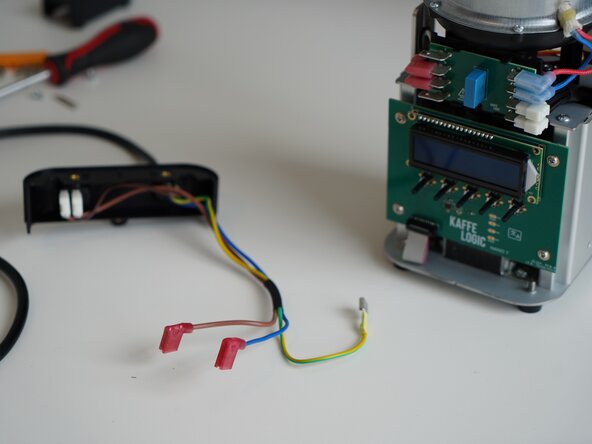
  10. Kaffelogic Nano 7/LINK (D-P Serial) Power Cable Replacement, Cable removed: Schritt 10, Bild 1 von 2 Kaffelogic Nano 7/LINK (D-P Serial) Power Cable Replacement, Cable removed: Schritt 10, Bild 2 von 2
    • Your mains cable is now free, and ready for repair or replacement.

Abschluss

To reassemble your device, follow these instructions in reverse order.

Angehängte Dokumente

Kaffelogic

Mitglied seit: 07/23/25

2.098 Reputation

18 Anleitungen geschrieben

Team

Kaffelogic Staff Mitglied von Kaffelogic Staff

Community

3 Mitglieder

18 Anleitungen geschrieben

0 Kommentare zur Anleitung

Kommentar hinzufügen

Seitenaufrufe:

Letzte 24 Stunden: 0

Letzte 7 Tage: 3

Letzte 30 Tage: 12

Insgesamt: 63