Einleitung
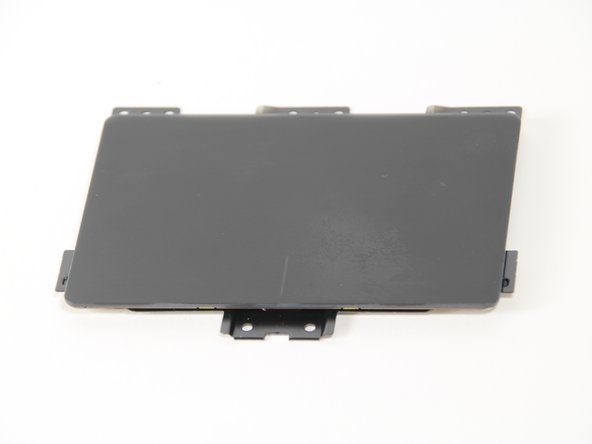
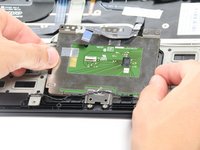
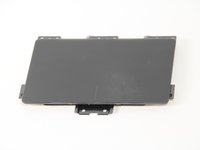
The trackpad is the component that controls the movement of the cursor on the screen with respect to the gestures made by your fingers. In this guide you will be instructed how to remove the trackpad of your laptop. Whether it's completely broken or just dirty from eating too many Cheetos, this guide has you covered.
Was du brauchst
-
-
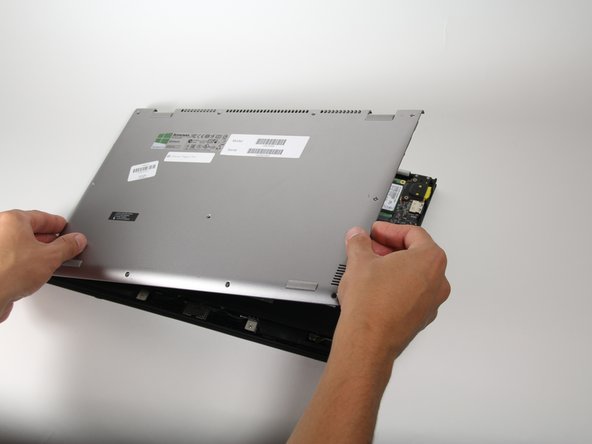
Using a Phillips #00 screwdriver, remove the eleven 1/4" screws from the back of the laptop.
-
-
-
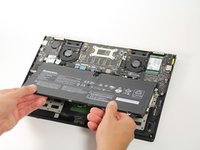
Using a Phillips #00 Screwdriver, remove the five 5/16" screws surrounding the battery.
-
-
-
In diesem Schritt verwendetes Werkzeug:Tweezers$4.99
-
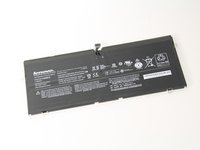
Using either tweezers or your fingers, disconnect the black battery cable by pinching either side of the connector and pulling towards the battery.
-
-
-
Using a Phillips #00 screwdriver, remove the eight 1/8" screws surrounding the trackpad.
-
-
In diesem Schritt verwendetes Werkzeug:Tweezers$4.99
-
Using a sharp tool such as tweezers, lift up the black cover that is on top of the ribbon cable.
-





To reassemble your device, follow these instructions in reverse order.
To reassemble your device, follow these instructions in reverse order.
Rückgängig: Ich habe diese Anleitung nicht absolviert.
6 weitere Personen haben diese Anleitung absolviert.


Team

Cal Poly, Team 12-14, Maness Fall 2015 Mitglied von Cal Poly, Team 12-14, Maness Fall 2015
CPSU-MANESS-F15S12G14
5 Mitglieder
13 Anleitungen geschrieben
3 Kommentare
Where can I buy this trackpad? Mine is done.
I got a lot of different options on ebay but cannot rely on them. I think we could order it from IBM FRU parts but only by email or phone at:
https://www-304.ibm.com/shop/americas/co...
FRU: 73040855
Will try tomorrow
