Einleitung
The WiLife Outdoor Camera has a high failure rate, often malfunctioning after the warranty expires. Four faulty capacitors are the most common cause of failure.
This guide is based on the work of Steven Markham
Background
The WiLife Security Camera System was developed and sold by WiLife, Inc. This system was originally called LukWerks. Wilife was acquired by Logitech Corp in November 2007. The system name was changed to WiLife. In September 2010, Logitech discontinued support and production of the WiLife Security Camera System.
Was du brauchst
-
-
Obtain (4) 1000uF capacitors rated for 25 volts. The replacement capacitors featured in this guide were purchased from Digi-key. Digi-key part number: UHE1E102MHD6. http://search.digikey.com/scripts/DkSear...
-
Additional suggested tools for this repair are pictured.
-
-
-
Caution: Be mindful of the dangerous high voltage that exist in this device when powered and for a short time afterward.
-
Place the camera upside down.
-
Using a small flat tool, pry off the plastic covers on each side of the case (outlined in orange)
-
-
-
Removal of the covers reveal six philips head screws (green highlight).
-
Unscrew all six screws.
-
-
-
-
Flip the camera so the top is right-side up.
-
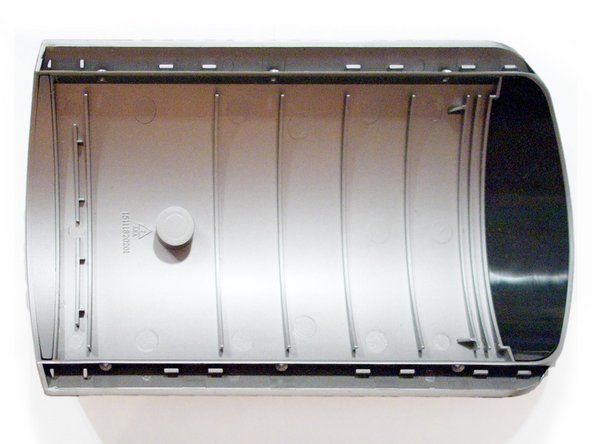
Remove the top of the case.
-
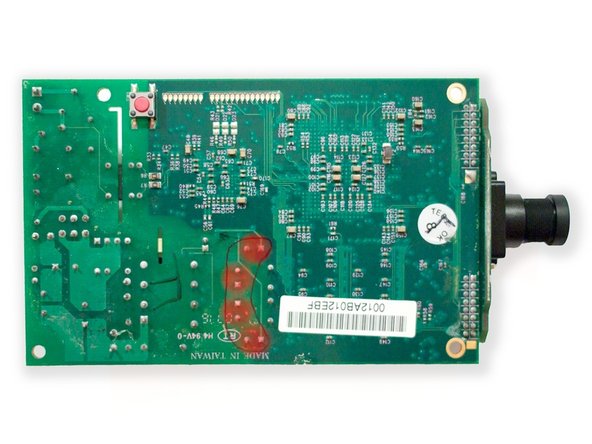
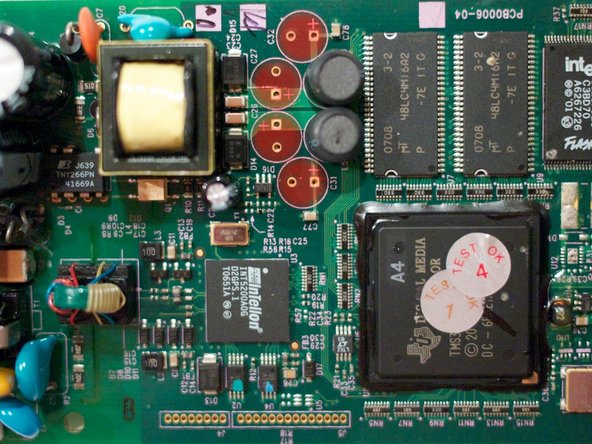
Notice the four damaged capacitors C26, C27, C31 and C32 (red highlight).
-
-
-
Unscrew all four phillips head screws in each corner (green highlight).
-
Disconnect power cable (yellow highlight).
-
Lift and remove the clear front plastic lens cover.
-
Lift the circuit board and camera assebly out of the case.
-
Carefully separate the LED assembly from the four small connectors (highlighted in blue). Note: This step is not required for this repair. However, it reduces the possibility of inadvertent damage during the process.
-
-
-
Desolder and remove the four capacitors (red highlight).
-
Suggestion: Mark the capacitors on top and on the bottom of the board to avoid damaging another component.
-
-
-
Clean and remove remaining solder or debris from the area.
-
Cut leads on new capacitors to fit.
-
Solder the four new capacitors in place.
-
Notice: Pay attention to the polarity of the capacitors.
-
Insulate the leads and gently bend the capacitors to fit.
-
-
-
Suggestion: Before full reassembly, reattach the LED module, place the board and camera module into the case and reconnect the A/C cable to ensure proper operation.
-
Caution: Be mindful of the dangerous high voltage that exist in this device when powered and for a short time afterward.
-






To reassemble your device, follow these instructions in reverse order.
To reassemble your device, follow these instructions in reverse order.
Rückgängig: Ich habe diese Anleitung nicht absolviert.
6 weitere Nutzer:innen haben diese Anleitung absolviert.


