Zum Hauptinhalt wechseln
Gemeinsam reparieren - Jetzt registrieren

Mad Catz FightPad PRO Joystick Replacement

Was du brauchst

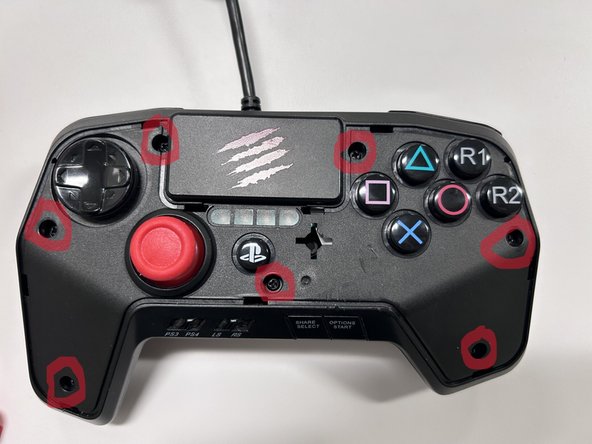
  1. Mad Catz FightPad PRO Joystick Replacement, Mad Catz FightPad PRO Joystick Replacement: Schritt 1, Bild 1 von 3 Mad Catz FightPad PRO Joystick Replacement, Mad Catz FightPad PRO Joystick Replacement: Schritt 1, Bild 2 von 3 Mad Catz FightPad PRO Joystick Replacement, Mad Catz FightPad PRO Joystick Replacement: Schritt 1, Bild 3 von 3
    • Remove the single 6 mm screw on the back shell of the controller using a Phillips #00 screwdriver.

    Frag FixBot
  2. Mad Catz FightPad PRO Joystick Replacement, Step 2: Schritt 2, Bild 1 von 3 Mad Catz FightPad PRO Joystick Replacement, Step 2: Schritt 2, Bild 2 von 3 Mad Catz FightPad PRO Joystick Replacement, Step 2: Schritt 2, Bild 3 von 3
    • Remove the faceplate on the controller.

    • Be gentle as too much pressure can cause damage to the faceplate.

    Frag FixBot
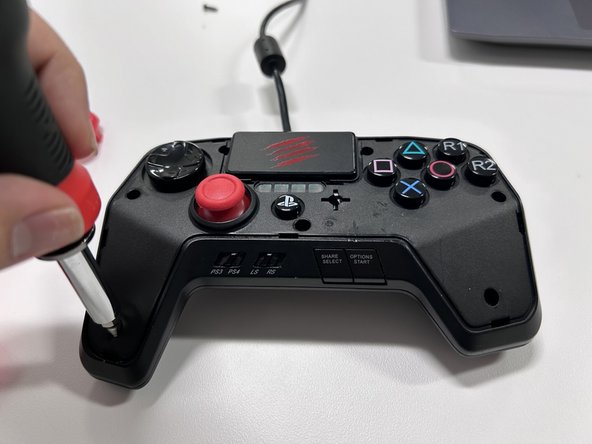
  3. Mad Catz FightPad PRO Joystick Replacement, Step 3: Schritt 3, Bild 1 von 3 Mad Catz FightPad PRO Joystick Replacement, Step 3: Schritt 3, Bild 2 von 3 Mad Catz FightPad PRO Joystick Replacement, Step 3: Schritt 3, Bild 3 von 3
    • Remove the seven screws using a Phillips #00 screwdriver.

    Frag FixBot
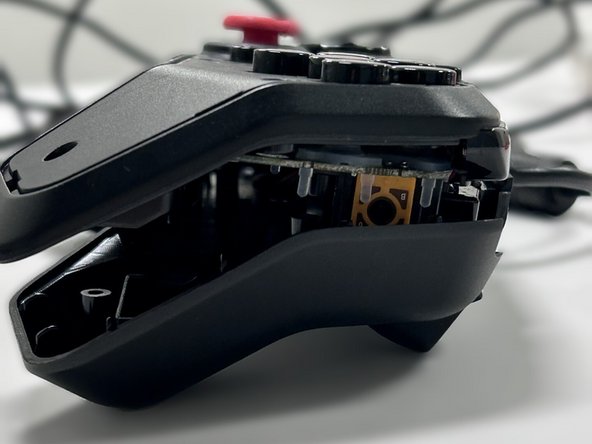
  4. Mad Catz FightPad PRO Joystick Replacement, Step 4: Schritt 4, Bild 1 von 2 Mad Catz FightPad PRO Joystick Replacement, Step 4: Schritt 4, Bild 2 von 2
    • Detach the controller from the back shell.

    • Be gentle because you could damage the motherboard with too much pressure.

    Frag FixBot
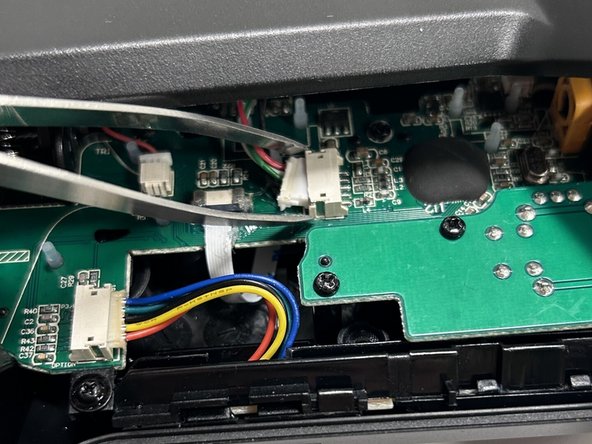
  5. Mad Catz FightPad PRO Joystick Replacement, Step 5: Schritt 5, Bild 1 von 3 Mad Catz FightPad PRO Joystick Replacement, Step 5: Schritt 5, Bild 2 von 3 Mad Catz FightPad PRO Joystick Replacement, Step 5: Schritt 5, Bild 3 von 3
    In diesem Schritt verwendetes Werkzeug:
    Tweezers
    $4.99
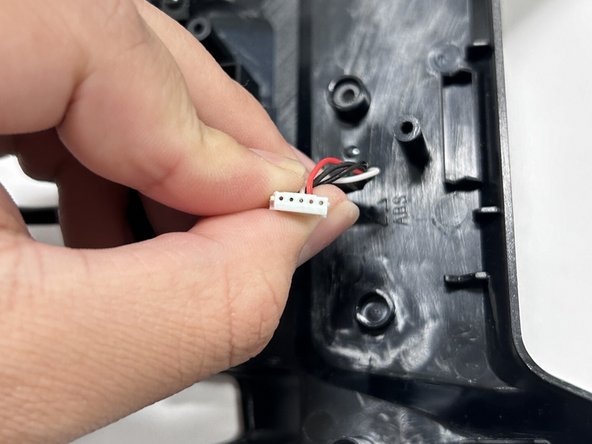
    • Using tweezers or your fingers, detach the wires connecting the motherboard to the rest of the controller.

    Frag FixBot
  6. Mad Catz FightPad PRO Joystick Replacement, Step 6: Schritt 6, Bild 1 von 2 Mad Catz FightPad PRO Joystick Replacement, Step 6: Schritt 6, Bild 2 von 2
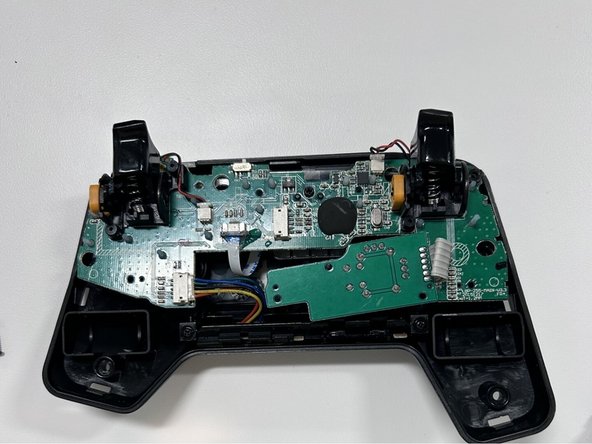
    • Remove the eight 6 mm screws from the motherboard using a Phillips #00 screwdriver.

    • Once the screws are removed, the inner parts of the controller will start to fall apart. Keeping the controller facedown will prevent any parts from falling out.

    Frag FixBot
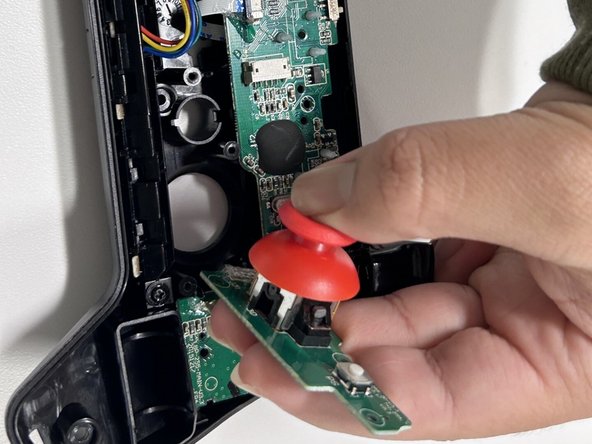
  7. Mad Catz FightPad PRO Joystick Replacement, Step 7: Schritt 7, Bild 1 von 2 Mad Catz FightPad PRO Joystick Replacement, Step 7: Schritt 7, Bild 2 von 2
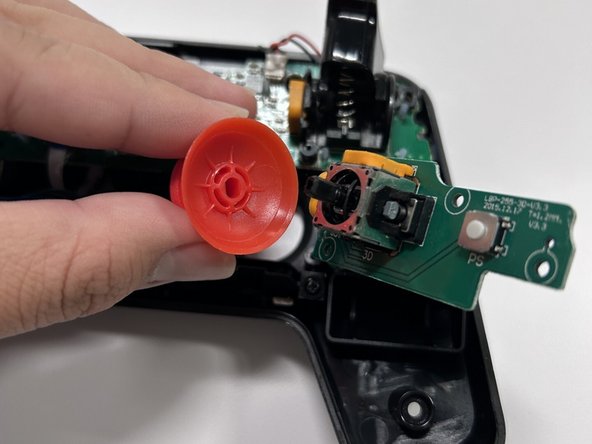
    • Using your fingers carefully remove the joystick until you hear a pop noise.

    Frag FixBot
  8. Mad Catz FightPad PRO Joystick Replacement: Schritt 8, Bild 1 von 3 Mad Catz FightPad PRO Joystick Replacement: Schritt 8, Bild 2 von 3 Mad Catz FightPad PRO Joystick Replacement: Schritt 8, Bild 3 von 3
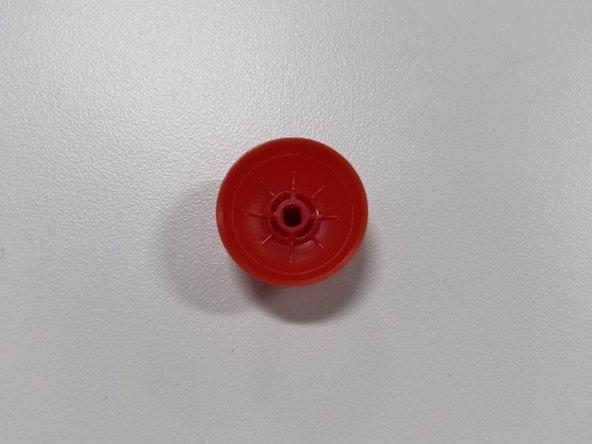
    • Make sure that the new joystick and motherboard pieces match before placing them together.

    • Hold down on the joystick until you hear a click noise.

    Frag FixBot
Abschluss

To reassemble your device, follow these instructions in reverse order.

Eine weitere Person hat diese Anleitung absolviert.

Ian Pimentel

Mitglied seit: 10/24/23

217 Reputation

1 Anleitung geschrieben

1 Kommentar zur Anleitung

شكرا افادني هذا 🐤🤍

King 444 - Antwort Teilen

Kommentar hinzufügen

Seitenaufrufe:

Letzte 24 Stunden: 8

Letzte 7 Tage: 27

Letzte 30 Tage: 113

Insgesamt: 2,552