Zum Hauptinhalt wechseln

Matsunichi MarquisPad MP977 Front Facing Camera Replacement

Was du brauchst

  1. Matsunichi MarquisPad MP977 Front Facing Camera Replacement, Front Facing Camera: Schritt 1, Bild 1 von 1
    • Using a Phillips #00 screwdriver, remove the two screws.

  2. Matsunichi MarquisPad MP977 Front Facing Camera Replacement: Schritt 2, Bild 1 von 3 Matsunichi MarquisPad MP977 Front Facing Camera Replacement: Schritt 2, Bild 2 von 3 Matsunichi MarquisPad MP977 Front Facing Camera Replacement: Schritt 2, Bild 3 von 3
    • Place the device face down on a flat surface.

    • Insert the wide-tipped plastic opening tool into the top of the left speaker slot.

    • Potential for device damage: Do not puncture the speaker cover.

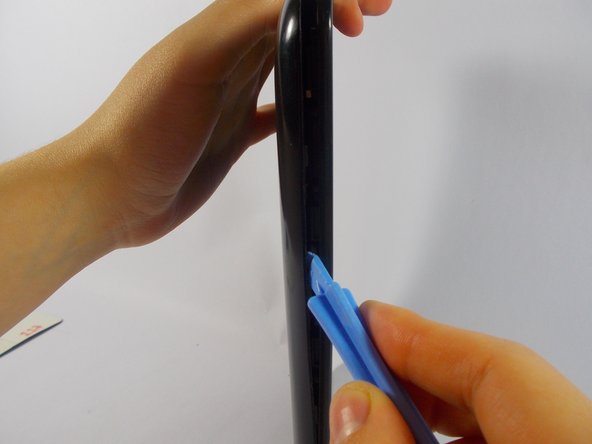
    • Pry the back plate open and slide the tool in a clockwise direction, moving it along the opening between the device and the back plate until you reach the power button.

  3. Matsunichi MarquisPad MP977 Front Facing Camera Replacement: Schritt 3, Bild 1 von 2 Matsunichi MarquisPad MP977 Front Facing Camera Replacement: Schritt 3, Bild 2 von 2
    • Insert the opening tool into the slot to the right of the speaker on the top edge of the device.

    • Pry open the back plate of the device, and slide the tool counter clockwise along the device until you reach the charging port.

  4. Matsunichi MarquisPad MP977 Front Facing Camera Replacement: Schritt 4, Bild 1 von 1
    • Remove the back plate and set it aside.

  5. Matsunichi MarquisPad MP977 Front Facing Camera Replacement: Schritt 5, Bild 1 von 1
    • Remove the seven screws holding in the motherboard using a Phillips #00 screwdriver.

  6. Matsunichi MarquisPad MP977 Front Facing Camera Replacement: Schritt 6, Bild 1 von 2 Matsunichi MarquisPad MP977 Front Facing Camera Replacement: Schritt 6, Bild 2 von 2
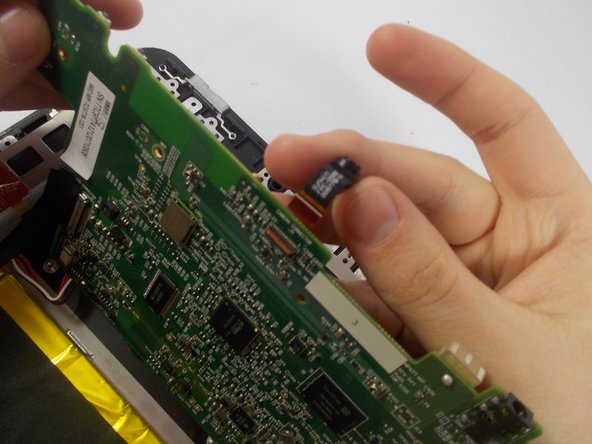
    • Gently pull the camera optic fiber out of its slot to release the flap. This will allow the flap to open easily.

    • Be sure not to damage the camera port.

  7. Matsunichi MarquisPad MP977 Front Facing Camera Replacement: Schritt 7, Bild 1 von 2 Matsunichi MarquisPad MP977 Front Facing Camera Replacement: Schritt 7, Bild 2 von 2
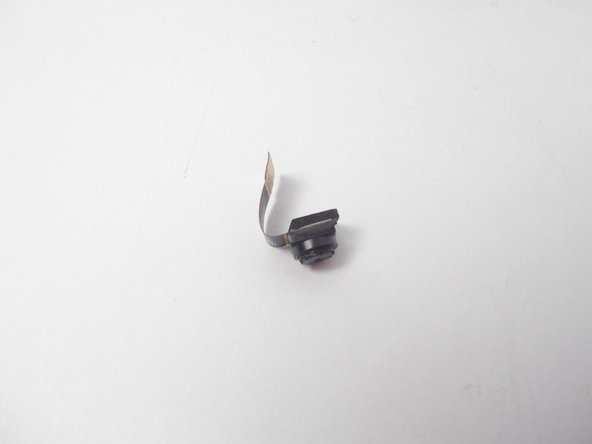
    • Insert the new camera into the pinhole camera slot.

Abschluss

To reassemble your device, follow these instructions in reverse order.

Team

UMass Dartmouth, Team 4-1, Vijaybhaskar Spring 2015 Mitglied von UMass Dartmouth, Team 4-1, Vijaybhaskar Spring 2015

UMASSD-VIJAYBHASKAR-S15S4G1

3 Mitglieder

6 Anleitungen geschrieben

0 Kommentare zur Anleitung

Kommentar hinzufügen

Seitenaufrufe:

Letzte 24 Stunden: 0

Letzte 7 Tage: 2

Letzte 30 Tage: 12

Insgesamt: 381