Zum Hauptinhalt wechseln
Gemeinsam reparieren - Jetzt registrieren

Nikon D40 Flash Pin Replacement

Was du brauchst

  1. Nikon D40 Flash Pin Replacement, Flash Pin: Schritt 1, Bild 1 von 1
    • Turn off the camera and remove the battery.

    Frag FixBot
  2. Nikon D40 Flash Pin Replacement: Schritt 2, Bild 1 von 1
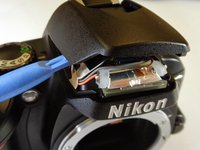
    • Pry the flash open using the plastic opening tool.

    Frag FixBot
  3. Nikon D40 Flash Pin Replacement: Schritt 3, Bild 1 von 1
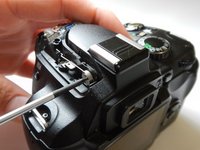
    • Remove the two Phillips #0 3.0 mm screws from the front of the flash compartment using the small Phillips Head screwdriver.

    Frag FixBot
  4. Nikon D40 Flash Pin Replacement: Schritt 4, Bild 1 von 2 Nikon D40 Flash Pin Replacement: Schritt 4, Bild 2 von 2
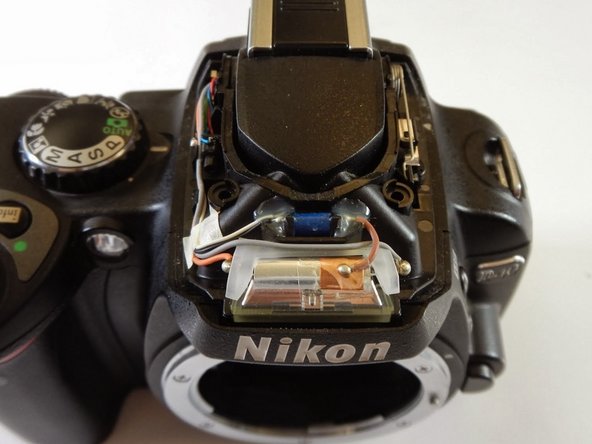
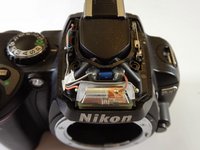
    • Pry off the back plastic of the flash compartment using the plastic opening tool.

    • When it is time to reassemble the flash module, a certain amount of force and precise alignment will be required.

    Frag FixBot
  5. Nikon D40 Flash Pin Replacement: Schritt 5, Bild 1 von 2 Nikon D40 Flash Pin Replacement: Schritt 5, Bild 2 von 2
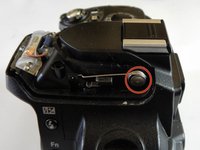
    • On the left of the camera you will see a metal spring.

    • Unscrew the Phillips #0 3.0 mm screw holding the spring in place, using the small Phillips Head screwdriver.

    Frag FixBot
  6. Nikon D40 Flash Pin Replacement: Schritt 6, Bild 1 von 1
    • Remove metal spring and replace with new spring.

    Frag FixBot
Abschluss

To reassemble your device, follow these instructions in reverse order.

4 weitere Personen haben diese Anleitung absolviert.

Team

Cal Poly, Team 6-19, Maness Winter 2014 Mitglied von Cal Poly, Team 6-19, Maness Winter 2014

CPSU-MANESS-W14S6G19

4 Mitglieder

7 Anleitungen geschrieben

0 Kommentare zur Anleitung

Kommentar hinzufügen

Seitenaufrufe:

Letzte 24 Stunden: 3

Letzte 7 Tage: 10

Letzte 30 Tage: 74

Insgesamt: 4,519