Zum Hauptinhalt wechseln
Gemeinsam reparieren - Jetzt registrieren

PDP Rematch Joystick Cover Replacement

Was du brauchst

  1. PDP Rematch Joystick Cover Replacement, Faceplate: Schritt 1, Bild 1 von 2 PDP Rematch Joystick Cover Replacement, Faceplate: Schritt 1, Bild 2 von 2
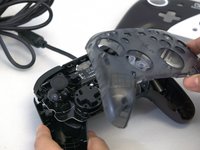
    • Grip one side of the controller firmly.

    • Insert an opening pick into the crease between the faceplate and the body of the controller.

    • Once the pick creates a gap in the crease, gently insert another pick into a different section of the crease.

    • Carefully move the picks along the controller's crease line until you hear a popping sound.

    • Gently lift off the faceplate by hand.

    Frag FixBot

    Kommentar hinzufügen

  2. PDP Rematch Joystick Cover Replacement: Schritt 2, Bild 1 von 2 PDP Rematch Joystick Cover Replacement: Schritt 2, Bild 2 von 2
    • Remove the 8 mm screws from the hard cover using a JIS #00 screwdriver.

    • Since the screws have been removed, avoid shaking or moving your controller too much to prevent other buttons from falling out.

    Frag FixBot

    Kommentar hinzufügen

  3. PDP Rematch Joystick Cover Replacement: Schritt 3, Bild 1 von 2 PDP Rematch Joystick Cover Replacement: Schritt 3, Bild 2 von 2
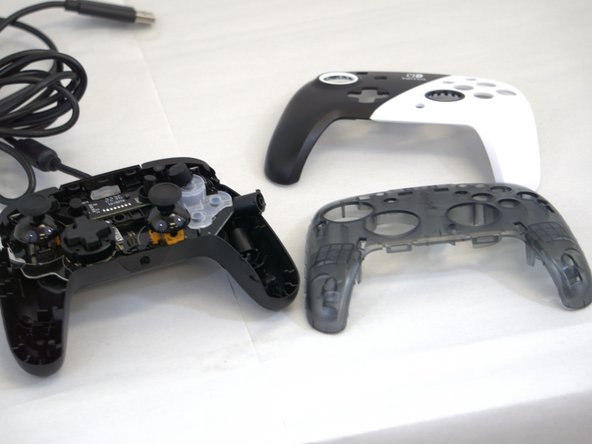
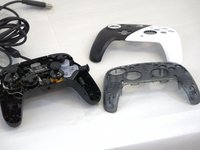
    • Gently lift off the hard cover with your hand; it should not need much force.

    Frag FixBot

    Kommentar hinzufügen

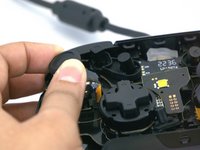
  4. PDP Rematch Joystick Cover Replacement, Joystick Cover: Schritt 4, Bild 1 von 1
    • The action buttons and silicone pad are loose and may fall out of the controller.

    Frag FixBot

    Kommentar hinzufügen

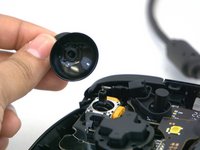
  5. PDP Rematch Joystick Cover Replacement: Schritt 5, Bild 1 von 2 PDP Rematch Joystick Cover Replacement: Schritt 5, Bild 2 von 2
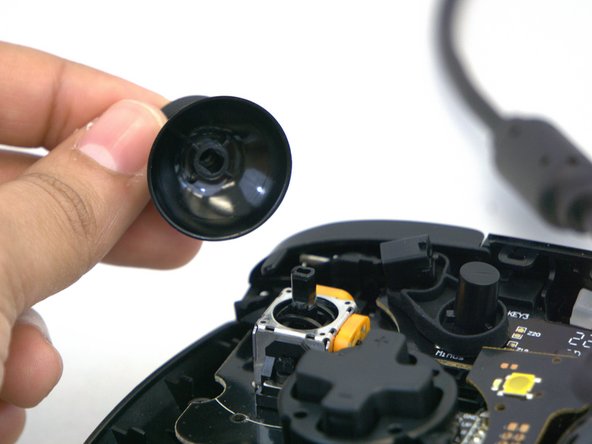
    • Gently rotate or twist the joystick(s) you want to replace.

    • Apply some force and pull upward towards you.

    • You will know it is released when you hear a popping sound.

    • Place your new joystick and push it downwards; you will hear a popping sound again.

    Frag FixBot

    Kommentar hinzufügen

Abschluss

To reassemble your device, follow these instructions in reverse order.

Rückgängig: Ich habe diese Anleitung nicht absolviert.

Eine weitere Person hat diese Anleitung absolviert.

0 Kommentare zur Anleitung

Kommentar hinzufügen

Seitenaufrufe:

Letzte 24 Stunden: 2

Letzte 7 Tage: 10

Letzte 30 Tage: 67

Insgesamt: 1,012