Zum Hauptinhalt wechseln
Gemeinsam reparieren - Jetzt registrieren

Protocol Galileo Pinion Gear Replacement

Was du brauchst

  1. Protocol Galileo Pinion Gear Replacement, Battery: Schritt 1, Bild 1 von 1
    • Find door on the underside of drone. Open the door.

    Frag FixBot

    Kommentar hinzufügen

  2. Protocol Galileo Pinion Gear Replacement: Schritt 2, Bild 1 von 2 Protocol Galileo Pinion Gear Replacement: Schritt 2, Bild 2 von 2
    • Carefully pull out battery, pulling out wires first.

    Frag FixBot

    Kommentar hinzufügen

  3. Protocol Galileo Pinion Gear Replacement: Schritt 3, Bild 1 von 1
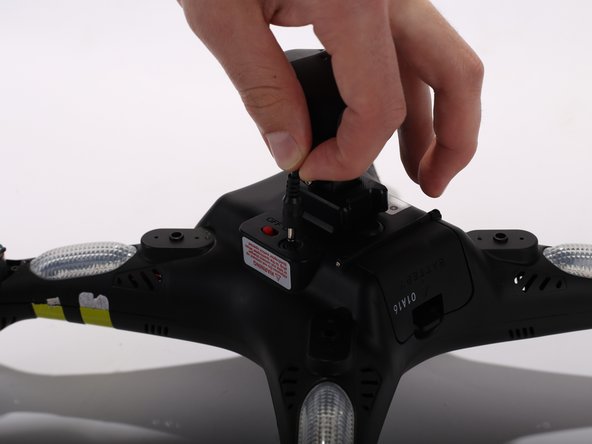
    • Disconnect the connecter.

    • When reconnecting, remember to match up the black wire with the black wire and the red with red.

    Frag FixBot

    Kommentar hinzufügen

  4. Protocol Galileo Pinion Gear Replacement, Propeller: Schritt 4, Bild 1 von 2 Protocol Galileo Pinion Gear Replacement, Propeller: Schritt 4, Bild 2 von 2
    In diesem Schritt verwendetes Werkzeug:
    Heavy-Duty Spudger
    $4.99
    • Use the heavy duty spudger tool to pry off metal caps by pushing the spudger up into the cap.

    Frag FixBot

    Kommentar hinzufügen

  5. Protocol Galileo Pinion Gear Replacement: Schritt 5, Bild 1 von 1
    • Twist the white spindle sleeve counter clockwise to align locking pin inside with the opening.

    Frag FixBot

    Kommentar hinzufügen

  6. Protocol Galileo Pinion Gear Replacement: Schritt 6, Bild 1 von 1
    In diesem Schritt verwendetes Werkzeug:
    Tweezers
    $4.99
    Frag FixBot

    Kommentar hinzufügen

  7. Protocol Galileo Pinion Gear Replacement: Schritt 7, Bild 1 von 1
    • Pull off white spindle sleeve.

    • Take note of which side of the spindle sleeve is the top.

    Frag FixBot

    Kommentar hinzufügen

  8. Protocol Galileo Pinion Gear Replacement: Schritt 8, Bild 1 von 2 Protocol Galileo Pinion Gear Replacement: Schritt 8, Bild 2 von 2
    • Pull off propeller.

    Frag FixBot

    Kommentar hinzufügen

  9. Protocol Galileo Pinion Gear Replacement, Top Shell: Schritt 9, Bild 1 von 3 Protocol Galileo Pinion Gear Replacement, Top Shell: Schritt 9, Bild 2 von 3 Protocol Galileo Pinion Gear Replacement, Top Shell: Schritt 9, Bild 3 von 3
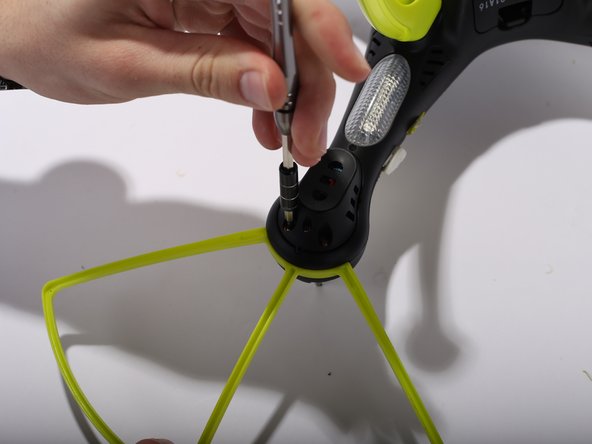
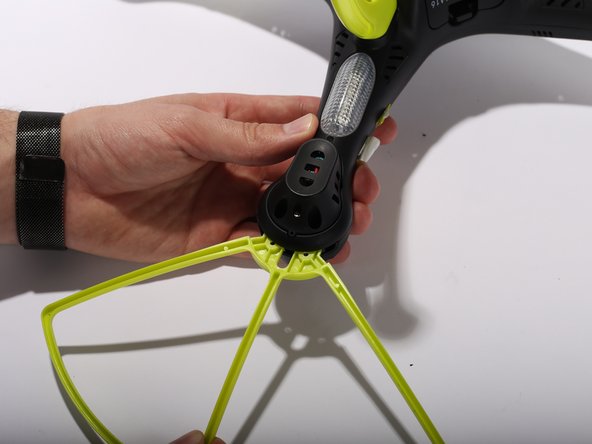
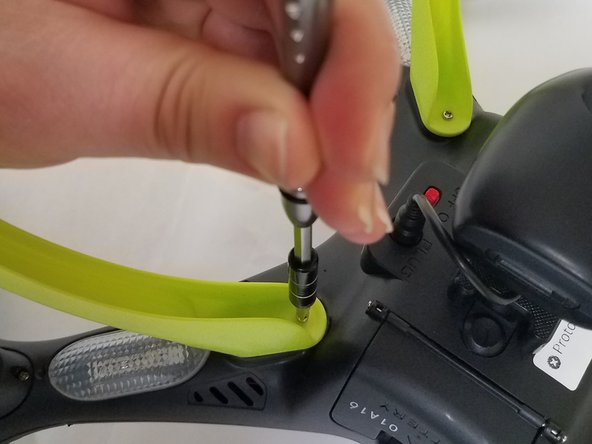
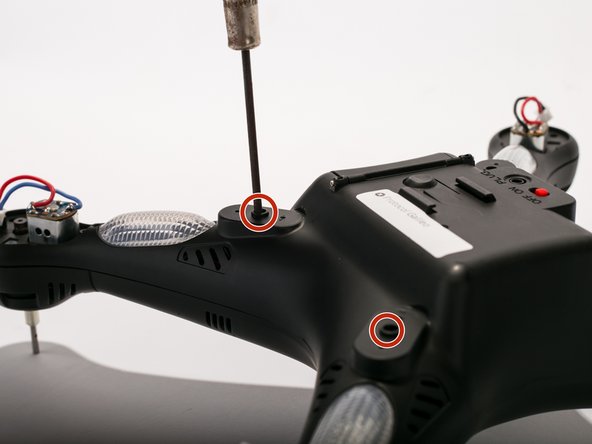
    • Remove Blade Guards by unscrewing two 13 millimeter screws using Philips #0. Pull out the guards. Repeat the steps for the other three corners.

    Frag FixBot

    Kommentar hinzufügen

  10. Protocol Galileo Pinion Gear Replacement: Schritt 10, Bild 1 von 2 Protocol Galileo Pinion Gear Replacement: Schritt 10, Bild 2 von 2
    • Unscrew two 9 mm screws located inside the legs. Repeat the same procedure for the other three legs

    Frag FixBot

    Kommentar hinzufügen

  11. Protocol Galileo Pinion Gear Replacement: Schritt 11, Bild 1 von 3 Protocol Galileo Pinion Gear Replacement: Schritt 11, Bild 2 von 3 Protocol Galileo Pinion Gear Replacement: Schritt 11, Bild 3 von 3
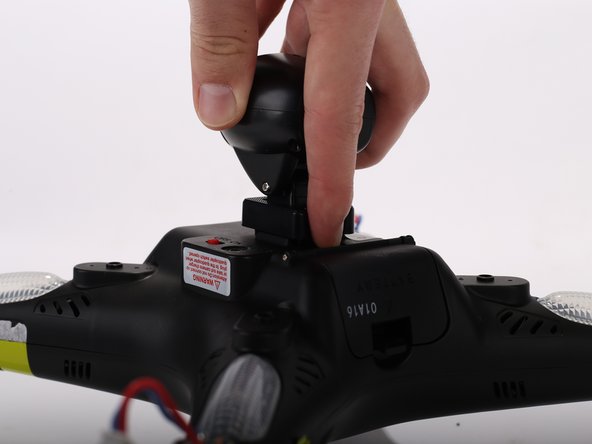
    • Unplug the camera wire.

    • Press the hold release button and slide out the camera module away from the button.

    Frag FixBot

    Kommentar hinzufügen

  12. Protocol Galileo Pinion Gear Replacement: Schritt 12, Bild 1 von 2 Protocol Galileo Pinion Gear Replacement: Schritt 12, Bild 2 von 2
    • Remove the motor protection cover by unscrewing two 9 mm screws using Philips #0. When the screws are off, use your fingers to pull the motor protection cover off. Repeat the procedure for the other three arms.

    Frag FixBot

    Kommentar hinzufügen

  13. Protocol Galileo Pinion Gear Replacement: Schritt 13, Bild 1 von 3 Protocol Galileo Pinion Gear Replacement: Schritt 13, Bild 2 von 3 Protocol Galileo Pinion Gear Replacement: Schritt 13, Bild 3 von 3
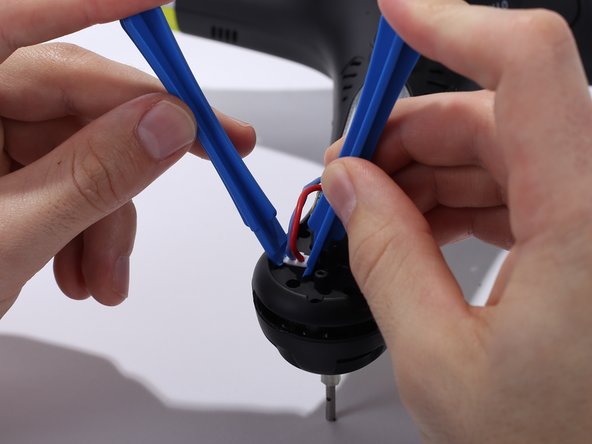
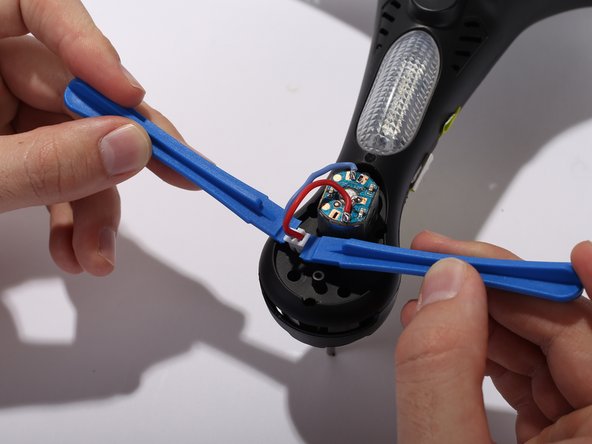
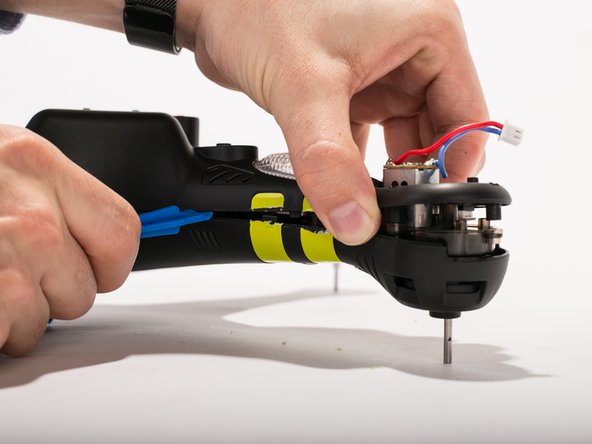
    • Unclip the motor cable from the shells housing using two pry tools. Repeat the same procedure for the other three arms.

    Frag FixBot

    Kommentar hinzufügen

  14. Protocol Galileo Pinion Gear Replacement: Schritt 14, Bild 1 von 1
    • Remove 3 9mm screws around the motor housing. Repeat the steps for the three other arms.

    Frag FixBot

    Kommentar hinzufügen

  15. Protocol Galileo Pinion Gear Replacement: Schritt 15, Bild 1 von 2 Protocol Galileo Pinion Gear Replacement: Schritt 15, Bild 2 von 2
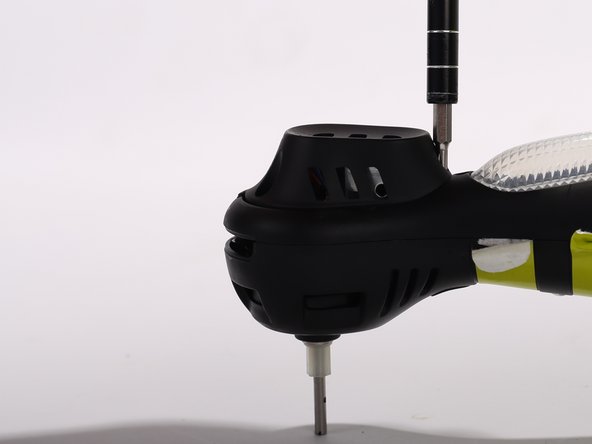
    • Remove four 9 mm screws located where the legs originally are placed. (Use a thin head screwdriver)

    Frag FixBot

    Kommentar hinzufügen

  16. Protocol Galileo Pinion Gear Replacement: Schritt 16, Bild 1 von 3 Protocol Galileo Pinion Gear Replacement: Schritt 16, Bild 2 von 3 Protocol Galileo Pinion Gear Replacement: Schritt 16, Bild 3 von 3
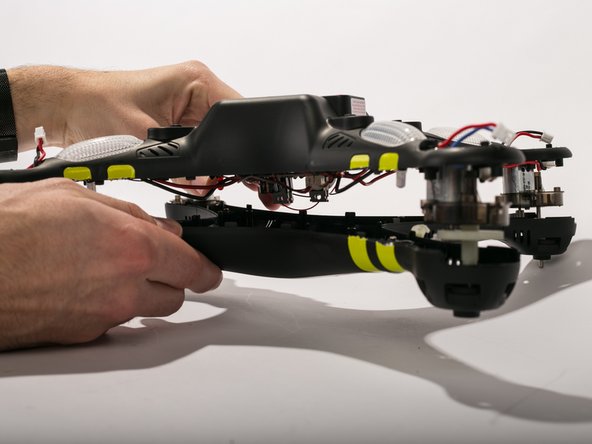
    • Cut the yellow strips using a scalpel. Pry open the casing using pry tools working gently around the corners.

    Frag FixBot

    Kommentar hinzufügen

  17. Protocol Galileo Pinion Gear Replacement, Pinion Gear: Schritt 17, Bild 1 von 1
    • Remove the motor assembly from the bottom shell.

    Frag FixBot

    Kommentar hinzufügen

  18. Protocol Galileo Pinion Gear Replacement: Schritt 18, Bild 1 von 2 Protocol Galileo Pinion Gear Replacement: Schritt 18, Bild 2 von 2
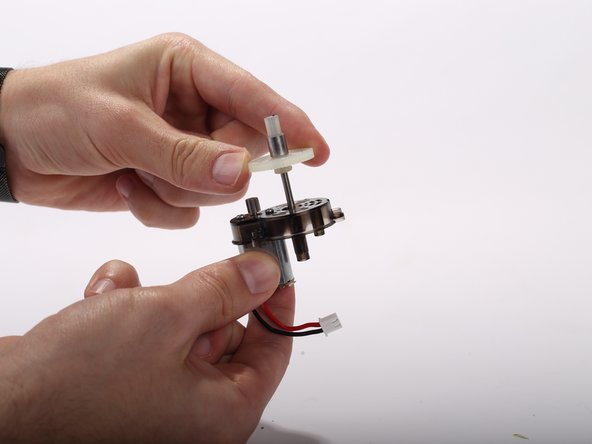
    • Slide the pinion gear off of the motor assembly.

    Frag FixBot

    Kommentar hinzufügen

Abschluss

To reassemble your device, follow these instructions in reverse order.

Rückgängig: Ich habe diese Anleitung nicht absolviert.

Team

UW Tacoma, Team 2-3, Rose Winter 2017 Mitglied von UW Tacoma, Team 2-3, Rose Winter 2017

UWT-ROSE-W17S2G3

4 Mitglieder

5 Anleitungen geschrieben

0 Kommentare zur Anleitung

Kommentar hinzufügen

Seitenaufrufe:

Letzte 24 Stunden: 0

Letzte 7 Tage: 4

Letzte 30 Tage: 13

Insgesamt: 486