Zum Hauptinhalt wechseln
Gemeinsam reparieren - Jetzt registrieren

Razer Wolverine V2 Chroma RZ06-0401 ABXY Buttons Replacement

Was du brauchst

  1. Razer Wolverine V2 Chroma RZ06-0401 ABXY Buttons Replacement, Front Plates: Schritt 1, Bild 1 von 3 Razer Wolverine V2 Chroma RZ06-0401 ABXY Buttons Replacement, Front Plates: Schritt 1, Bild 2 von 3 Razer Wolverine V2 Chroma RZ06-0401 ABXY Buttons Replacement, Front Plates: Schritt 1, Bild 3 von 3
    • Using an opening tool, pry off the the outer front plate.

    • It might take a bit of wiggling and time to loosen it and get it off.

    • Once the front plate is loose, pull it off.

    Frag FixBot

    Kommentar hinzufügen

  2. Razer Wolverine V2 Chroma RZ06-0401 ABXY Buttons Replacement: Schritt 2, Bild 1 von 2 Razer Wolverine V2 Chroma RZ06-0401 ABXY Buttons Replacement: Schritt 2, Bild 2 von 2
    • Using an opening tool, pry off the the handle grips.

    • It might take a bit of wiggling and time to loosen and get them off.

    • Once they're loose, pull off the handle grip plates.

    Frag FixBot

    Kommentar hinzufügen

  3. Razer Wolverine V2 Chroma RZ06-0401 ABXY Buttons Replacement: Schritt 3, Bild 1 von 2 Razer Wolverine V2 Chroma RZ06-0401 ABXY Buttons Replacement: Schritt 3, Bild 2 von 2
    • Using an opening tool, pry off the Xbox logo plate.

    • It might take a bit of wiggling and time to loosen it and get it off.

    • Once it's loose, pull off the Xbox logo plate.

    Frag FixBot

    Kommentar hinzufügen

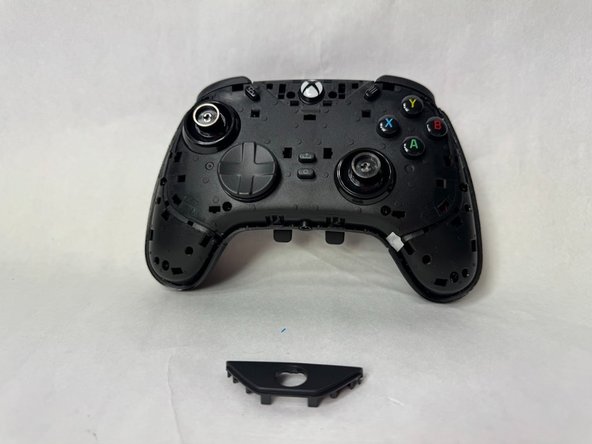
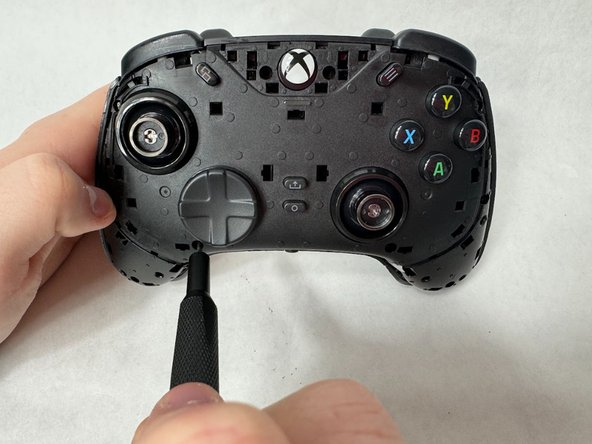
  4. Razer Wolverine V2 Chroma RZ06-0401 ABXY Buttons Replacement, Midframe: Schritt 4, Bild 1 von 2 Razer Wolverine V2 Chroma RZ06-0401 ABXY Buttons Replacement, Midframe: Schritt 4, Bild 2 von 2
    • Remove ten 9 mm screws from the controller using a Phillips #000 screwdriver.

    Frag FixBot

    Kommentar hinzufügen

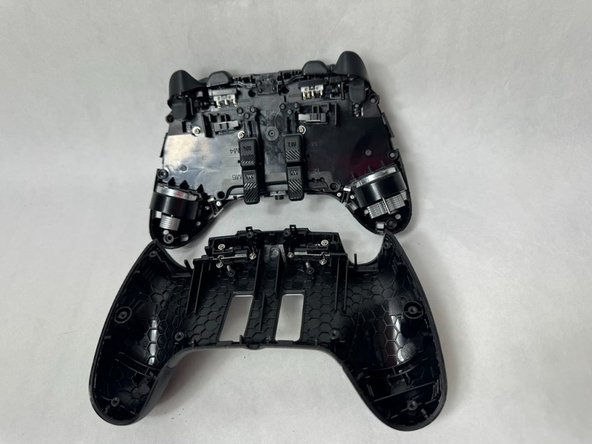
  5. Razer Wolverine V2 Chroma RZ06-0401 ABXY Buttons Replacement: Schritt 5, Bild 1 von 2 Razer Wolverine V2 Chroma RZ06-0401 ABXY Buttons Replacement: Schritt 5, Bild 2 von 2
    • Using an opening tool, pry off the backplate of the controller. It should come off relatively easily.

    • If it is struggling to come off, you might have missed a screw. Make sure you have removed all screws.

    Frag FixBot

    Kommentar hinzufügen

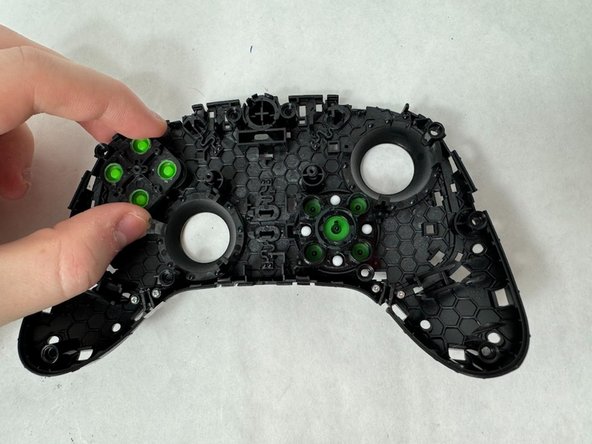
  6. Razer Wolverine V2 Chroma RZ06-0401 ABXY Buttons Replacement, ABXY Buttons: Schritt 6, Bild 1 von 3 Razer Wolverine V2 Chroma RZ06-0401 ABXY Buttons Replacement, ABXY Buttons: Schritt 6, Bild 2 von 3 Razer Wolverine V2 Chroma RZ06-0401 ABXY Buttons Replacement, ABXY Buttons: Schritt 6, Bild 3 von 3
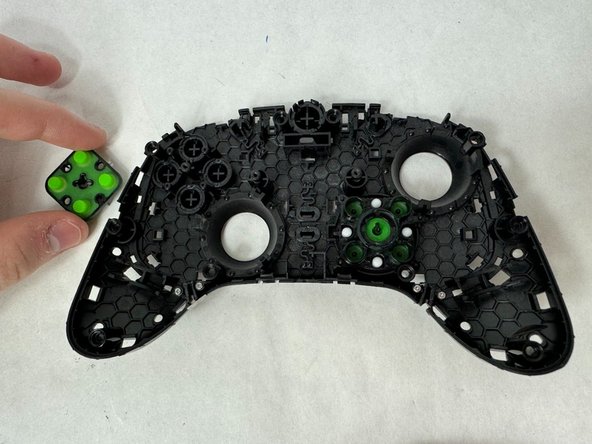
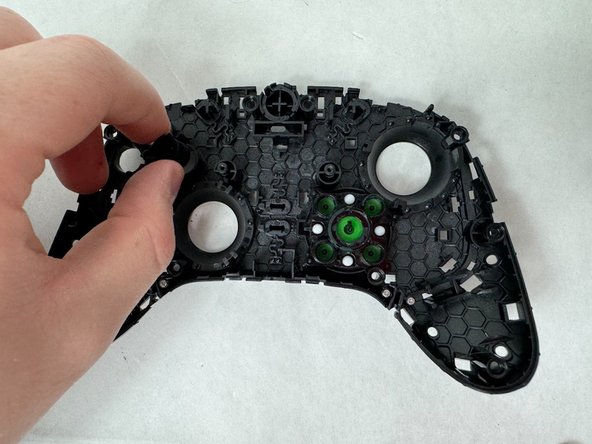
    • Look at the inside of the inner front plate and where the ABXY buttons are. Pop off the back of the piece that pushes the buttons.

    Frag FixBot

    Kommentar hinzufügen

  7. Razer Wolverine V2 Chroma RZ06-0401 ABXY Buttons Replacement: Schritt 7, Bild 1 von 3 Razer Wolverine V2 Chroma RZ06-0401 ABXY Buttons Replacement: Schritt 7, Bild 2 von 3 Razer Wolverine V2 Chroma RZ06-0401 ABXY Buttons Replacement: Schritt 7, Bild 3 von 3
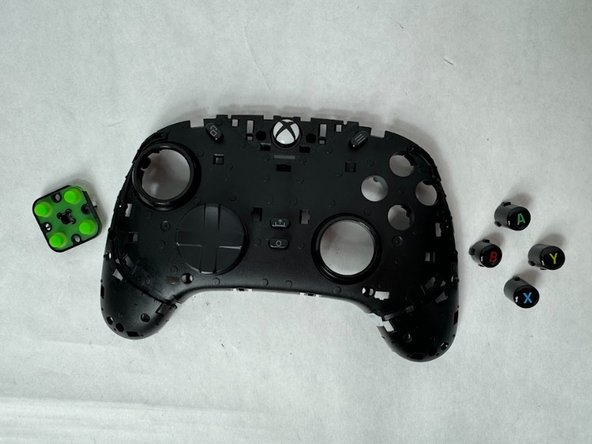
    • The buttons should come out easily once the previous piece is removed.

    • By tilting the controller they should fall out, or you can push them out yourself if that did not happen.

    • You are now able to clean the buttons and the area around it (if necessary), and slide the new buttons back into place.

    Frag FixBot

    Kommentar hinzufügen

Abschluss

To reassemble your device, follow these instructions in reverse order.

Rückgängig: Ich habe diese Anleitung nicht absolviert.

Kaylin

Mitglied seit: 03/22/24

434 Reputation

3 Anleitungen geschrieben

Team

UMass Dartmouth, Team 6-3, Botvin Spring 2024 Mitglied von UMass Dartmouth, Team 6-3, Botvin Spring 2024

UMASSD-BOTVIN-S24S6G3

3 Mitglieder

5 Anleitungen geschrieben

2 Kommentare zur Anleitung

And where do we get new buttons, the printing has worn off???

Sadler2010 - Antwort Teilen

How about the wired version I can't seem to get the back off?

Ryan Peddle - Antwort Teilen

Kommentar hinzufügen

Seitenaufrufe:

Letzte 24 Stunden: 1

Letzte 7 Tage: 27

Letzte 30 Tage: 124

Insgesamt: 2,171