Einleitung
If the top and bottom rings for the Rienok S1 Mini are damaged, or you need to access the inside of the speaker, use this guide to remove and/or replace those rings.
The main purpose of these rings is to keep all the parts together and provide a safe resting surface to protect the waterproofing covers at the ends.
Before beginning, power the device down to prevent any shorts.
Was du brauchst
-
-
Start with the buttons panel up and facing you.
-
Wedge in one iFixit opening pick, and apply outward pressure to pop out one side of the grille.
-
Using a second pick, slide from the first pick towards the opposite end until one whole side is popped out.
-
-
-
While holding the other side open so it doesn't snap closed, wedge in one opening pick into one corner of the closed side.
-
Apply outward pressure until that side also pops out.
-
Using a second opening pick, slide from the first one until both sides have popped out.
-
-
-
-
Pull outward on one end, while holding the other open.
-
Pull in the opposite direction on the top or bottom rings while slightly rotating the center until the whole grille is removed.
-
-
-
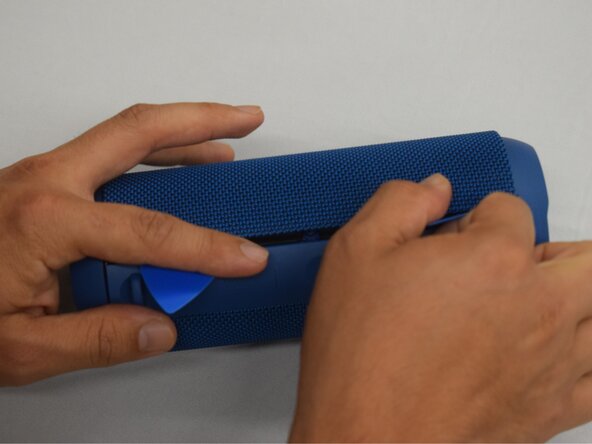
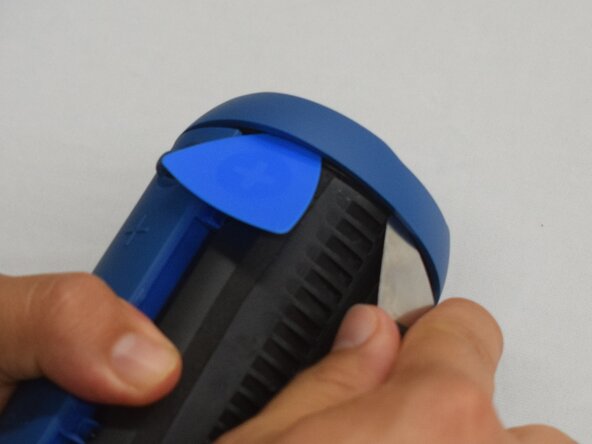
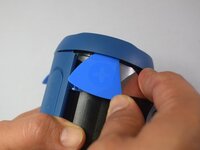
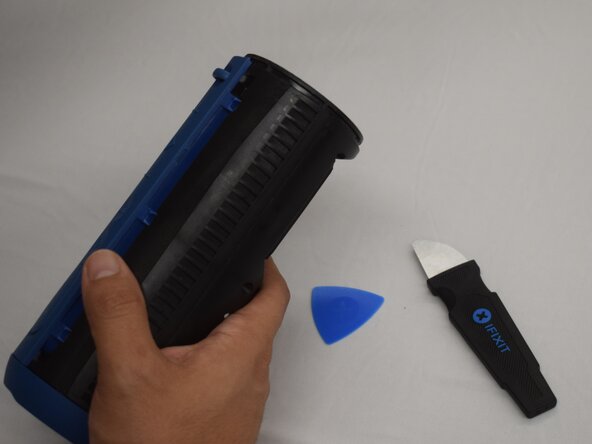
Wedge an iFixit opening pick into the space between the ring and the housing.
-
Insert a Jimmy into the gap created.
-
Apply an out-and-upward pressure with the Jimmy to disconnect the plastic clips surrounding the ring.
-
Work the Jimmy around the ring, disconnecting the clips along the way until they are all disconnected.
-
-
-
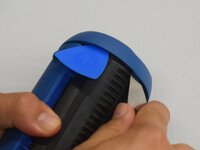
After removing the first ring, turn the device to the other side.
-
Repeat the previous step to remove the second ring.
-




To reassemble your device, follow these instructions in reverse order.


Team

CSU Los Angeles, Team 7-1, Kershman Spring 2025 Mitglied von CSU Los Angeles, Team 7-1, Kershman Spring 2025
CSULA-KERSHMAN-S25S7G1
5 Mitglieder
9 Anleitungen geschrieben
