Zum Hauptinhalt wechseln
Gemeinsam reparieren - Jetzt registrieren

Samsung Galaxy J3V Back Camera Replacement

Was du brauchst

  1. Samsung Galaxy J3V Back Camera Replacement, Front Camera: Schritt 1, Bild 1 von 3 Samsung Galaxy J3V Back Camera Replacement, Front Camera: Schritt 1, Bild 2 von 3 Samsung Galaxy J3V Back Camera Replacement, Front Camera: Schritt 1, Bild 3 von 3
    • Place your thumb on the top left corner and pry the tab open and lift off the back cover.

    Frag FixBot

    Kommentar hinzufügen

  2. Samsung Galaxy J3V Back Camera Replacement: Schritt 2, Bild 1 von 3 Samsung Galaxy J3V Back Camera Replacement: Schritt 2, Bild 2 von 3 Samsung Galaxy J3V Back Camera Replacement: Schritt 2, Bild 3 von 3
    • Remove the ten 2.0 mm screws with the Phillips #J000 screwdriver.

    Frag FixBot

    Kommentar hinzufügen

  3. Samsung Galaxy J3V Back Camera Replacement: Schritt 3, Bild 1 von 3 Samsung Galaxy J3V Back Camera Replacement: Schritt 3, Bild 2 von 3 Samsung Galaxy J3V Back Camera Replacement: Schritt 3, Bild 3 von 3
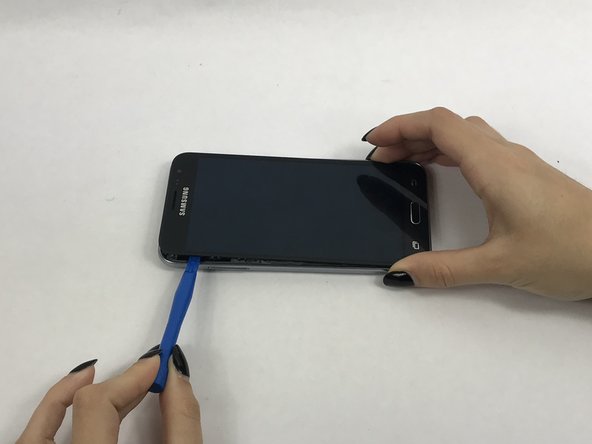
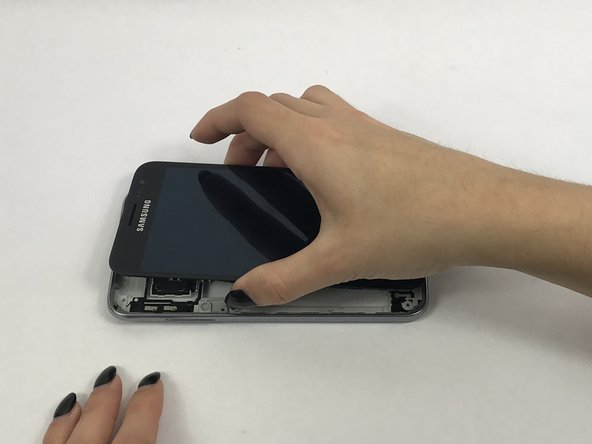
    • Use a small suction cup to pull the screen up. Then slip a small plastic opening tool under the screen to pry it upwards.

    • If this is the first time the screen is being removed then there will be adhesive around the edges of the screen. It may be difficult to remove the screen because of this adhesive seal and it is going to take a few tries and some force to pry the entire screen off.

    Frag FixBot

    Kommentar hinzufügen

  4. Samsung Galaxy J3V Back Camera Replacement: Schritt 4, Bild 1 von 3 Samsung Galaxy J3V Back Camera Replacement: Schritt 4, Bild 2 von 3 Samsung Galaxy J3V Back Camera Replacement: Schritt 4, Bild 3 von 3
    In diesem Schritt verwendetes Werkzeug:
    Tweezers
    $4.99
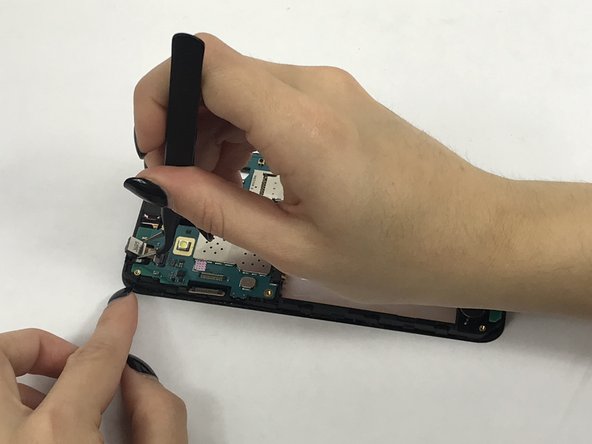
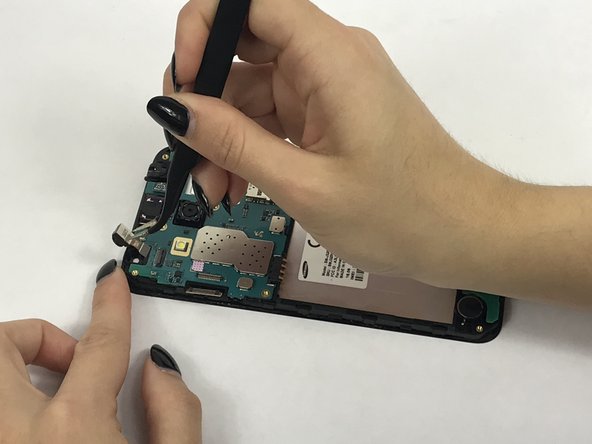
    • Use tweezers to flip tab of the front camera to remove it.

    Frag FixBot

    Kommentar hinzufügen

  5. Samsung Galaxy J3V Back Camera Replacement, Motherboard: Schritt 5, Bild 1 von 3 Samsung Galaxy J3V Back Camera Replacement, Motherboard: Schritt 5, Bild 2 von 3 Samsung Galaxy J3V Back Camera Replacement, Motherboard: Schritt 5, Bild 3 von 3
    In diesem Schritt verwendetes Werkzeug:
    Tweezers
    $4.99
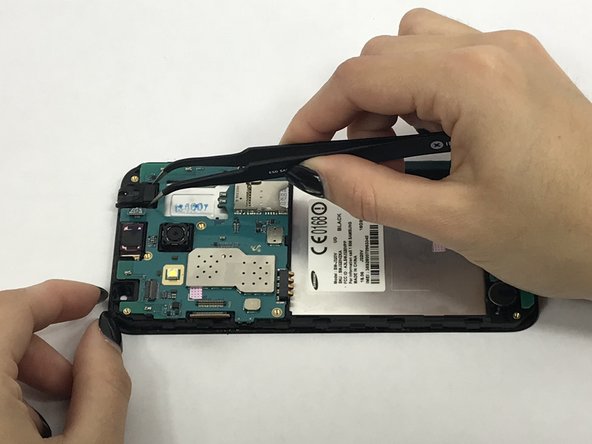
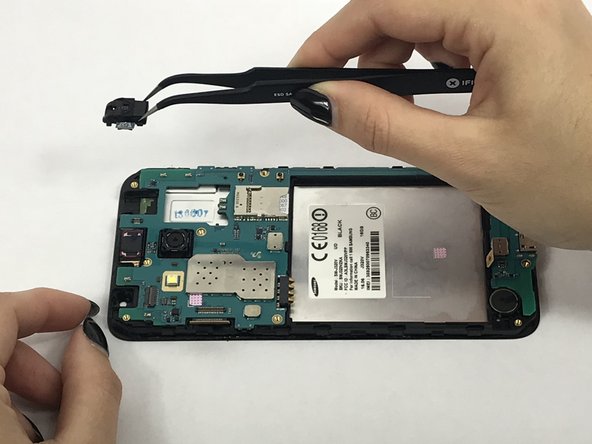
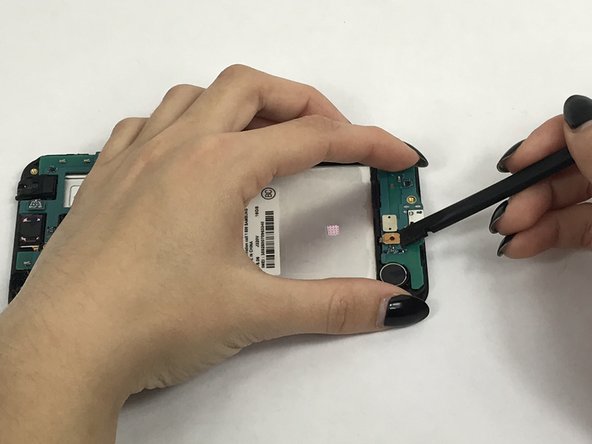
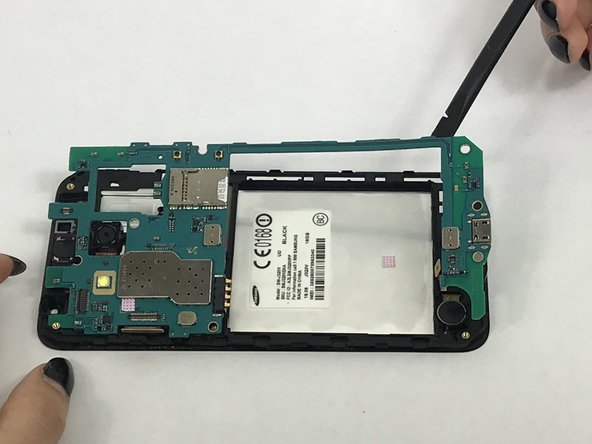
    • Remove connector tab with spudger then carefully remove headphone jack with tweezers.

    Frag FixBot

    Kommentar hinzufügen

  6. Samsung Galaxy J3V Back Camera Replacement: Schritt 6, Bild 1 von 2 Samsung Galaxy J3V Back Camera Replacement: Schritt 6, Bild 2 von 2
    • Remove these connectors from the motherboard with spudger.

    Frag FixBot

    Kommentar hinzufügen

  7. Samsung Galaxy J3V Back Camera Replacement: Schritt 7, Bild 1 von 2 Samsung Galaxy J3V Back Camera Replacement: Schritt 7, Bild 2 von 2
    • Carefully use the spudger to pry the motherboard out of the plastic tabs.

    Frag FixBot

    Kommentar hinzufügen

  8. Samsung Galaxy J3V Back Camera Replacement, Back Camera: Schritt 8, Bild 1 von 3 Samsung Galaxy J3V Back Camera Replacement, Back Camera: Schritt 8, Bild 2 von 3 Samsung Galaxy J3V Back Camera Replacement, Back Camera: Schritt 8, Bild 3 von 3
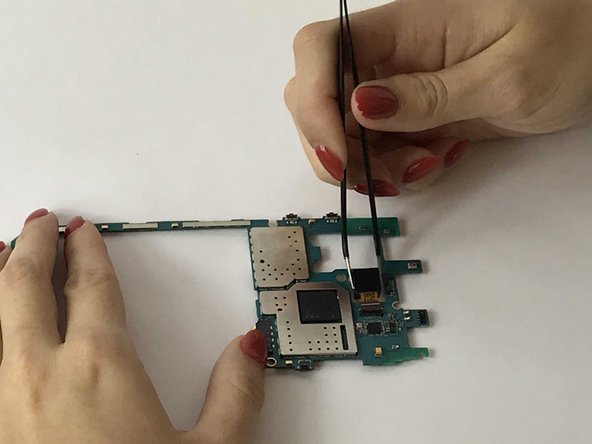
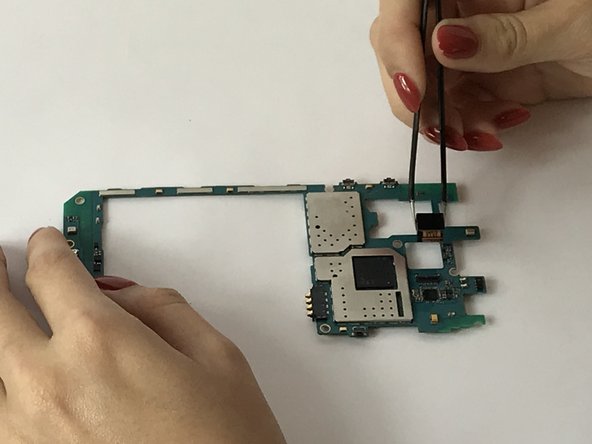
    • After removing the motherboard, locate and flip tab holding the rear camera's connector.

    • Carefully use the tweezer to remove the connector and the camera.

    Frag FixBot

    Kommentar hinzufügen

Abschluss

To reassemble your device, follow these instructions in reverse order.

Rückgängig: Ich habe diese Anleitung nicht absolviert.

Eine weitere Person hat diese Anleitung absolviert.

Team

USF Tampa, Team S3-G3, Nance Fall 2017 Mitglied von USF Tampa, Team S3-G3, Nance Fall 2017

USFT-NANCE-F17S3G3

4 Mitglieder

5 Anleitungen geschrieben

1 Kommentar zur Anleitung

Your &&^&^$^ trash and did not help me at all.

Harrington Kenneth - Antwort Teilen

Kommentar hinzufügen

Seitenaufrufe:

Letzte 24 Stunden: 2

Letzte 7 Tage: 11

Letzte 30 Tage: 29

Insgesamt: 1,867