Einleitung
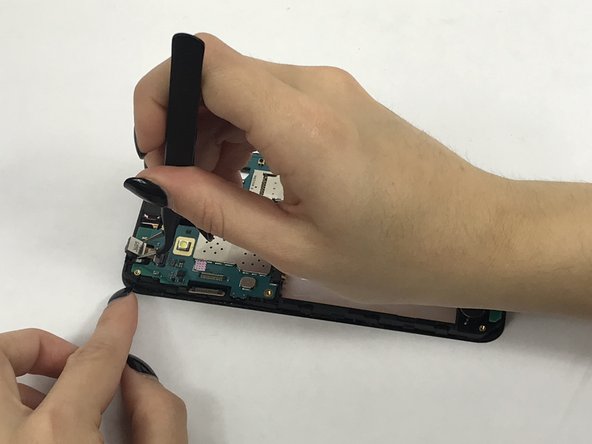
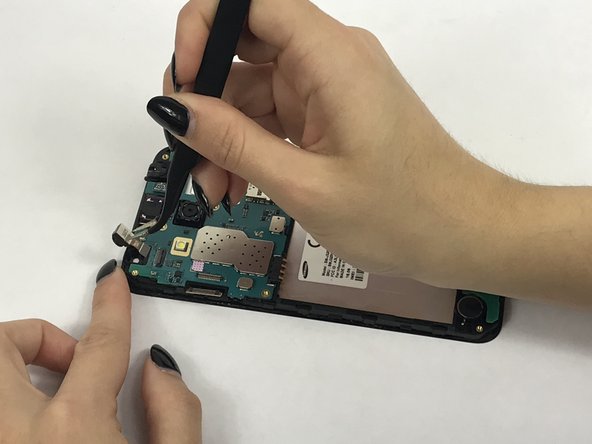
This guide will walk you through the process of replacing a not working front camera in a Samsung Galaxy J3V.
Was du brauchst
-
-
Place your thumb on the top left corner and pry the tab open and lift off the back cover.
-
-
-
-
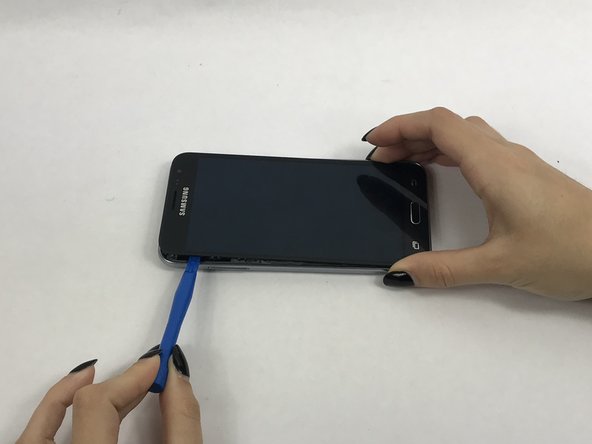
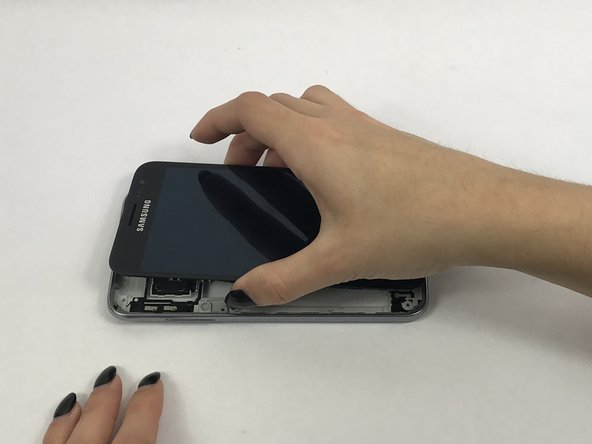
Use a small suction cup to pull the screen up. Then slip a small plastic opening tool under the screen to pry it upwards.
-



Fast fertig!
To reassemble your device, follow these instructions in reverse order.
Abschluss
To reassemble your device, follow these instructions in reverse order.



Team

USF Tampa, Team S3-G3, Nance Fall 2017 Mitglied von USF Tampa, Team S3-G3, Nance Fall 2017
USFT-NANCE-F17S3G3
4 Mitglieder
5 Anleitungen geschrieben
