Zum Hauptinhalt wechseln
Gemeinsam reparieren - Jetzt registrieren
Samsung Galaxy S III Motherboard Replacement

Was du brauchst

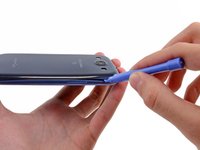
  1. Samsung Galaxy S III Motherboard Replacement, Rear Case: Schritt 1, Bild 1 von 2 Samsung Galaxy S III Motherboard Replacement, Rear Case: Schritt 1, Bild 2 von 2
    • The following four steps can be accomplished without a plastic opening tool. However, it's recommended to use a tool to best avoid breaking any clips along the perimeter of the rear case.

    • Insert a plastic opening tool or fingernail into the notch in the gap between the rear case and the rest of the phone, located at the top of the device.

    • Gently twist the opening tool to disconnect the clips securing the top of the rear case.

    Frag FixBot

    Kommentar hinzufügen

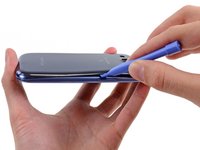
  2. Samsung Galaxy S III Motherboard Replacement: Schritt 2, Bild 1 von 2 Samsung Galaxy S III Motherboard Replacement: Schritt 2, Bild 2 von 2
    • Slide the plastic opening tool left along the top edge and repeat the twisting motion to widen the gap between the rear case and the phone.

    Frag FixBot

    Kommentar hinzufügen

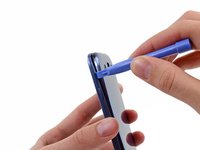
  3. Samsung Galaxy S III Motherboard Replacement: Schritt 3, Bild 1 von 2 Samsung Galaxy S III Motherboard Replacement: Schritt 3, Bild 2 von 2
    • Continue to move the plastic opening tool around the perimeter of the top left corner, gently prying up along the rear case.

    Frag FixBot

    Kommentar hinzufügen

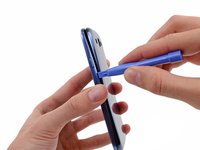
  4. Samsung Galaxy S III Motherboard Replacement: Schritt 4, Bild 1 von 2 Samsung Galaxy S III Motherboard Replacement: Schritt 4, Bild 2 von 2
    • Pry along the top right side, and continue prying down the right side of the rear case.

    Frag FixBot

    Kommentar hinzufügen

  5. Samsung Galaxy S III Motherboard Replacement: Schritt 5, Bild 1 von 2 Samsung Galaxy S III Motherboard Replacement: Schritt 5, Bild 2 von 2
    • Lift up and remove the rear case from the phone.

    • You may need to peel the case up to separate it from any clips still holding it to the bottom of the phone.

    Frag FixBot

    Kommentar hinzufügen

  6. Samsung Galaxy S III Motherboard Replacement, Battery: Schritt 6, Bild 1 von 2 Samsung Galaxy S III Motherboard Replacement, Battery: Schritt 6, Bild 2 von 2
    • This step can be accomplished without the need of a plastic opening tool. Just use your finger if you want to.

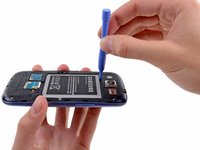
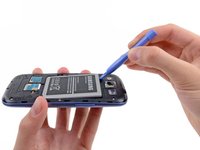
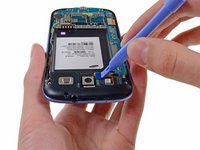
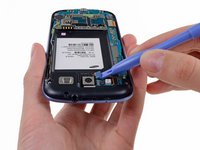
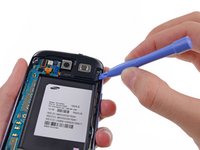
    • Wedge a plastic opening tool into the small notch above the battery.

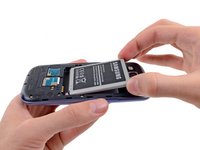
    • Pry the battery up out of its recess.

    Frag FixBot

    Kommentar hinzufügen

  7. Samsung Galaxy S III Motherboard Replacement: Schritt 7, Bild 1 von 2 Samsung Galaxy S III Motherboard Replacement: Schritt 7, Bild 2 von 2
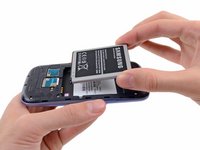
    • Remove the battery.

    Frag FixBot

    Kommentar hinzufügen

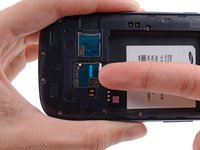
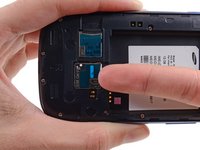
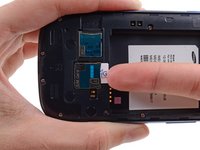
  8. Samsung Galaxy S III Motherboard Replacement, SIM Card: Schritt 8, Bild 1 von 3 Samsung Galaxy S III Motherboard Replacement, SIM Card: Schritt 8, Bild 2 von 3 Samsung Galaxy S III Motherboard Replacement, SIM Card: Schritt 8, Bild 3 von 3
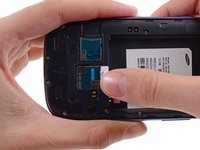
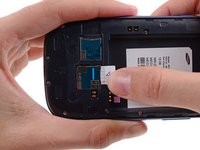
    • Using your fingernail, push the SIM card slightly deeper into its slot, until you hear a click.

    • After the click, release the card and it will pop out of its slot.

    • For reassembly, push the SIM card into the slot until it clicks in place.

    Frag FixBot

    Kommentar hinzufügen

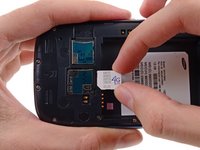
  9. Samsung Galaxy S III Motherboard Replacement: Schritt 9, Bild 1 von 3 Samsung Galaxy S III Motherboard Replacement: Schritt 9, Bild 2 von 3 Samsung Galaxy S III Motherboard Replacement: Schritt 9, Bild 3 von 3
    • Use your thumb to slide enough of the SIM card out of its slot to grab ahold of it.

    • Grasp and remove the SIM card away from the phone.

    Frag FixBot

    Kommentar hinzufügen

  10. Samsung Galaxy S III Motherboard Replacement, microSD Card: Schritt 10, Bild 1 von 3 Samsung Galaxy S III Motherboard Replacement, microSD Card: Schritt 10, Bild 2 von 3 Samsung Galaxy S III Motherboard Replacement, microSD Card: Schritt 10, Bild 3 von 3
    • Using your fingernail, push the microSD card slightly deeper into its slot, until you hear a click.

    • After the click, release the card and it will pop out of its slot.

    • For reassembly, push the microSD card into the slot until it clicks in place.

    Frag FixBot

    Kommentar hinzufügen

  11. Samsung Galaxy S III Motherboard Replacement: Schritt 11, Bild 1 von 2 Samsung Galaxy S III Motherboard Replacement: Schritt 11, Bild 2 von 2
    • Use your thumb to slide the microSD card out of the slot.

    • Remove the microSD card from the phone.

    Frag FixBot

    Kommentar hinzufügen

  12. Samsung Galaxy S III Motherboard Replacement, Plastic Midframe: Schritt 12, Bild 1 von 1
    • Remove the ten 4.0 mm Phillips screws securing the midframe to the front panel assembly.

    Frag FixBot

    Kommentar hinzufügen

  13. Samsung Galaxy S III Motherboard Replacement: Schritt 13, Bild 1 von 2 Samsung Galaxy S III Motherboard Replacement: Schritt 13, Bild 2 von 2
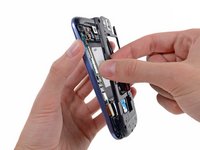
    • Grasp the left side of the plastic midframe with your thumb and forefinger and lift it away from the phone.

    • The midframe lightly snaps in place, and can be removed with very little force.

    Frag FixBot

    Kommentar hinzufügen

  14. Samsung Galaxy S III Motherboard Replacement, Headphone Jack/Speaker Assembly: Schritt 14, Bild 1 von 2 Samsung Galaxy S III Motherboard Replacement, Headphone Jack/Speaker Assembly: Schritt 14, Bild 2 von 2
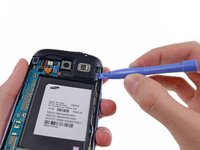
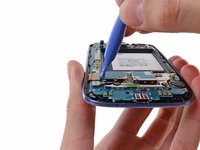
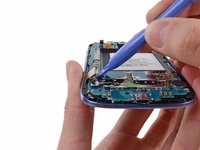
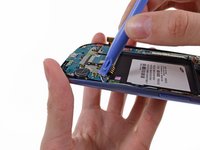
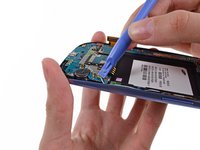
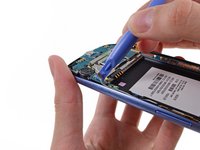
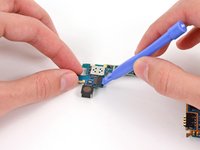
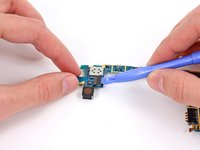
    • Use a plastic opening tool to pry the rear-facing camera connector up from its socket on the motherboard.

    • Make sure you are prying on the connector and not the socket, or you may damage the motherboard.

    Frag FixBot

    Kommentar hinzufügen

  15. Samsung Galaxy S III Motherboard Replacement: Schritt 15, Bild 1 von 2 Samsung Galaxy S III Motherboard Replacement: Schritt 15, Bild 2 von 2
    • Insert a plastic opening tool outboard of the speaker portion of the headphone jack/speaker assembly.

    • Gently pry the headphone jack/speaker assembly up from the front assembly.

    Frag FixBot

    Kommentar hinzufügen

  16. Samsung Galaxy S III Motherboard Replacement: Schritt 16, Bild 1 von 1
    • Lift the headphone jack/speaker assembly out of the Galaxy S III.

    Frag FixBot

    Kommentar hinzufügen

  17. Samsung Galaxy S III Motherboard Replacement, Motherboard Assembly: Schritt 17, Bild 1 von 1
    • Use a plastic opening tool to pry the front-facing camera connector from its socket on the motherboard.

    • Do not try to remove the front-facing camera just yet. Its cable is still routed beneath the motherboard assembly to the ambient light sensor.

    Frag FixBot

    Kommentar hinzufügen

  18. Samsung Galaxy S III Motherboard Replacement: Schritt 18, Bild 1 von 2 Samsung Galaxy S III Motherboard Replacement: Schritt 18, Bild 2 von 2
    • Disconnect the digitizer cable by gently prying its connector up from its socket on the motherboard.

    Frag FixBot

    Kommentar hinzufügen

  19. Samsung Galaxy S III Motherboard Replacement: Schritt 19, Bild 1 von 2 Samsung Galaxy S III Motherboard Replacement: Schritt 19, Bild 2 von 2
    • Disconnect the display data cable from the motherboard.

    Frag FixBot

    Kommentar hinzufügen

  20. Samsung Galaxy S III Motherboard Replacement: Schritt 20, Bild 1 von 3 Samsung Galaxy S III Motherboard Replacement: Schritt 20, Bild 2 von 3 Samsung Galaxy S III Motherboard Replacement: Schritt 20, Bild 3 von 3
    • Pry the Wi-Fi antenna cable connector up from its socket on the motherboard.

    • Gently move the cable out of the way of the motherboard.

    Frag FixBot

    Kommentar hinzufügen

  21. Samsung Galaxy S III Motherboard Replacement: Schritt 21, Bild 1 von 1
    • Remove the single 3.0 mm Phillips screw securing the motherboard to the front panel assembly.

    Frag FixBot

    Kommentar hinzufügen

  22. Samsung Galaxy S III Motherboard Replacement: Schritt 22, Bild 1 von 2 Samsung Galaxy S III Motherboard Replacement: Schritt 22, Bild 2 von 2
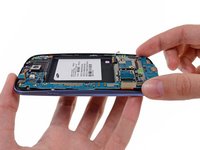
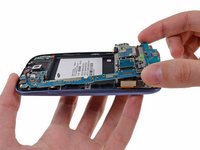
    • Carefully lift the bottom of the motherboard assembly away from the front panel assembly.

    • Remove the motherboard assembly from the front panel assembly, minding any cables that may snag on it.

    Frag FixBot

    Kommentar hinzufügen

  23. Samsung Galaxy S III Motherboard Replacement, Rear-Facing Camera: Schritt 23, Bild 1 von 2 Samsung Galaxy S III Motherboard Replacement, Rear-Facing Camera: Schritt 23, Bild 2 von 2
    • Flip the motherboard over. We recommend setting it on a grounded work surface.

    • Use a plastic opening tool to pry the rear-facing camera connector from its socket.

    Frag FixBot

    Kommentar hinzufügen

  24. Samsung Galaxy S III Motherboard Replacement: Schritt 24, Bild 1 von 1
    • Remove the rear-facing camera off the motherboard.

    Frag FixBot

    Kommentar hinzufügen

  25. Samsung Galaxy S III Motherboard Replacement, Motherboard: Schritt 25, Bild 1 von 1
    • The motherboard remains.

    Frag FixBot

    Kommentar hinzufügen

Abschluss

To reassemble your device, follow these instructions in reverse order.

Rückgängig: Ich habe diese Anleitung nicht absolviert.

270 weitere Personen haben diese Anleitung absolviert.

43 Kommentare zur Anleitung

Between step 13 and 14, there should be a step to detach the cable to the camera lens and speaker assembly and the removal of the assembly.

ewu777 - Antwort Teilen
The are usually $100 and Galaxy S III (Verizon) Motherboard

Calissa Stewart - Antwort Teilen

Where do i buy the original motherboard and what is the cost

Mustafa Mukhtiar - Antwort Teilen

I have a motherboard of samsung galaxy s3 sgh-t999 t mobile pm me here's my email tan.jeffrey84@yahoo.com for more info

Dragneel Natzu - Antwort Teilen

Cheapest place to buy them is ebay.

Tracy Smith - Antwort Teilen

Kommentar hinzufügen

Seitenaufrufe:

Letzte 24 Stunden: 3

Letzte 7 Tage: 26

Letzte 30 Tage: 119

Insgesamt: 302,580