Zum Hauptinhalt wechseln
Gemeinsam reparieren - Jetzt registrieren

Sony NEX-5R Main Navigation Button Replacement

Was du brauchst

    1. Sony NEX-5R Main Navigation Button Replacement, Rear Case: Schritt 1, Bild 1 von 1
      • Remove the three (3.5 mm) screws from the bottom of the camera with the Phillips screwdriver.

      Frag FixBot

      Kommentar hinzufügen

    2. Sony NEX-5R Main Navigation Button Replacement: Schritt 2, Bild 1 von 1
      • Open the HDMI port, and remove the the two (3.5 mm) Phillips screws exposed on that side.

      Frag FixBot

      Kommentar hinzufügen

    3. Sony NEX-5R Main Navigation Button Replacement: Schritt 3, Bild 1 von 1
      • Remove the two 4mm screws from the interior of the battery pack, and one 3.5mm screw from beside it.

      Frag FixBot

      Kommentar hinzufügen

    4. Sony NEX-5R Main Navigation Button Replacement: Schritt 4, Bild 1 von 1
      • Looking at the bottom of the camera, use the spudger to lift the rear case away from the camera body.

      Frag FixBot

      Kommentar hinzufügen

    5. Sony NEX-5R Main Navigation Button Replacement: Schritt 5, Bild 1 von 2 Sony NEX-5R Main Navigation Button Replacement: Schritt 5, Bild 2 von 2
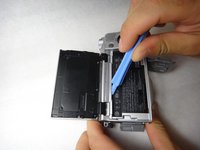
      • Using the spudger again, carefully pry from the top of the camera to remove the back frame.

      • The back frame is fragile, so use the spudger gently.

      Frag FixBot

      Kommentar hinzufügen

    6. Sony NEX-5R Main Navigation Button Replacement: Schritt 6, Bild 1 von 1
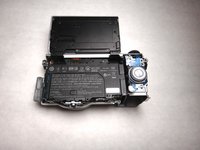
      • The back case should now be removed and look like this.

      Frag FixBot

      Kommentar hinzufügen

    1. Sony NEX-5R Main Navigation Button Replacement, Main Navigation Button: Schritt 7, Bild 1 von 1
      • Use spudger to pull the lead out from its housing.

      Frag FixBot

      Kommentar hinzufügen

    2. Sony NEX-5R Main Navigation Button Replacement: Schritt 8, Bild 1 von 2 Sony NEX-5R Main Navigation Button Replacement: Schritt 8, Bild 2 von 2
      In diesem Schritt verwendetes Werkzeug:
      Tweezers
      $4.99
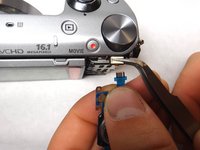
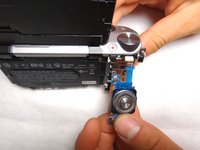
      • Squeeze the lead with the tweezers and hold the lead teeth tightly with your fingers. Pull straight out to disconnect.

      Frag FixBot

      Kommentar hinzufügen

    3. Sony NEX-5R Main Navigation Button Replacement: Schritt 9, Bild 1 von 2 Sony NEX-5R Main Navigation Button Replacement: Schritt 9, Bild 2 von 2
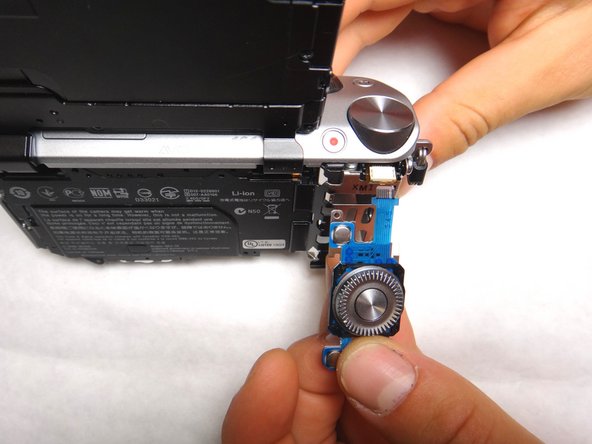
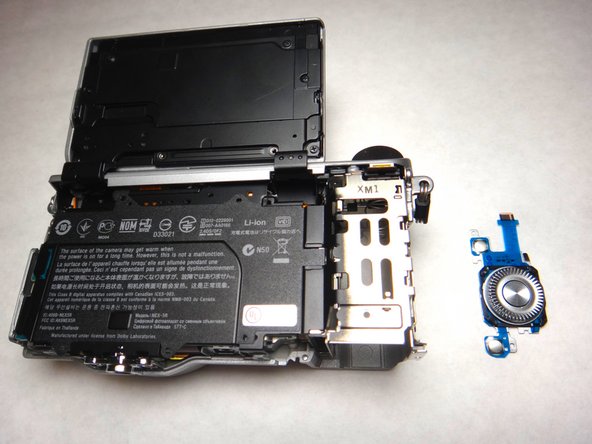
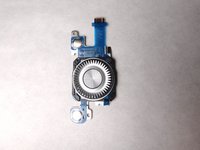
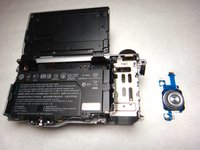
      • The navigation button component should now be separate and able to be replaced with new component. The camera and navigation button should appear as shown.

      Frag FixBot

      Kommentar hinzufügen

Abschluss

To reassemble your device, follow these instructions in reverse order.

Rückgängig: Ich habe diese Anleitung nicht absolviert.

3 weitere Personen haben diese Anleitung absolviert.

Team

Cal Poly, Team 8-9, Regan Spring 2014 Mitglied von Cal Poly, Team 8-9, Regan Spring 2014

CPSU-REGAN-S14S8G9

4 Mitglieder

84 Anleitungen geschrieben

0 Kommentare zur Anleitung

Kommentar hinzufügen

Seitenaufrufe:

Letzte 24 Stunden: 5

Letzte 7 Tage: 31

Letzte 30 Tage: 131

Insgesamt: 5,225