Zum Hauptinhalt wechseln
Gemeinsam reparieren - Jetzt registrieren

VTech Touch and Swipe Baby Phone Touchscreen Contact Cleaning

Was du brauchst

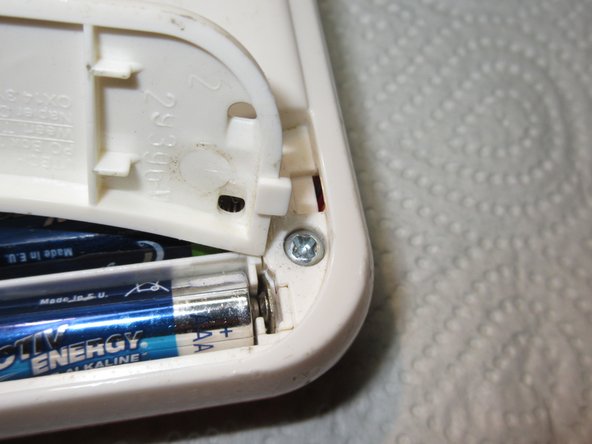
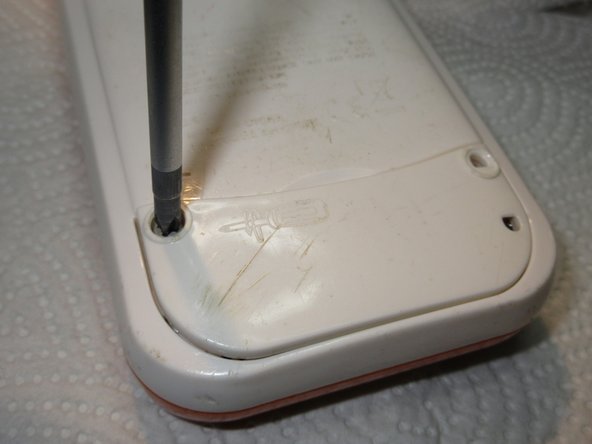
  1. VTech Touch and Swipe Baby Phone Touchscreen Contact Cleaning, Battery: Schritt 1, Bild 1 von 2 VTech Touch and Swipe Baby Phone Touchscreen Contact Cleaning, Battery: Schritt 1, Bild 2 von 2
    • Using a Phillips #1 screwdriver, remove the 4.8mm screw on the battery cover by twisting the screwdriver counter-clockwise.

    Frag FixBot

    Kommentar hinzufügen

  2. VTech Touch and Swipe Baby Phone Touchscreen Contact Cleaning: Schritt 2, Bild 1 von 3 VTech Touch and Swipe Baby Phone Touchscreen Contact Cleaning: Schritt 2, Bild 2 von 3 VTech Touch and Swipe Baby Phone Touchscreen Contact Cleaning: Schritt 2, Bild 3 von 3
    • Remove the two AAA batteries by pulling on one end of the battery and lifting it straight out.

    Frag FixBot

    Kommentar hinzufügen

  3. VTech Touch and Swipe Baby Phone Touchscreen Contact Cleaning: Schritt 3, Bild 1 von 3 VTech Touch and Swipe Baby Phone Touchscreen Contact Cleaning: Schritt 3, Bild 2 von 3 VTech Touch and Swipe Baby Phone Touchscreen Contact Cleaning: Schritt 3, Bild 3 von 3
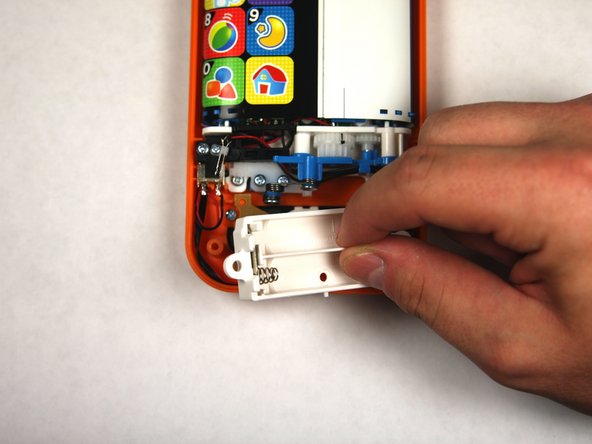
    • When reassembling, align the notch on the battery panel with the slot on the phone.

    Frag FixBot

    Kommentar hinzufügen

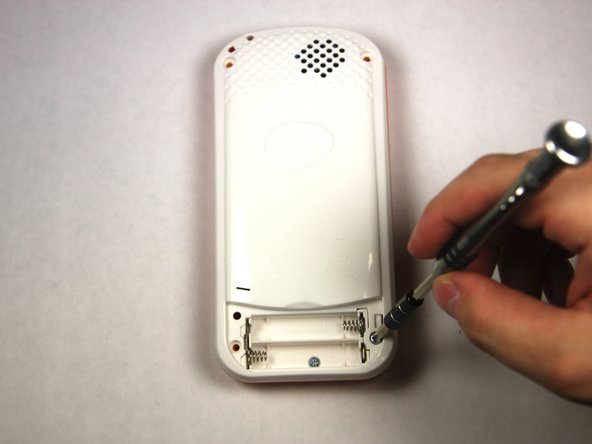
  4. VTech Touch and Swipe Baby Phone Touchscreen Contact Cleaning, Repairing VTech Touch and Swipe Baby Phone Screen Alignment: Schritt 4, Bild 1 von 2 VTech Touch and Swipe Baby Phone Touchscreen Contact Cleaning, Repairing VTech Touch and Swipe Baby Phone Screen Alignment: Schritt 4, Bild 2 von 2
    • Remove four 13.8mm screws from the back of the device using a Phillips #1 screwdriver.

    Frag FixBot

    Kommentar hinzufügen

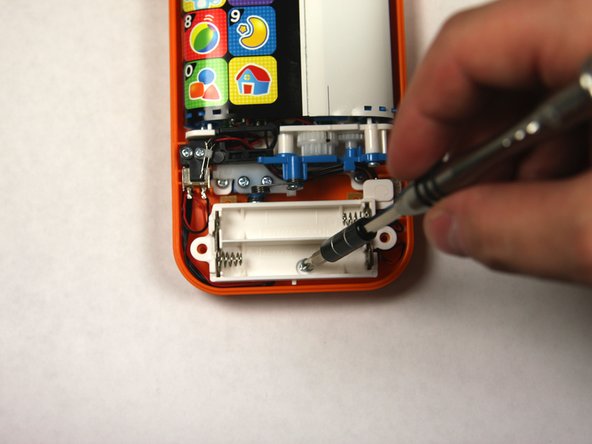
  5. VTech Touch and Swipe Baby Phone Touchscreen Contact Cleaning: Schritt 5, Bild 1 von 3 VTech Touch and Swipe Baby Phone Touchscreen Contact Cleaning: Schritt 5, Bild 2 von 3 VTech Touch and Swipe Baby Phone Touchscreen Contact Cleaning: Schritt 5, Bild 3 von 3
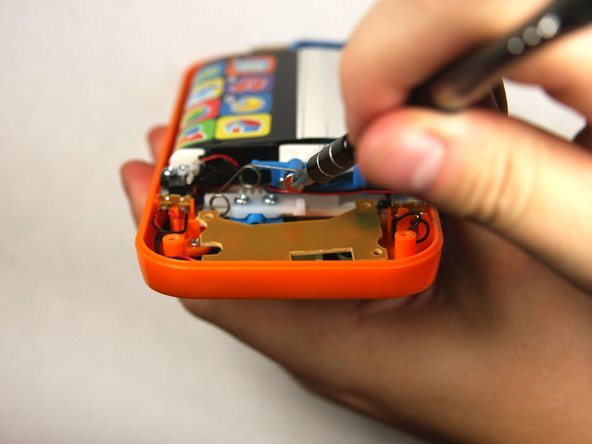
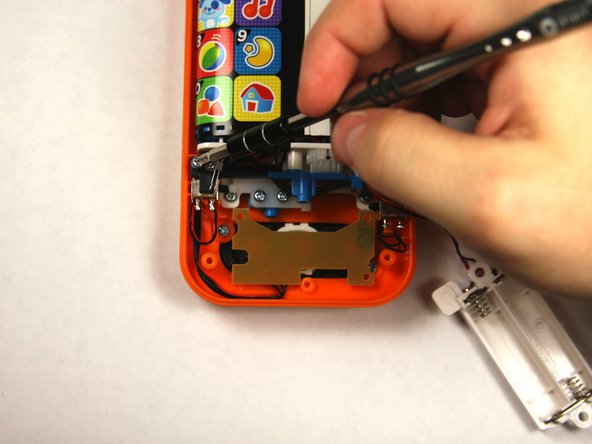
    • Remove a single 4.8 mm screw with a Phillips #0 screwdriver and lift away the battery pack being careful of the wires.

    Frag FixBot

    Kommentar hinzufügen

  6. VTech Touch and Swipe Baby Phone Touchscreen Contact Cleaning: Schritt 6, Bild 1 von 2 VTech Touch and Swipe Baby Phone Touchscreen Contact Cleaning: Schritt 6, Bild 2 von 2
    • Remove two 7.2 mm screws with a Phillips #0 screwdriver.

    • Slide off the spring.

    Frag FixBot

    Kommentar hinzufügen

  7. VTech Touch and Swipe Baby Phone Touchscreen Contact Cleaning: Schritt 7, Bild 1 von 3 VTech Touch and Swipe Baby Phone Touchscreen Contact Cleaning: Schritt 7, Bild 2 von 3 VTech Touch and Swipe Baby Phone Touchscreen Contact Cleaning: Schritt 7, Bild 3 von 3
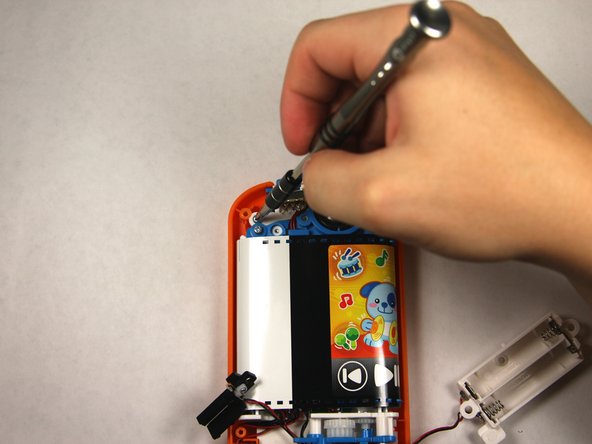
    • Remove the single 7.5mm screw with a Phillips #0 screwdriver.

    • Lift up the black plastic piece.

    Frag FixBot

    Kommentar hinzufügen

  8. VTech Touch and Swipe Baby Phone Touchscreen Contact Cleaning: Schritt 8, Bild 1 von 2 VTech Touch and Swipe Baby Phone Touchscreen Contact Cleaning: Schritt 8, Bild 2 von 2
    • Remove four 7.5mm screws with a Phillips #0 screwdriver.

    Frag FixBot

    Kommentar hinzufügen

  9. VTech Touch and Swipe Baby Phone Touchscreen Contact Cleaning: Schritt 9, Bild 1 von 2 VTech Touch and Swipe Baby Phone Touchscreen Contact Cleaning: Schritt 9, Bild 2 von 2
    • Remove the two buttons, noting how wires are placed for reassembly.

    Frag FixBot

    Kommentar hinzufügen

  10. VTech Touch and Swipe Baby Phone Touchscreen Contact Cleaning: Schritt 10, Bild 1 von 2 VTech Touch and Swipe Baby Phone Touchscreen Contact Cleaning: Schritt 10, Bild 2 von 2
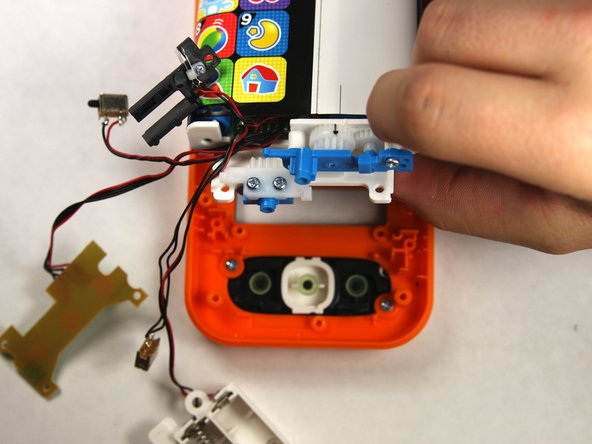
    • Lift the button board up and away to clear room for lifting the motherboard.

    • Tilt the assembly up but being wary that it is still attached to the front panel.

    Frag FixBot

    Kommentar hinzufügen

  11. VTech Touch and Swipe Baby Phone Touchscreen Contact Cleaning: Schritt 11, Bild 1 von 1
    • Slide the toothed slider towards you to remove.

    Frag FixBot

    Kommentar hinzufügen

  12. VTech Touch and Swipe Baby Phone Touchscreen Contact Cleaning: Schritt 12, Bild 1 von 1
    • To reassemble, align the two black lines together by moving the belt back and forth.

    • Once aligned reinsert the toothed slider at the exact point shown.

    Frag FixBot

    Kommentar hinzufügen

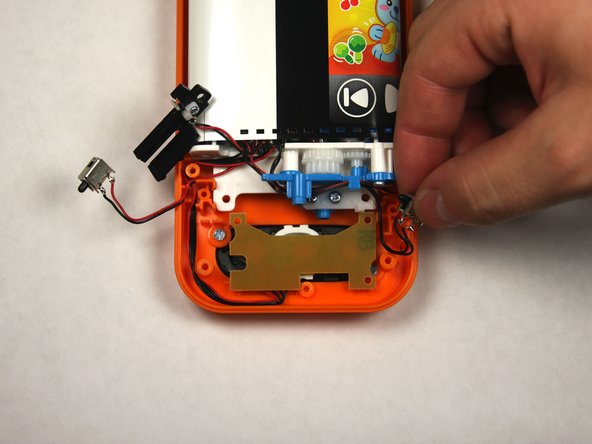
  13. VTech Touch and Swipe Baby Phone Touchscreen Contact Cleaning, VTech Touch and Swipe Baby Phone Touchscreen Contact Cleaning: Schritt 13, Bild 1 von 2 VTech Touch and Swipe Baby Phone Touchscreen Contact Cleaning, VTech Touch and Swipe Baby Phone Touchscreen Contact Cleaning: Schritt 13, Bild 2 von 2
    • Lift the assembly to gain access to the connection point under the assembly.

    Frag FixBot

    Kommentar hinzufügen

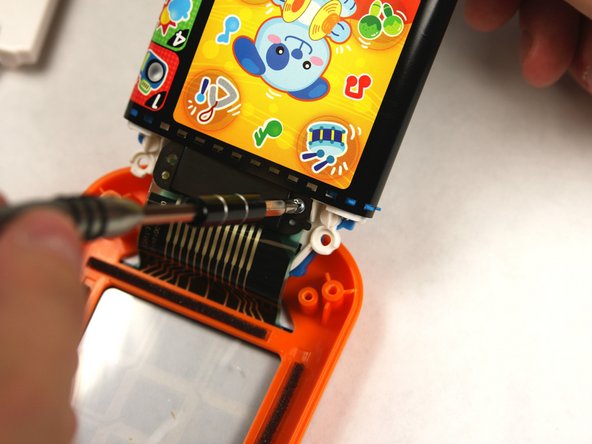
  14. VTech Touch and Swipe Baby Phone Touchscreen Contact Cleaning: Schritt 14, Bild 1 von 2 VTech Touch and Swipe Baby Phone Touchscreen Contact Cleaning: Schritt 14, Bild 2 von 2
    • Remove the two 7.5 mm screws with a Phillips #0 screwdriver.

    Frag FixBot

    Kommentar hinzufügen

  15. VTech Touch and Swipe Baby Phone Touchscreen Contact Cleaning: Schritt 15, Bild 1 von 1
    • With the connector removed, clean both of the boxed sections with rubbing alcohol on a cotton swab. Allow a minute for the alcohol to dry before reassembling.

    Frag FixBot

    Kommentar hinzufügen

Abschluss

To reassemble your device, follow these instructions in reverse order.

Rückgängig: Ich habe diese Anleitung nicht absolviert.

3 weitere Personen haben diese Anleitung absolviert.

Team

USF Tampa, Team 2-4, Sullivan Fall 2015 Mitglied von USF Tampa, Team 2-4, Sullivan Fall 2015

USFT-SULLIVAN-F15S2G4

3 Mitglieder

12 Anleitungen geschrieben

5 Kommentare zur Anleitung

Before I attempt this: Does this address the problem of the touch screen no longer responding and the device playing the same sound repeatedly?

Lars Gilbert - Antwort Teilen

Well, the answer to my own question is “no”.

Lars Gilbert - Antwort Teilen

What if the unit is only 1 week old. Unlikely to be contact cleaning issues

Jason Chu - Antwort Teilen

@larsgilbert did you find a fix to your problem? I have the same problem!

Dany - Antwort Teilen

Regrettably, no.

Lars Gilbert - Antwort Teilen

Kommentar hinzufügen

Seitenaufrufe:

Letzte 24 Stunden: 2

Letzte 7 Tage: 17

Letzte 30 Tage: 70

Insgesamt: 6,437