Zum Hauptinhalt wechseln
Gemeinsam reparieren - Jetzt registrieren

Visual Land Prestige Elite 7Q Front Camera Replacement

Was du brauchst

  1. Visual Land Prestige Elite 7Q Front Camera Replacement, Front Camera: Schritt 1, Bild 1 von 2 Visual Land Prestige Elite 7Q Front Camera Replacement, Front Camera: Schritt 1, Bild 2 von 2
    • At the bottom of the tablet, remove the two 3.6mm screws with a Phillips #000 screwdriver.

    Frag FixBot

    Kommentar hinzufügen

  2. Visual Land Prestige Elite 7Q Front Camera Replacement: Schritt 2, Bild 1 von 2 Visual Land Prestige Elite 7Q Front Camera Replacement: Schritt 2, Bild 2 von 2
    • Wedge a plastic opening tool into the edges of the tablet to pry it open.

    Frag FixBot

    Kommentar hinzufügen

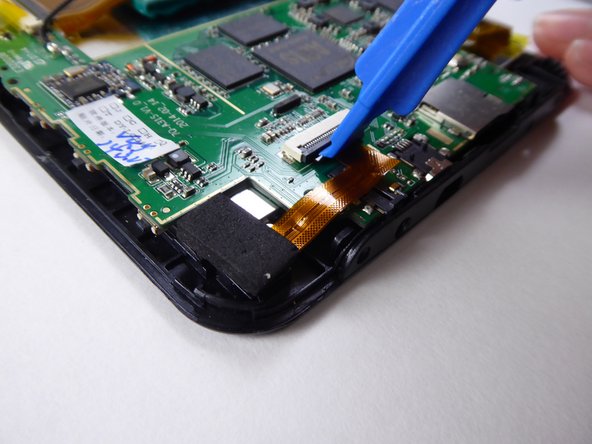
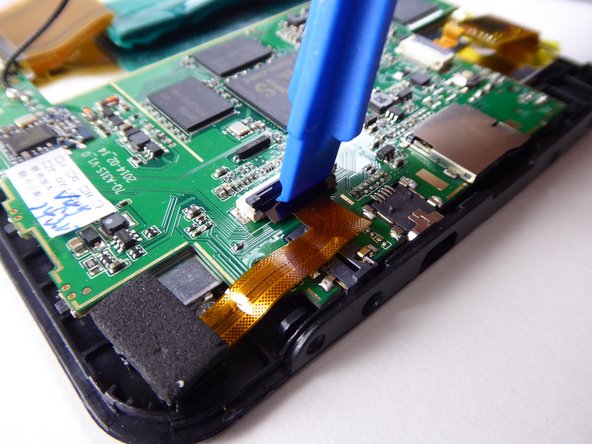
  3. Visual Land Prestige Elite 7Q Front Camera Replacement: Schritt 3, Bild 1 von 3 Visual Land Prestige Elite 7Q Front Camera Replacement: Schritt 3, Bild 2 von 3 Visual Land Prestige Elite 7Q Front Camera Replacement: Schritt 3, Bild 3 von 3
    • Use a plastic opening tool to lift the black tab holding down the ribbon cable.

    Frag FixBot

    Kommentar hinzufügen

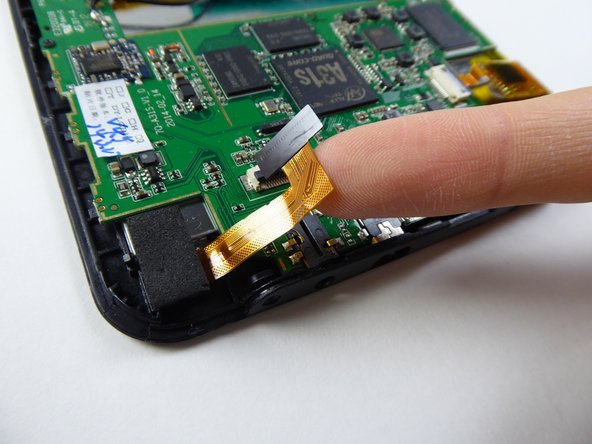
  4. Visual Land Prestige Elite 7Q Front Camera Replacement: Schritt 4, Bild 1 von 2 Visual Land Prestige Elite 7Q Front Camera Replacement: Schritt 4, Bild 2 von 2
    • Carefully use your finger to pull out the ribbon cable.

    Frag FixBot

    Kommentar hinzufügen

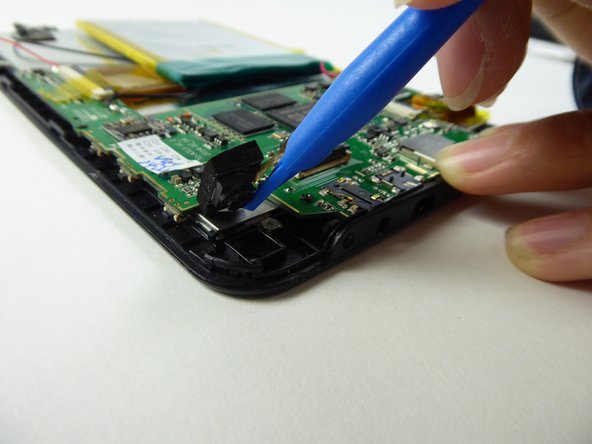
  5. Visual Land Prestige Elite 7Q Front Camera Replacement: Schritt 5, Bild 1 von 2 Visual Land Prestige Elite 7Q Front Camera Replacement: Schritt 5, Bild 2 von 2
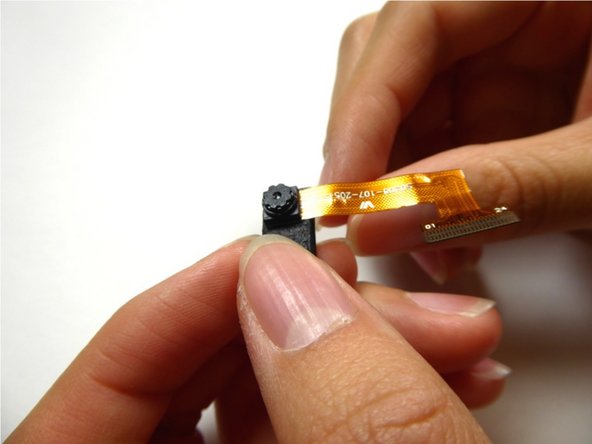
    • Use a plastic opening tool to pull out the camera with the foam backing.

    Frag FixBot

    Kommentar hinzufügen

  6. Visual Land Prestige Elite 7Q Front Camera Replacement: Schritt 6, Bild 1 von 3 Visual Land Prestige Elite 7Q Front Camera Replacement: Schritt 6, Bild 2 von 3 Visual Land Prestige Elite 7Q Front Camera Replacement: Schritt 6, Bild 3 von 3
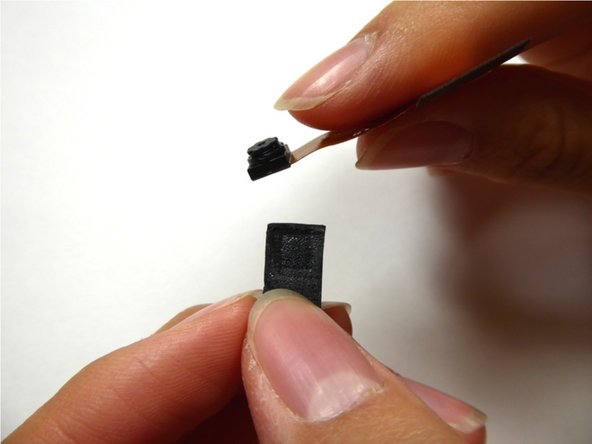
    • Remove the camera from the foam backing.

    • Replace the camera.

    Frag FixBot

    Kommentar hinzufügen

Abschluss

To reassemble your device, follow these instructions in reverse order.

Rückgängig: Ich habe diese Anleitung nicht absolviert.

Team

UC Davis, Team 2-1, Oliver Fall 2016 Mitglied von UC Davis, Team 2-1, Oliver Fall 2016

UCD-OLIVER-F16S2G1

5 Mitglieder

12 Anleitungen geschrieben

0 Kommentare zur Anleitung

Kommentar hinzufügen

Seitenaufrufe:

Letzte 24 Stunden: 1

Letzte 7 Tage: 3

Letzte 30 Tage: 21

Insgesamt: 292