Zum Hauptinhalt wechseln
Gemeinsam reparieren - Jetzt registrieren

Visual Land Prestige Elite 7Q LCD Screen Replacement

Was du brauchst

  1. Visual Land Prestige Elite 7Q LCD Screen Replacement, LCD Screen: Schritt 1, Bild 1 von 2 Visual Land Prestige Elite 7Q LCD Screen Replacement, LCD Screen: Schritt 1, Bild 2 von 2
    • At the bottom of the tablet, remove the two 3.6mm screws with a Phillips #000 screwdriver.

    Frag FixBot
  2. Visual Land Prestige Elite 7Q LCD Screen Replacement: Schritt 2, Bild 1 von 2 Visual Land Prestige Elite 7Q LCD Screen Replacement: Schritt 2, Bild 2 von 2
    • Wedge a plastic opening tool into the edges of the tablet to pry it open.

    Frag FixBot
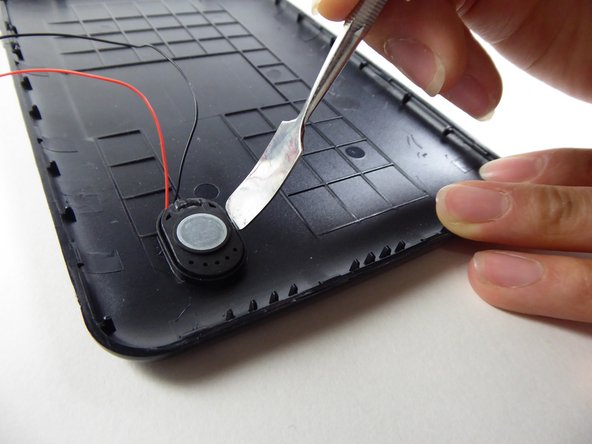
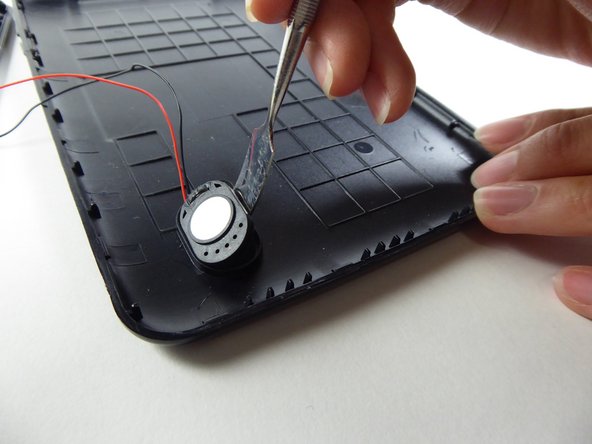
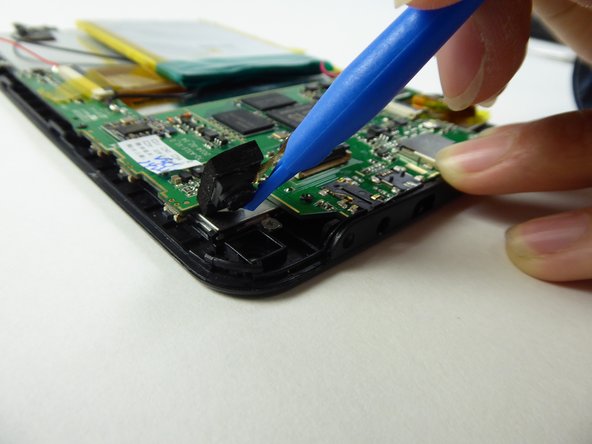
  3. Visual Land Prestige Elite 7Q LCD Screen Replacement: Schritt 3, Bild 1 von 3 Visual Land Prestige Elite 7Q LCD Screen Replacement: Schritt 3, Bild 2 von 3 Visual Land Prestige Elite 7Q LCD Screen Replacement: Schritt 3, Bild 3 von 3
    • Wedge a curved metal spudger to remove the speaker.

    Frag FixBot
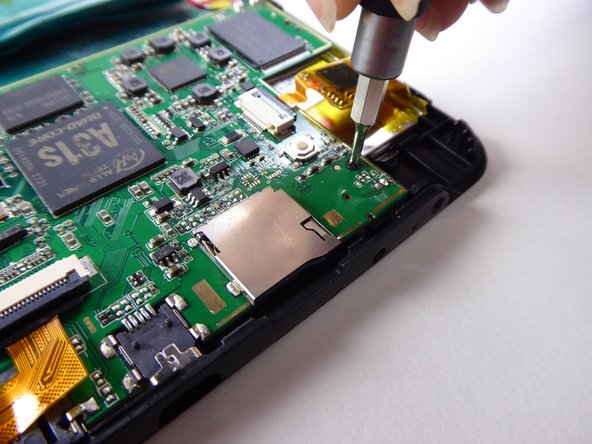
  4. Visual Land Prestige Elite 7Q LCD Screen Replacement: Schritt 4, Bild 1 von 3 Visual Land Prestige Elite 7Q LCD Screen Replacement: Schritt 4, Bild 2 von 3 Visual Land Prestige Elite 7Q LCD Screen Replacement: Schritt 4, Bild 3 von 3
    • Use a Phillips #000 screwdriver to remove the two 3.6mm screws.

    Frag FixBot
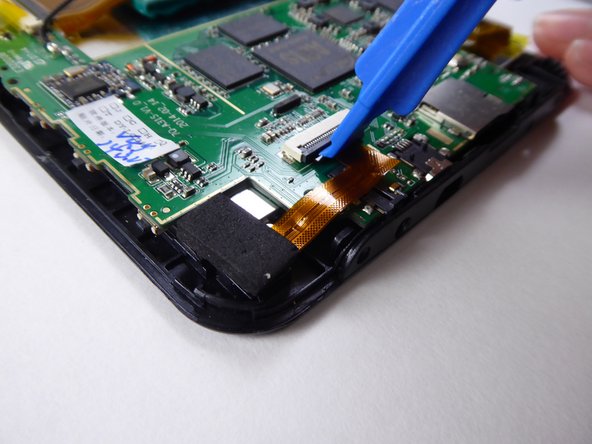
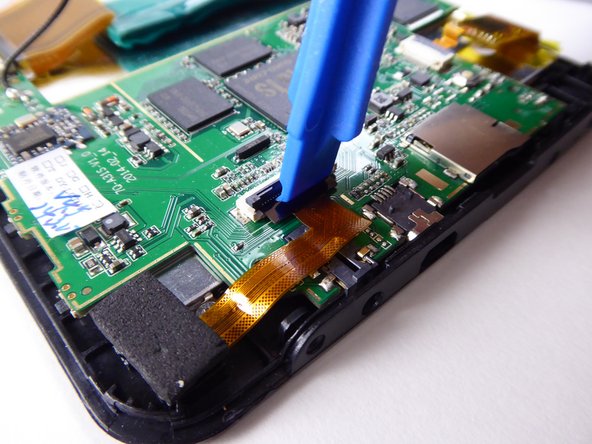
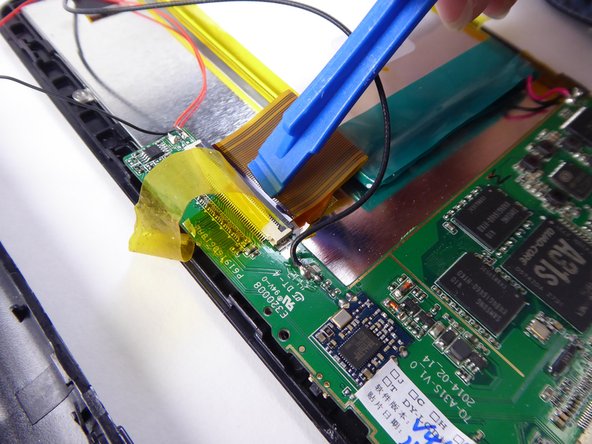
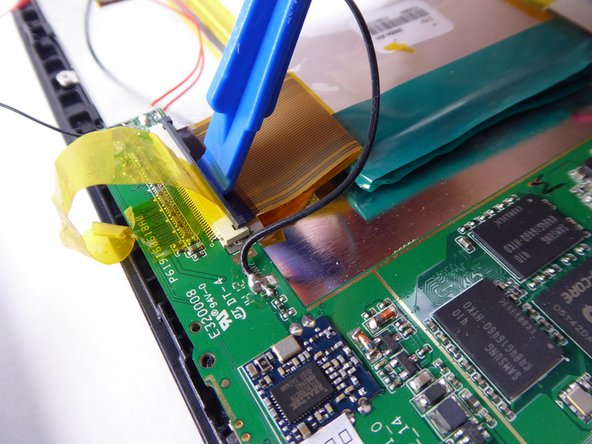
  5. Visual Land Prestige Elite 7Q LCD Screen Replacement: Schritt 5, Bild 1 von 3 Visual Land Prestige Elite 7Q LCD Screen Replacement: Schritt 5, Bild 2 von 3 Visual Land Prestige Elite 7Q LCD Screen Replacement: Schritt 5, Bild 3 von 3
    • Use a plastic opening tool to lift the black tab.

    Frag FixBot
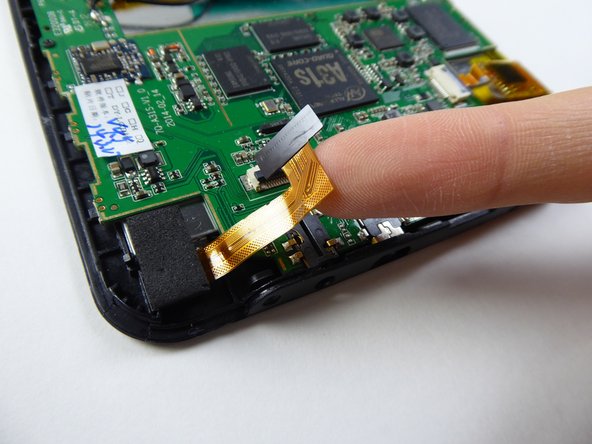
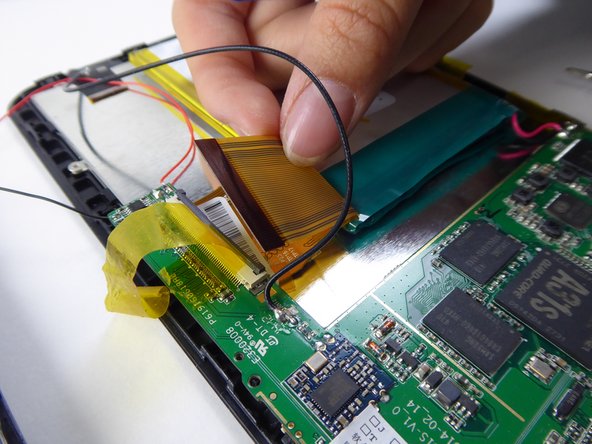
  6. Visual Land Prestige Elite 7Q LCD Screen Replacement: Schritt 6, Bild 1 von 2 Visual Land Prestige Elite 7Q LCD Screen Replacement: Schritt 6, Bild 2 von 2
    • Carefully remove the ribbon cable from the black tab.

    Frag FixBot
  7. Visual Land Prestige Elite 7Q LCD Screen Replacement: Schritt 7, Bild 1 von 2 Visual Land Prestige Elite 7Q LCD Screen Replacement: Schritt 7, Bild 2 von 2
    • Use a plastic opening tool to remove the camera.

    Frag FixBot
  8. Visual Land Prestige Elite 7Q LCD Screen Replacement: Schritt 8, Bild 1 von 2 Visual Land Prestige Elite 7Q LCD Screen Replacement: Schritt 8, Bild 2 von 2
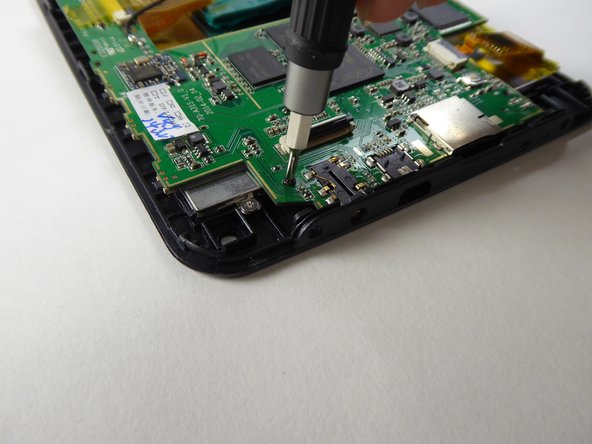
    • Use a Phillips #000 screwdriver to remove the 3.6mm screw.

    Frag FixBot
  9. Visual Land Prestige Elite 7Q LCD Screen Replacement: Schritt 9, Bild 1 von 3 Visual Land Prestige Elite 7Q LCD Screen Replacement: Schritt 9, Bild 2 von 3 Visual Land Prestige Elite 7Q LCD Screen Replacement: Schritt 9, Bild 3 von 3
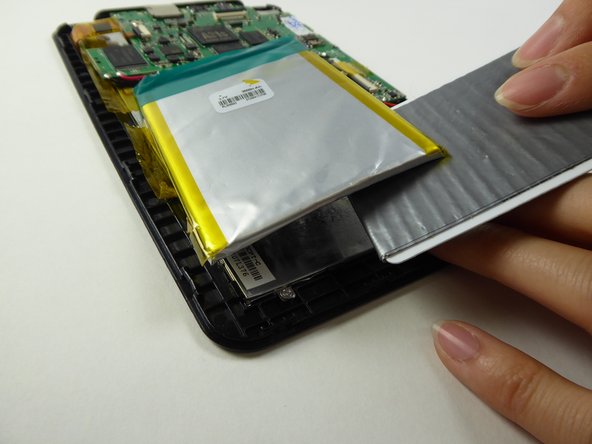
    • Lift the tape holding down the battery.

    Frag FixBot
  10. Visual Land Prestige Elite 7Q LCD Screen Replacement: Schritt 10, Bild 1 von 2 Visual Land Prestige Elite 7Q LCD Screen Replacement: Schritt 10, Bild 2 von 2
    In diesem Schritt verwendetes Werkzeug:
    Plastic Cards
    $2.99
    Frag FixBot
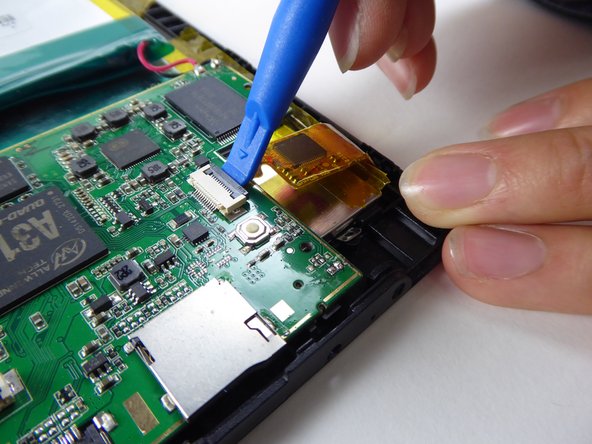
  11. Visual Land Prestige Elite 7Q LCD Screen Replacement: Schritt 11, Bild 1 von 3 Visual Land Prestige Elite 7Q LCD Screen Replacement: Schritt 11, Bild 2 von 3 Visual Land Prestige Elite 7Q LCD Screen Replacement: Schritt 11, Bild 3 von 3
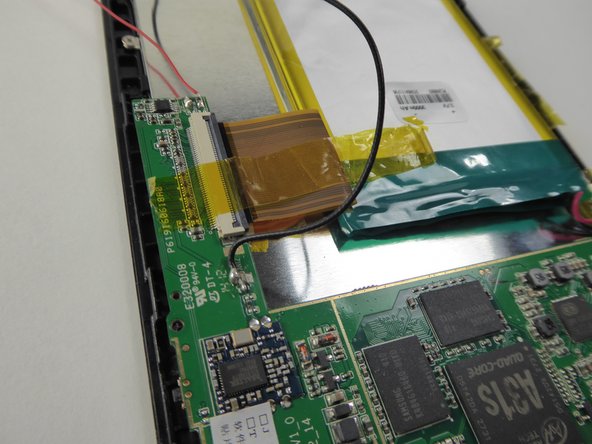
    • Use a plastic opening tool to lift the black tab.

    Frag FixBot
  12. Visual Land Prestige Elite 7Q LCD Screen Replacement: Schritt 12, Bild 1 von 2 Visual Land Prestige Elite 7Q LCD Screen Replacement: Schritt 12, Bild 2 von 2
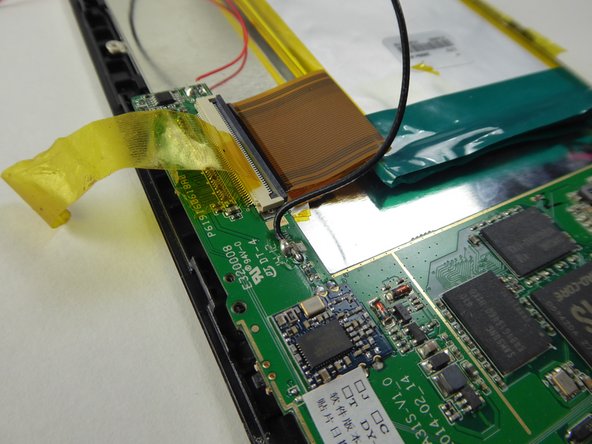
    • Carefully remove the ribbon cable from the black tab.

    Frag FixBot
  13. Visual Land Prestige Elite 7Q LCD Screen Replacement: Schritt 13, Bild 1 von 3 Visual Land Prestige Elite 7Q LCD Screen Replacement: Schritt 13, Bild 2 von 3 Visual Land Prestige Elite 7Q LCD Screen Replacement: Schritt 13, Bild 3 von 3
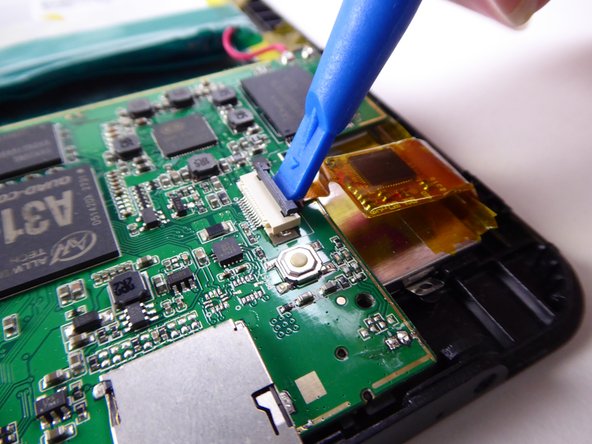
    • Use a plastic opening tool to lift the black tab.

    Frag FixBot
  14. Visual Land Prestige Elite 7Q LCD Screen Replacement: Schritt 14, Bild 1 von 1
    • Lift to remove the battery and motherboard from the tablet.

    Frag FixBot
  15. Visual Land Prestige Elite 7Q LCD Screen Replacement: Schritt 15, Bild 1 von 3 Visual Land Prestige Elite 7Q LCD Screen Replacement: Schritt 15, Bild 2 von 3 Visual Land Prestige Elite 7Q LCD Screen Replacement: Schritt 15, Bild 3 von 3
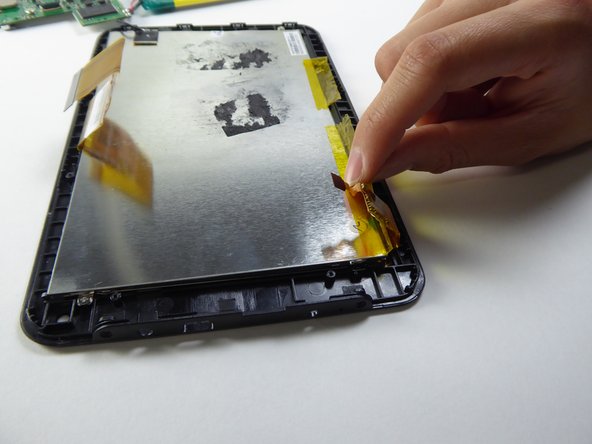
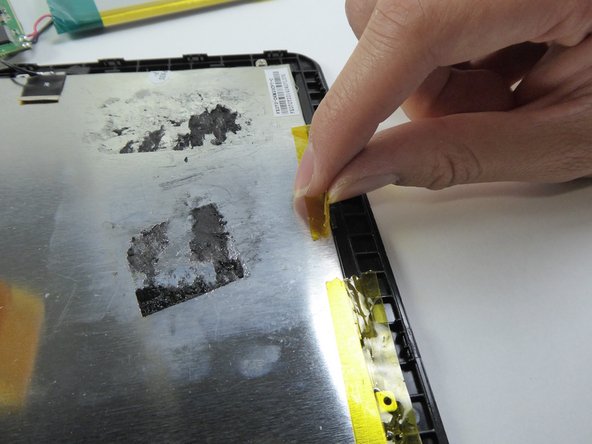
    • Lift the tape on the sides.

    Frag FixBot
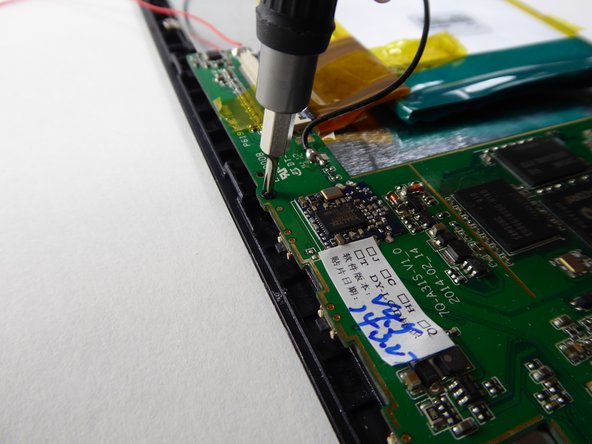
  16. Visual Land Prestige Elite 7Q LCD Screen Replacement: Schritt 16, Bild 1 von 3 Visual Land Prestige Elite 7Q LCD Screen Replacement: Schritt 16, Bild 2 von 3 Visual Land Prestige Elite 7Q LCD Screen Replacement: Schritt 16, Bild 3 von 3
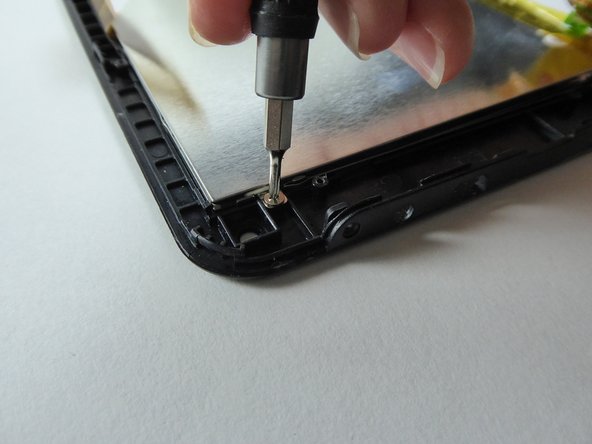
    • Use a Phillips #000 screwdriver to remove the three 2.5mm screws.

    Frag FixBot
  17. Visual Land Prestige Elite 7Q LCD Screen Replacement: Schritt 17, Bild 1 von 3 Visual Land Prestige Elite 7Q LCD Screen Replacement: Schritt 17, Bild 2 von 3 Visual Land Prestige Elite 7Q LCD Screen Replacement: Schritt 17, Bild 3 von 3
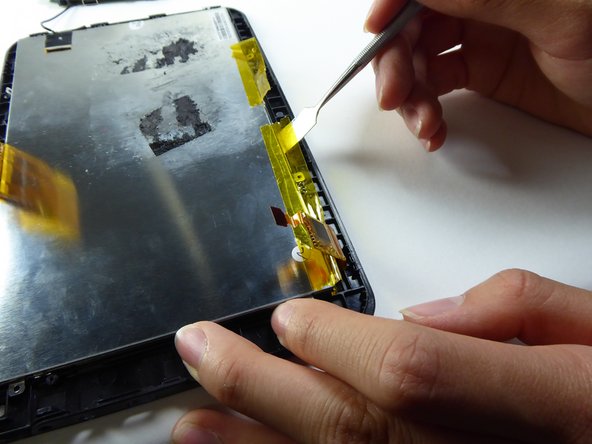
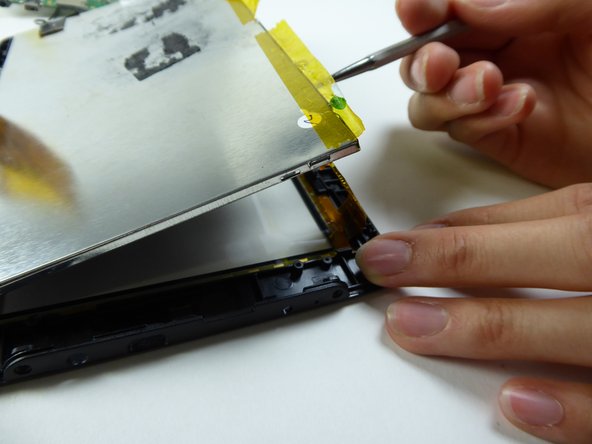
    • Be careful on this step - the screen is fragile and can break easily.
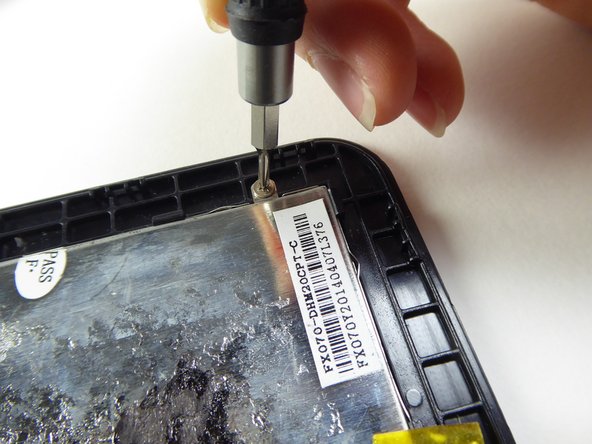
    • Wedge a metal spudger underneath the LCD to remove it.

    • Replace the LCD.

    Frag FixBot
Abschluss

To reassemble your device, follow these instructions in reverse order.

2 weitere Personen haben diese Anleitung absolviert.

Team

UC Davis, Team 2-1, Oliver Fall 2016 Mitglied von UC Davis, Team 2-1, Oliver Fall 2016

UCD-OLIVER-F16S2G1

5 Mitglieder

12 Anleitungen geschrieben

0 Kommentare zur Anleitung

Kommentar hinzufügen

Seitenaufrufe:

Letzte 24 Stunden: 2

Letzte 7 Tage: 7

Letzte 30 Tage: 40

Insgesamt: 569