Diese Übersetzung wurde maschinell erstellt und noch nicht von einem Menschen überprüft. Sprichst du diese Sprache? Schau es dir an.

Xbox-Spielelaufwerk öffnet nicht

Matt Weatherly und
Zuletzt aktualisiert am 29. Jul 2026
Aufrufe: 16.682
Statistik anzeigen:
- Letzte 24 Stunden:
- 12
- Letzte 7 Tage:
- 67
- Letzte 30 Tage:
- 313
- Insgesamt:
- 16.682
Kommentare: 8
1 Kommentar zu Schritten, 7 Kommentare zur Anleitung.
Zu den KommentarenAbgeschlossen: 17 18
17 Personen haben diese Anleitung schon erfolgreich absolviert. Du auch?
18 Personen haben diese Anleitung schon erfolgreich absolviert, unter anderem du. Gut gemacht!
Favoriten: 8 9
8 Personen haben diese Anleitung unter Favoriten gespeichert (und abonniert). Willst du auch der Anleitung folgen?
9 Personen haben diese Anleitung unter Favoriten gespeichert (und abonniert), unter anderem du!
Anleitung eines Community-Mitglieds
Ein wunderbares Mitglied unserer Community hat diese Anleitung geschrieben. Sie wurde nicht von iFixit Mitarbeitenden erstellt.
Was du brauchst
Werkzeuge

-
-
In diesem Schritt verwendetes Werkzeug:Tweezers$4.99
-
In der Mitte des CD/DVD-Einschubs befindet sich eine Lücke. Dort siehst du zwei Riemenscheiben mit einem Gummiriemen. Nimm den Riemen vorsichtig mit einer Pinzette heraus.
-
-
-
-
Reinige den Gummiriemen mit einem feuchten Papiertuch von Staub und Schmutz.
-
-
-
Setze den Gummiriemen mit der Pinzette vorsichtig wieder ein. Es ist einfacher, ihn zuerst um die große Riemenscheibe und dann um die kleine zu legen.
-
-
-
Schalte das System an diesem Punkt ein und teste es. Ich habe dies bereits bei mehreren Systemen durchgeführt, bei denen sich das Laufwerk einfach nicht öffnen ließ, und es hat das Problem gelöst.
-

 Frag FixBot


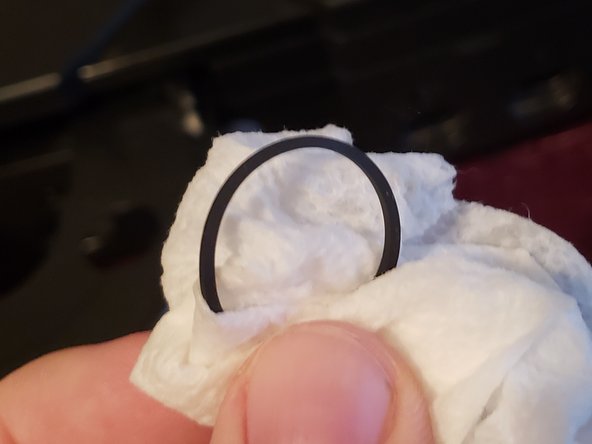

Viel Spaß wieder mit deiner Original Xbox! Bitte sende mir eine Nachricht, falls du Fragen zu den Schritten hast.
Rückgängig: Ich habe diese Anleitung nicht absolviert.
17 weitere Personen haben diese Anleitung absolviert.

7 Kommentare zur Anleitung
In my case cleaning the rubber band didn’t help - it has gotten too old and hard. I replaced it with the cheapest band from assorted set of rubber bands from the nearest supermarket, and it worked like a charm. Also the whole set cost me less than a dollar, so you may want to try that first before ordering overpriced "xbox" rubber bands from ebay.
if the rubber band is to stiff you can also soak it in isopropyl alcohol overnight and it works great
I believe I got got different problem with my drive. It does not even make any sound or anything. After pressing the eject button the light just keeps flashing and the Xbox spits out an Error 7.
I hooked up an old dvd drive from a pc and used a molex splitter cable to power it. And sure enough, the xbox worked like a charm ... although it thinks the drive is open all the time tho. The xbox is modded and played a game on it for a while without any problem.
But ... the xbox just does not work with the faulty disc drive and I don't know what's wrong with it or how to fix it. Any help on the matter is much appreciated and will save onr more Xbox from a one way trip to the landfill. Thank you.
One other thing that I have used several times is boiling the rubber band with water for 20ish minutes. It has to be an active boil. This forces the band to shrink to its intended size for those bands that have been stretched over use or just age. This is of course if the band looks okay. Will be making a separate Guide on doing this. This method also works and I am discounting it! Great guide!
I got hold of the rubber band, washed it with soap and water, and then let it sit in rubbing alcohol for a few minutes. Then I did my best to make sure it was completely dry.
You want the light to be going directly into the disc tray so you can see the pulleys. Once I could see, getting the rubber band off and then on wasn't hard at all. I hooked it up, the disc tray popped open, and the system booted up Amped 2, so I am the proud owner of a working xbox.
