
Zum Hauptinhalt wechseln
Gemeinsam reparieren - Jetzt registrieren

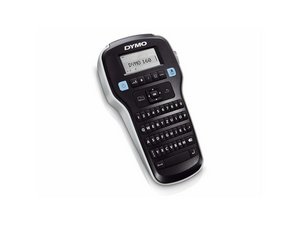
Der Dymo LabelManager 160 ist schnell, kompakt und leicht, sodass du fast alles überall problemlos beschriften kannst. Tippe schnell auf der QWERTY-Tastatur im Computer-Stil, bearbeite deine Texte mit den One-Touch-Formatierungstasten und drucke jederzeit perfekte, professionelle Etiketten aus.

Dymo Label Maker 160 How to reset double lines?

Our label maker is stuck on text setting with two lines. How do we reset it?

Have read the instructions where it isn´t told and tried "everything".

Beantwortet! Antwort anzeigen Ich habe das gleiche Problem

Ist dies eine gute Frage?

Bewertung 0
Einen Kommentar hinzufügen

1 Antwort

Gewählte Lösung

Hi @ullis ,

By " tried everything" does that include a power refresh?

If not try the following:

1. Remove the batteries from the device.

2. Press and hold the power button on the label maker for about 10 seconds to remove any residual power left in the device.

3. Reinsert the batteries and turn on the device to check if this has resolved the problem.

War diese Antwort hilfreich?

Bewertung 7

6 Kommentare:

Thanks! Have tried to remove the batteries but not hold the power button. :)

von Teilen

Thanks! This solution worked perfectly!

von Teilen

Thanks that worked perfectly and was a great help after weeks of that function not working - Merry Christmas

von Teilen

That did the trick! Thank you .

von Teilen

Very helpful. Problem solved!

von Teilen

1 weiteren Kommentar anzeigen

Einen Kommentar hinzufügen

Antwort hinzufügen

UlricaB wird auf ewig dankbar sein.
Seitenaufrufe:

Letzte 24 Stunden: 1

Letzte 7 Tage: 8

Letzte 30 Tage: 38

Insgesamt: 16,317