Zum Hauptinhalt wechseln
Gemeinsam reparieren - Jetzt registrieren

Astro A20 Battery Replacement

Was du brauchst

  1. Astro A20 Battery Replacement, Cushion: Schritt 1, Bild 1 von 1
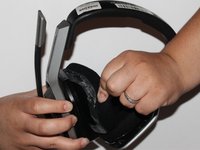
    • Place one hand on the hard side of the headset ear portion and on the cushion.

    • Lift the small portion on the edge of the cushion.

    Frag FixBot

    Kommentar hinzufügen

  2. Astro A20 Battery Replacement: Schritt 2, Bild 1 von 1
    • Slide the metal spudger underneath the lift part of the ear cushion.

    • Pull the ear cushion while wedging the spudge around the edge of the ear cushion.

    Frag FixBot

    Kommentar hinzufügen

  3. Astro A20 Battery Replacement: Schritt 3, Bild 1 von 2 Astro A20 Battery Replacement: Schritt 3, Bild 2 von 2
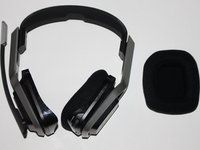
    • Remove the ear cushion from the headset.

    Frag FixBot

    Kommentar hinzufügen

  4. Astro A20 Battery Replacement, Battery: Schritt 4, Bild 1 von 1
    • Place hand on the opposite side of the speaker.

    Frag FixBot

    Kommentar hinzufügen

  5. Astro A20 Battery Replacement: Schritt 5, Bild 1 von 2 Astro A20 Battery Replacement: Schritt 5, Bild 2 von 2
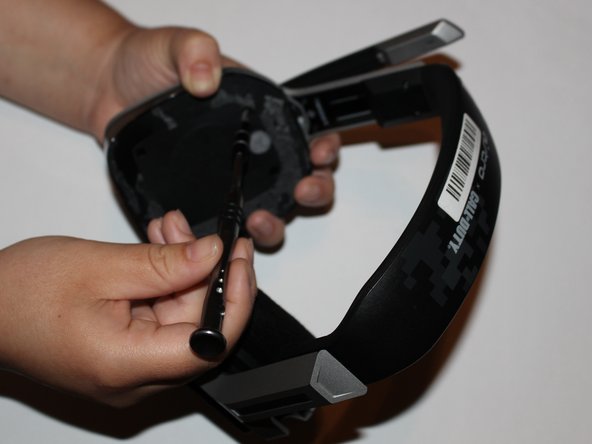
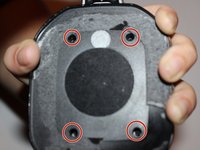
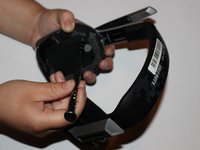
    • Remove the four 7mm screws with a Phillips #1 screwdriver.

    • You may want to use a 60mm screwdriver extension to reach the screws inside of the headset.

    Frag FixBot

    Kommentar hinzufügen

  6. Astro A20 Battery Replacement: Schritt 6, Bild 1 von 1
    • Lift and remove the speaker from the headset.

    Frag FixBot

    Kommentar hinzufügen

  7. Astro A20 Battery Replacement: Schritt 7, Bild 1 von 1
    • Remove the two 7mm screws with a Phillips #1 screwdriver.

    Frag FixBot

    Kommentar hinzufügen

  8. Astro A20 Battery Replacement: Schritt 8, Bild 1 von 1
    • Lift the motherboard to expose the battery.

    Frag FixBot

    Kommentar hinzufügen

  9. Astro A20 Battery Replacement: Schritt 9, Bild 1 von 1
    • Remove the battery with a plastic spudger.

    Frag FixBot

    Kommentar hinzufügen

Abschluss

To reassemble your device, follow these instructions in reverse order.

Rückgängig: Ich habe diese Anleitung nicht absolviert.

3 weitere Personen haben diese Anleitung absolviert.

3 Kommentare zur Anleitung

Does it work for Astro A20 2nd Gen too?

Charly - Antwort Teilen

this guide is so wrong! 1st the battery is on the left side by the charging port (a20 2gen)

Miguel Garcia - Antwort Teilen

That head set is A20 gen1 but main board in right side

from 7th pic that is right side

If you have no idea which is left side or right side.

just check where is buttons

Leo Lee - Antwort Teilen

Kommentar hinzufügen

Seitenaufrufe:

Letzte 24 Stunden: 4

Letzte 7 Tage: 31

Letzte 30 Tage: 150

Insgesamt: 20,447