Zum Hauptinhalt wechseln

PSP E1000 Battery Replacement

Was du brauchst

  1. PSP E1000 Battery Replacement, Battery: Schritt 1, Bild 1 von 2 PSP E1000 Battery Replacement, Battery: Schritt 1, Bild 2 von 2
    • To start the replacement flip the device over

  2. PSP E1000 Battery Replacement: Schritt 2, Bild 1 von 2 PSP E1000 Battery Replacement: Schritt 2, Bild 2 von 2
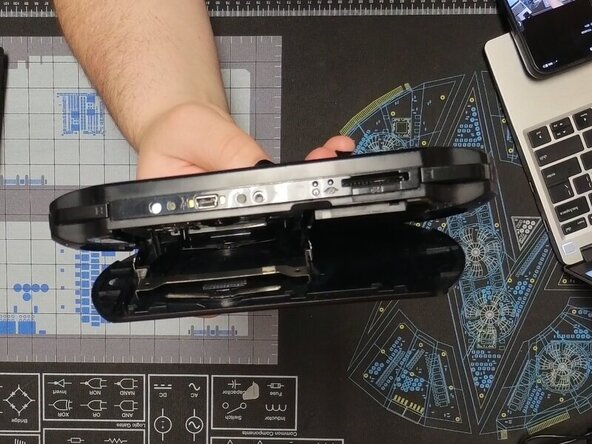
    • We are going to start by removing the back panel.

    • To do this open the panel and gently squeeze in the UMD tray until it pops up.

    • It should lay flat against the back panel while open if done correctly

  3. PSP E1000 Battery Replacement: Schritt 3, Bild 1 von 2 PSP E1000 Battery Replacement: Schritt 3, Bild 2 von 2
    • Gently bend the back panel to free the hinge on the left.

    • Once it is popped out it should look like the second photo

    • The back panel can then be slid off

  4. PSP E1000 Battery Replacement: Schritt 5, Bild 1 von 3 PSP E1000 Battery Replacement: Schritt 5, Bild 2 von 3 PSP E1000 Battery Replacement: Schritt 5, Bild 3 von 3
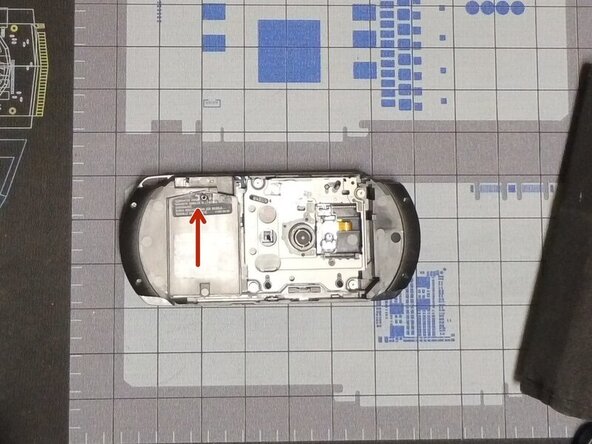
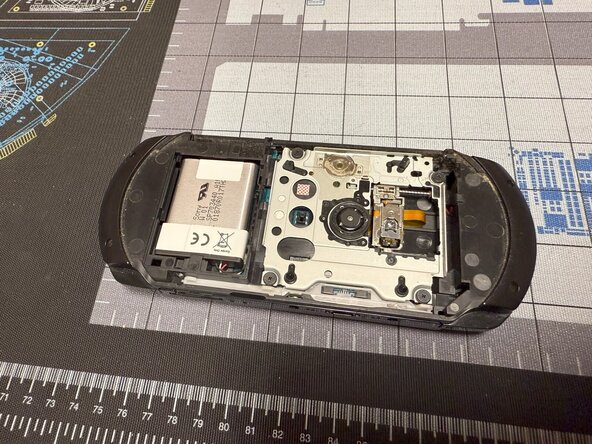
    • Remove the screw with a #00 Philips and slide up the battery cover.

    • The battery can now be removed by pulling it out.

    • When reinstalling, it is useful to use a spudger to push the cable back in.

    • Congratulations you have replaced your PSP E1000's battery

Abschluss

To reassemble your device, follow these instructions in reverse order.

2 weitere Personen haben diese Anleitung absolviert.

Caleb Pierce

Mitglied seit: 04/19/22

1.121 Reputation

8 Anleitungen geschrieben

1 Kommentar zur Anleitung

Kommentar hinzufügen

Seitenaufrufe:

Letzte 24 Stunden: 7

Letzte 7 Tage: 48

Letzte 30 Tage: 254

Insgesamt: 2,240