Zum Hauptinhalt wechseln
Gemeinsam reparieren - Jetzt registrieren

Was du brauchst

Dieser Teardown ist keine Reparaturanleitung. Um dein Samsung Android Phone zu reparieren, verwende unsere Fehlerbehebungsseite.

  1. Samsung AMOLED Display Teardown, Samsung AMOLED Display Teardown: Schritt 1, Bild 1 von 2 Samsung AMOLED Display Teardown, Samsung AMOLED Display Teardown: Schritt 1, Bild 2 von 2
    • Here it is: The beautiful fortress of pixels known as the Super AMOLED screen.

    • Now, We take to separating it.

  2. Samsung AMOLED Display Teardown: Schritt 2, Bild 1 von 1
    • After separating it, we take a closer look at it's insides.

    • The interesting thing is that after we separated it, the screen worked (no black spots or lines) but the touch didn't. This is interesting, because the touch and the pixels are integrated into the same layer. We will try to find out why.

    • It looks like the touch has a separate cable than the screen. This is interesting, because the touch and the pixels are integrated into the same layer, as said above. Note the touch screen controller chip in red.

    • Taking a closer look, it appears that we have cut the touch cable while tediously separating the screen. The adhesive securing the display is no joke.

  3. Samsung AMOLED Display Teardown: Schritt 3, Bild 1 von 1
    • Full IC Identification:

    • You may need to enlarge it to view the text.

  4. Samsung AMOLED Display Teardown: Schritt 4, Bild 1 von 2 Samsung AMOLED Display Teardown: Schritt 4, Bild 2 von 2
    • Using a freezer, we separate the AMOLED display from the glass.

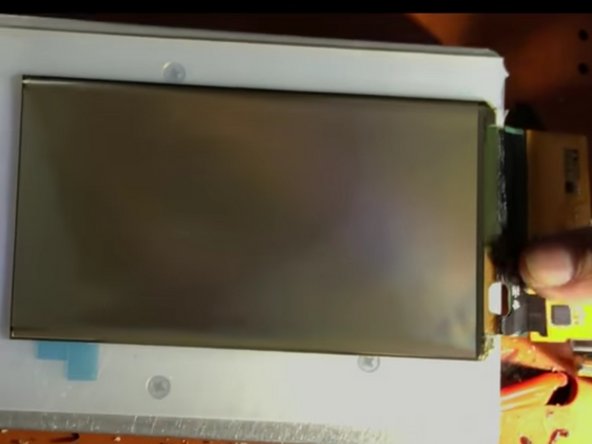
    • We take the screen polarizer film off, and we find out that the screen is really a silver-ish color, not black!

    • However, you technically won't be able to see any text or images on the screen without the black polarizer film.

    • We will update you on our later findings on the inside this screen.

Team

Everything iPod Mitglied von Everything iPod

Community

63 Mitglieder

3 Anleitungen geschrieben

1 Kommentar zur Anleitung

I have a note20 ultra that's screen got shattered. I bought 2 different replacements..one third party and one oem. The 3rd party one only works with s pen. Oem doesn't even light up.

I've been curious how the "touch sensor board" is attached to the rest of the screen on this phone. They sell just the touch sensor board on ebay. (I realize I need more than just that board..I'm just saying ".

The oem screen worked before it was shipped. I know because the cracks in the screen in photos match the cracks in the one I received. It was working in photos.

Any ideas on what the issue might be & if it may be repairable? I was gonna return the display but my printer messed up & I couldn't print the return label. That's been months ago at this point.

Heather Hodge - Antwort Teilen

Kommentar hinzufügen

Seitenaufrufe:

Letzte 24 Stunden: 3

Letzte 7 Tage: 29

Letzte 30 Tage: 117

Insgesamt: 6,872