Zum Hauptinhalt wechseln
Gemeinsam reparieren - Jetzt registrieren

Was du brauchst

Dieser Teardown ist keine Reparaturanleitung. Um dein Samsung Galaxy S II zu reparieren, verwende unsere Fehlerbehebungsseite.

  1. Samsung Galaxy S II Teardown, Remove back of phone: Schritt 1, Bild 1 von 3 Samsung Galaxy S II Teardown, Remove back of phone: Schritt 1, Bild 2 von 3 Samsung Galaxy S II Teardown, Remove back of phone: Schritt 1, Bild 3 von 3
    • Find the small divot and use a plastic tool or your fingernail to remove the plastic cover off the back. This step requires no removal of screws.

    Frag FixBot
  2. Samsung Galaxy S II Teardown: Schritt 2, Bild 1 von 2 Samsung Galaxy S II Teardown: Schritt 2, Bild 2 von 2
    • Remove the 11 screws from the back of the phone. This will require a Philips #00 screwdriver.

    Frag FixBot
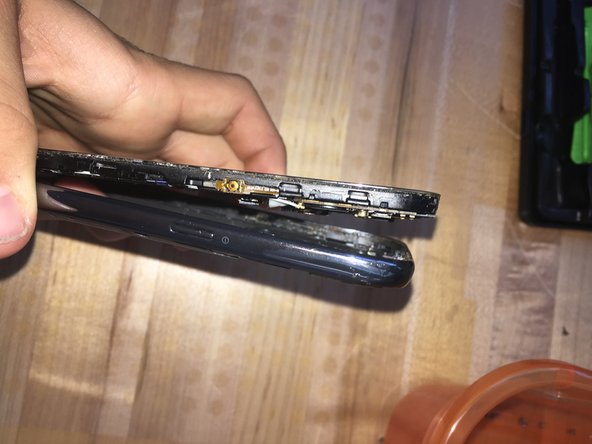
  3. Samsung Galaxy S II Teardown: Schritt 3, Bild 1 von 2 Samsung Galaxy S II Teardown: Schritt 3, Bild 2 von 2
    • Separate the screen and internals from the casing on the back by using a small plastic tool or your fingernail to get under the screen and lift it up. Once it has been unclipped, pull the 2 completely apart.

    Frag FixBot
  4. Samsung Galaxy S II Teardown: Schritt 4, Bild 1 von 1
    • The back of the screen should look like this. From here, we have access to any fixes that would nee to be made for the phone.

    Frag FixBot

Devon Crump

Mitglied seit: 11/08/16

284 Reputation

1 Anleitung geschrieben

1 Kommentar zur Anleitung

Is this device Galaxy S2 or Galaxy Note2? It seem to be Note2…

jehongjeon - Antwort Teilen

Kommentar hinzufügen

Seitenaufrufe:

Letzte 24 Stunden: 0

Letzte 7 Tage: 10

Letzte 30 Tage: 45

Insgesamt: 1,167