Zum Hauptinhalt wechseln
Gemeinsam reparieren - Jetzt registrieren

Acer Chromebook C720-2827 Display Replacement

Was du brauchst

    1. Acer Chromebook C720-2827 Display Replacement, Back Panel Assembly: Schritt 1, Bild 1 von 2 Acer Chromebook C720-2827 Display Replacement, Back Panel Assembly: Schritt 1, Bild 2 von 2
      • Remove the thirteen 6.0mm screws on the back panel using your Phillips #1 screwdriver.

      Frag FixBot

      Kommentar hinzufügen

    2. Acer Chromebook C720-2827 Display Replacement: Schritt 2, Bild 1 von 2 Acer Chromebook C720-2827 Display Replacement: Schritt 2, Bild 2 von 2
      • Pry the back panel open with the plastic opening tool.

      Frag FixBot

      Kommentar hinzufügen

    1. Acer Chromebook C720-2827 Display Replacement, Battery: Schritt 3, Bild 1 von 1
      • Remove the two 6.0mm screws securing the battery with your Phillips #1 screwdriver.

      Frag FixBot

      Kommentar hinzufügen

    2. Acer Chromebook C720-2827 Display Replacement: Schritt 4, Bild 1 von 2 Acer Chromebook C720-2827 Display Replacement: Schritt 4, Bild 2 von 2
      • Carefully pull out the battery wire connected to the battery port.

      Frag FixBot

      Kommentar hinzufügen

    3. Acer Chromebook C720-2827 Display Replacement: Schritt 5, Bild 1 von 1
      • Slowly lift the battery to remove it from the Chromebook.

      Frag FixBot

      Kommentar hinzufügen

    1. Acer Chromebook C720-2827 Display Replacement, Display: Schritt 6, Bild 1 von 2 Acer Chromebook C720-2827 Display Replacement, Display: Schritt 6, Bild 2 von 2
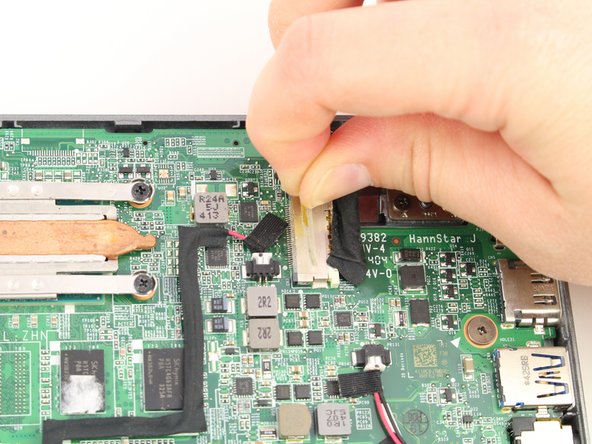
      • Using your fingers, pull the tape off of the display connector.

      Frag FixBot

      Kommentar hinzufügen

    2. Acer Chromebook C720-2827 Display Replacement: Schritt 7, Bild 1 von 2 Acer Chromebook C720-2827 Display Replacement: Schritt 7, Bild 2 von 2
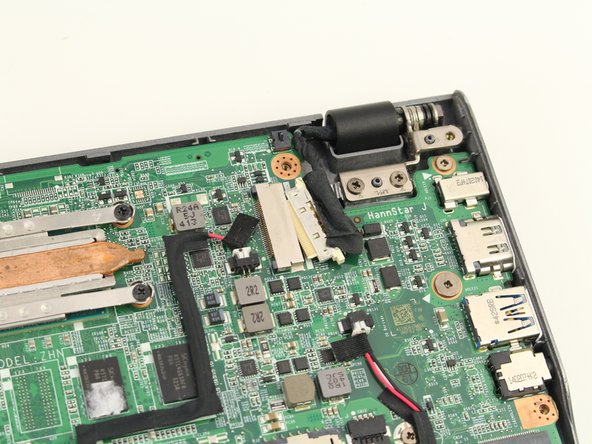
      • Use the spudger to disconnect the display connector from the motherboard.

      Frag FixBot

      Kommentar hinzufügen

    3. Acer Chromebook C720-2827 Display Replacement: Schritt 8, Bild 1 von 3 Acer Chromebook C720-2827 Display Replacement: Schritt 8, Bild 2 von 3 Acer Chromebook C720-2827 Display Replacement: Schritt 8, Bild 3 von 3
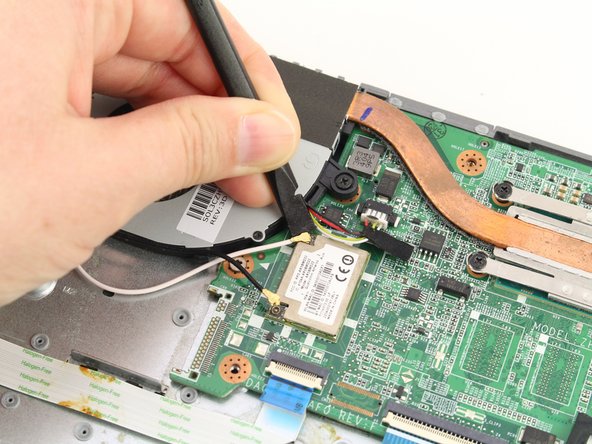
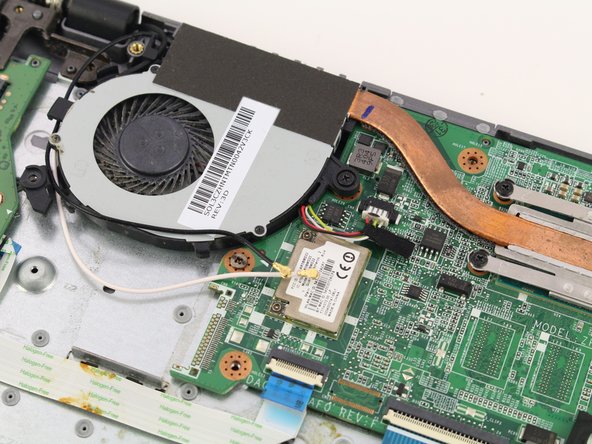
      • Use the spudger to gently disconnect the black and white coaxial antenna cables off of the WLAN card.

      Frag FixBot

      Kommentar hinzufügen

    4. Acer Chromebook C720-2827 Display Replacement: Schritt 9, Bild 1 von 3 Acer Chromebook C720-2827 Display Replacement: Schritt 9, Bild 2 von 3 Acer Chromebook C720-2827 Display Replacement: Schritt 9, Bild 3 von 3
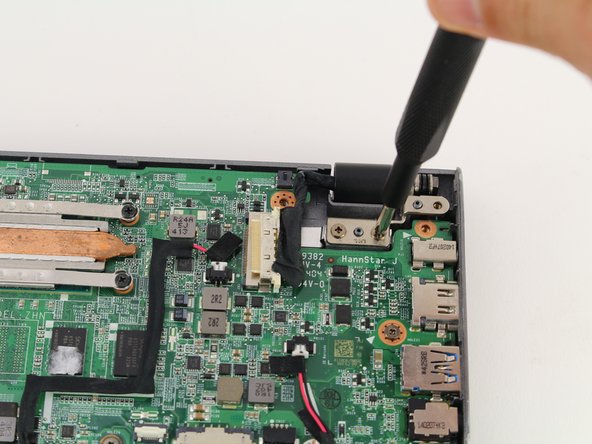
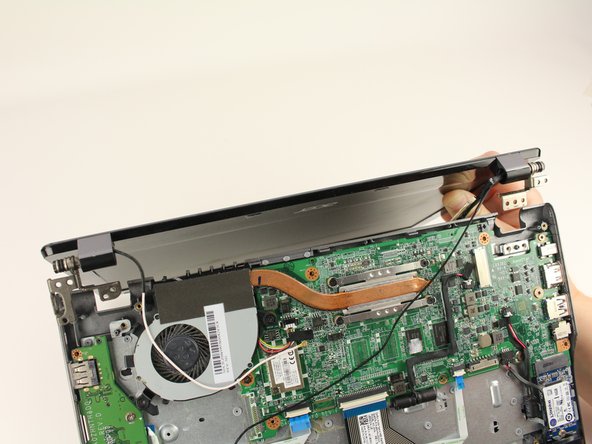
      • Using your Phillips #1 screwdriver, unscrew two 3.7mm screws from the right display hinge.

      • Using your Phillips #1 screwdriver, unscrew two 5.7mm screws from the left display hinge.

      • When removing the display, be careful to unthread the black coaxial antenna cable underneath the motherboard from the opposite side of the panel.

      Frag FixBot

      Kommentar hinzufügen

Abschluss

To reassemble your device, follow these instructions in reverse order.

Rückgängig: Ich habe diese Anleitung nicht absolviert.

0 Kommentare zur Anleitung

Kommentar hinzufügen

Seitenaufrufe:

Letzte 24 Stunden: 0

Letzte 7 Tage: 6

Letzte 30 Tage: 45

Insgesamt: 829