Broken Screen, Can't slide the slider to turn it off
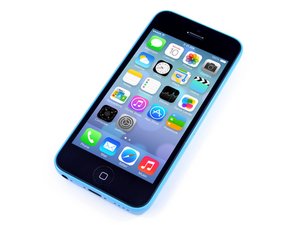
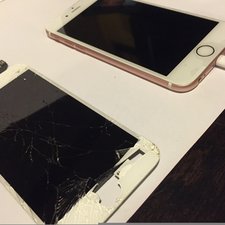
I have this iPhone 5c to repair, but before I start, I want to turn it off. When I hold down the power button, I get the slider—but the screen is so badly damaged that I can't slide it. Is there any way to force shut down an iPhone? Thanks in advance!
Schau durch den Thread, bis du den richtigen Platz für diesen Kommentar gefunden hast. Klicke dann auf "Den Kommentar diesem Post zuordnen", um ihn zu verschieben.
8 Kommentare
I can slide my phone when call incoming, but I cannot slide for my home, power of and anything. Can you help me? *iPhone 4S
My screen broke and it dosent let me swip or anything , only siri takes me to places but when i try to swip it wont let me . Can you please help me ? IPod touch 6
I have a x charge phone with xfinity the screen been cracked for about a month now yesterday its not working want let me unlock the screen or anything Ive tried restarting it still nothing what could be wrong please help
Like I said, press the home button to activate the screen to show light, then hold the power and home button until the screen turns off. As soon as screen light turns off, let go of all buttons immediately. Your device will now be off.
Schau durch den Thread, bis du den richtigen Platz für diesen Kommentar gefunden hast. Klicke dann auf "Den Kommentar diesem Post zuordnen", um ihn zu verschieben.
18 Kommentare:
THANK YOU SO MUCH I've been stressing about this for maybe 2 hours and I thought this was a rest but it wasn't. Thank you so much!!
Oh thank you thank you thank you! My screen went unresponsive and I wanted to restart but I realised you have to slide the thingy to turn it off usually!
First of all : The trick about simultaneously pressing Home and Power buttons will potentially restart your iPhone 6, not reset it as many posters here says. I'm not a native English speaker but for me there's an immense difference between those two words. The word "reset" to me implies that something is lost (settings), while the word "restart" doesn't mean that. Bottom line: Don't be afraid of this procedure. You won't loose anything.
Anyway: here's what worked for me: The thing is that is is not at first black screen where you need to release the two buttons immediately, it is at the second black screen. Capice?
Do like this:
Press Home and Power buttons simultaneously and hold them
Screen will go black after some seconds. (continue to hold the buttons)
Screen will show Apple logo after some more seconds (continue to hold the buttons)
Screen will go black after some more seconds. Now you must immediately release those buttons.
The phone is now turned off.
All together you need to wait a considerable amount of time. Perhaps something like 30 seconds.
Schau durch den Thread, bis du den richtigen Platz für diesen Kommentar gefunden hast. Klicke dann auf "Den Kommentar diesem Post zuordnen", um ihn zu verschieben.
I kept trying on first black screen as everyone wrote. It doesn't work. Thanks for the correct answer ! To turn the phone OFF, you have to wait for the second black screen.
Hi Peter, this does not fully turn off the iphone, it sets it in recovery mode for iTunes. Notice how it turns back on with a short push on the power button.
It's almost identical as being turned off, so it serves the purpose :-). It helped me a lot, thanks!
Schau durch den Thread, bis du den richtigen Platz für diesen Kommentar gefunden hast. Klicke dann auf "Den Kommentar diesem Post zuordnen", um ihn zu verschieben.
2 Kommentare:
So you mean that I should put the device into reset mode then catch it in restart limbo and disconnect the battery when the power is off. Nice idea!
I used to charged my phone with local usb which not original cable. As usual, i need to allow device everytime to connect. But now, phone cannot click any button coz notification " Allow this device to access photos and videos" still appear at the screen even i take out the cable. I also cannot power off the phone since notification still there. Please help. URGENT! Tq
What I usually do, in an instance like that, because I'm already going inside the phone anyways. I just remove the battery cover plate, and disconnect the battery
Schau durch den Thread, bis du den richtigen Platz für diesen Kommentar gefunden hast. Klicke dann auf "Den Kommentar diesem Post zuordnen", um ihn zu verschieben.
Hold the home and power button at the same time until the screen turns black.'but when it does, don't continue to hold the buttons or else the device will reset
Schau durch den Thread, bis du den richtigen Platz für diesen Kommentar gefunden hast. Klicke dann auf "Den Kommentar diesem Post zuordnen", um ihn zu verschieben.
ok i know this is an old thread but since this issue happened to me just today and i found a better way to actually turn off the darn thing, and it's better because you don't have to mess around with the hardware like open the phone or anything like that. so i thought i'd share with the whole wide world.
first off, like one user said, if the darn screen is black, it's kinda hard to gauge whether or not you let go of the button fast enough to avoid a reset. so how to avoid said reset and still manage to turn off this POS?
simple:
1- open iTunes on your computer
2- connect phone to computer
3- wait for iTunes to recognize phone is connected
4- backup freakin' POS phone
5- follow above mentioned turn-off procedures, namely hold down HOME and on/off button AND here PAY ATTENTION:
--> the phone will disappear from iTunes device list
therefore, AS SOON AS the iphone disappears from the iTunes device list, release both phone buttons--you have now turned off your phone without accidentally resetting it.
as for me, Apple annoyed me off so much, i am done with them and my next phone will be a Nexus or HTC Android device.
Schau durch den Thread, bis du den richtigen Platz für diesen Kommentar gefunden hast. Klicke dann auf "Den Kommentar diesem Post zuordnen", um ihn zu verschieben.
there is a simple solution to this one! when repairing a phone in which the screen is destroyed,
1st) open the phone as if the screen were off and you were preparing to take off the lcd/screen
2nd) rather than taking off the screen, first remove the battery connector from the logic board.
as long as there is no power getting to the lcd, the screen repair can be done. Also, sometimes if the battery percentage is low before the repair and you have to unplug the battery, it will take a while (i've had upwards of 45minutes) to turn back on once the repair is complete.
Schau durch den Thread, bis du den richtigen Platz für diesen Kommentar gefunden hast. Klicke dann auf "Den Kommentar diesem Post zuordnen", um ihn zu verschieben.
Press the power and home button until the screen turns black, as soon as it does, release the home button, but continue holding the power button. The apple logo will appear for about 3-4 seconds, as soon as the screen goes black again, release the power button. iphone is now shut down.
Schau durch den Thread, bis du den richtigen Platz für diesen Kommentar gefunden hast. Klicke dann auf "Den Kommentar diesem Post zuordnen", um ihn zu verschieben.
I have a black screen. The phone was accidently dropped for only 2 seconds into a half-cup of water last night. To even have half a chance of saving it, it should be turned off and put in rice or perhaps silica. I thought the phone was off (hard to tell when the screen is BLACK). Put it in a zip lock bag full of silica gel paks. Pulled it out a few minutes ago and it was horribly hot. SO the power / home button thing is useless, obviously. How can you tell if it's powered off or if it's not?
Again, I don't WANT it to reset. I want it off. All responses I've seen are trying to reset and turn the phone back on. I think the OP (and myself) want to be able to turn it off.
It's probably ruined now anyway, since it never powered off. :-(
Schau durch den Thread, bis du den richtigen Platz für diesen Kommentar gefunden hast. Klicke dann auf "Den Kommentar diesem Post zuordnen", um ihn zu verschieben.
2 Kommentare:
Put it in white dry rice for a day or 2 then it should work
I too have the same problem as you - everyone on this thread keeps saying to hold the power and home screen button...until it turns black. IT IS ALREADY BLACK and only black because the water damaged the screen functions currently. I need to be able to power it off, but unfortunately cannot proceed with that option because when on it is already black. What can i do!?
Schau durch den Thread, bis du den richtigen Platz für diesen Kommentar gefunden hast. Klicke dann auf "Den Kommentar diesem Post zuordnen", um ihn zu verschieben.
Schau durch den Thread, bis du den richtigen Platz für diesen Kommentar gefunden hast. Klicke dann auf "Den Kommentar diesem Post zuordnen", um ihn zu verschieben.
Schau durch den Thread, bis du den richtigen Platz für diesen Kommentar gefunden hast. Klicke dann auf "Den Kommentar diesem Post zuordnen", um ihn zu verschieben.
Schau durch den Thread, bis du den richtigen Platz für diesen Kommentar gefunden hast. Klicke dann auf "Den Kommentar diesem Post zuordnen", um ihn zu verschieben.
I actually have this problem soon after I upgraded to iOS 11, the touch is not responding at all. After a few trials, I was able to switch off the phone successfully. Here is what you should you. Open iTunes on your laptop or Mac then connect your phone via USB and then press Home button and Power button simultaneously until the phone gets into the restoring mode. As the phone enters in restoring mode, disconnect the USB cable and then simply hold the power button to switch it off.
Schau durch den Thread, bis du den richtigen Platz für diesen Kommentar gefunden hast. Klicke dann auf "Den Kommentar diesem Post zuordnen", um ihn zu verschieben.

 3
 3
 1












8 Kommentare
I can slide my phone when call incoming, but I cannot slide for my home, power of and anything. Can you help me? *iPhone 4S
von SSMD away Teilen
My screen broke and it dosent let me swip or anything , only siri takes me to places but when i try to swip it wont let me . Can you please help me ? IPod touch 6
von Maria Teilen
Hold down the power and home button simultaneously.
von dxgonzalez13 Teilen
At Mariah my screen halfway works but I can’t turn it of with the buttons because every time I charge it it cuts bac on iPod 6
von K Phelps Teilen
I have a x charge phone with xfinity the screen been cracked for about a month now yesterday its not working want let me unlock the screen or anything Ive tried restarting it still nothing what could be wrong please help
von Josephine King Teilen
3 weitere Kommentare anzeigen