
Zum Hauptinhalt wechseln
Gemeinsam reparieren - Jetzt registrieren

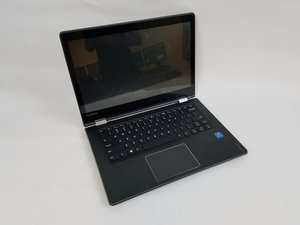
Das Lenovo IdeaPad Flex 4-1470 Modellname: 80SA, hergestellt im Jahr 2016, verfügt über einen 14-Zoll-Touchscreen, der sich um 360 Grad umklappen lässt, um wie ein Tablet verwendet zu werden.

How do I fix the screen?

My laptop screen is flickering, This is a problem I’ve had for several months now but has started getting bad. The driver is updated, and I already did a system restore. I think it might be the wire, how would I fix this?

Beantwortet! Antwort anzeigen Ich habe das gleiche Problem

Ist dies eine gute Frage?

Bewertung 0
Einen Kommentar hinzufügen

1 Antwort

Gewählte Lösung

Hi @ghostie ,

Here’s a link to the service manual for your laptop.

Scroll to p.56 to view the necessary pre-requisite steps and then the procedure to remove the LCD unit.

This will allow you to inspect the video cable connections at either end to ensure that they are securely connected.

It may also be that the video flex cable is damaged where it passes through the hinge area between the case and the lid so you may have to check for this as well. Try pressing down on the right hinge area and see if you can make the problem occur.

If it is the cable then they are available online. Just search for Lenovo IdeaPad Flex 4-1470 video cable to get results for suppliers of the part.

Worst case is that It may also be a loose connection in the display panel itself. Display panels are irreparable and will need to be replaced. Search online for suppliers.

War diese Antwort hilfreich?

Bewertung 4
Einen Kommentar hinzufügen

Antwort hinzufügen

Erick Baez wird auf ewig dankbar sein.
Seitenaufrufe:

Letzte 24 Stunden: 1

Letzte 7 Tage: 5

Letzte 30 Tage: 20

Insgesamt: 2,720