All I get while computer is plugged in is a blinking power button
All I get while computer is plugged in is a blinking power button and nothing else at all. Not sure if this is an indication a certain defect. It turns on for about 5-10secs and turns off really really fast then back on again. I am getting no fan spin and no other indications on what is going on. Thank you in advance for your help!!!
Schau durch den Thread, bis du den richtigen Platz für diesen Kommentar gefunden hast. Klicke dann auf "Den Kommentar diesem Post zuordnen", um ihn zu verschieben.
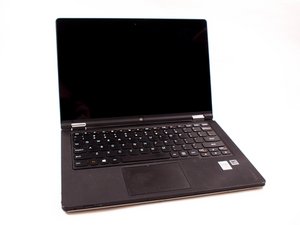
my lenovo T450 is blinking the power button as soon as i plugin the charger and won't power on, it does all this when the power button is not pressed please help....
I couldn't find the problem but I bought one off of ebay that had a broken screen and hinge and just pulled the motherboard out of it and used it to replace the one in my laptop and it has worked great since. I was able to buy the broken laptop for cheaper than just the motherboard on it's own. I'm not sure if I just got lucky or if that is the norm but it worked out for me in that way.
Schau durch den Thread, bis du den richtigen Platz für diesen Kommentar gefunden hast. Klicke dann auf "Den Kommentar diesem Post zuordnen", um ihn zu verschieben.

A blinking power light is an indication that the laptop is in sleep mode.
Try either force stopping and shutting down the laptop by holding the Power button until it shuts down completely and then restart the laptop in the normal way
or
Try opening and closing the lid a few times and check if the laptop comes out of sleep mode by itself.
Can only suggest to reset the BIOS to default in case there are any corrupted settings which may prevent the laptop from functioning correctly.
To do this open the laptop and remove the battery pack and the RTC battery, press and hold the Power button for 30 seconds and then release the button and then replace the RTC battery and the battery pack.
Hopefully by doing this you will have reset the BIOS to default settings
Schau durch den Thread, bis du den richtigen Platz für diesen Kommentar gefunden hast. Klicke dann auf "Den Kommentar diesem Post zuordnen", um ihn zu verschieben.
8 Kommentare:
well it only blinks while I have the laptop plugged in and the battery doesn't seem to get to charge either, also there is no fan spin and no other signs of life other than that blinking button.
My Lennovo t420s started the power switch blinking , I tried taking the battery out holding the switch down for 30 sec , and open and closed the lid several times but with no luck .
And now the battery indicator light blinks twice , I tried all the tips recommended by all , if this is right I need a new motherboard . Can someone please advise to this problem and one above .
I just $!^& blocked by this error today and tried some ways to fix this, first close the lid and insert the power plug to see the led light, the open the lid while the power plug is connected. Push and hold power button and Start button for 15 seconds. When in blinks white unplug the power cable. Don't do anything and wait for 1 minute, open the back door of the laptop and disconnect the battery then dismount the Ram. Wait for 1 minute. Reassemble the pcis and plug the power to the laptop without doing anything. Wait for 1 hour and then unplug the cable, now push the power button regularly. It worked for me.
Schau durch den Thread, bis du den richtigen Platz für diesen Kommentar gefunden hast. Klicke dann auf "Den Kommentar diesem Post zuordnen", um ihn zu verschieben.
3 Kommentare:
Closing lid and holding power button down eorked! Was in sleep mode.
Same issue here with a Gen 8 Carbon X1. It seems to be caused by a faulty battery. Sometimes the pin hole reset works and gets you back up and running (putting a paperclip in the small pin hole at the bottom of your machine). In my case it required a battery replacement to get it fixed.
Schau durch den Thread, bis du den richtigen Platz für diesen Kommentar gefunden hast. Klicke dann auf "Den Kommentar diesem Post zuordnen", um ihn zu verschieben.
hi, be careful downloading latest lenovo updates , especially bios , when you thinkpad is supposed restart, my thinkpad E15 didn’t . This is the second time, now i have a fixed red power light , a fixed white esc /fnlock white , and a white power light and im still waiting for a call back, after a lengthy service call from Indonesia?
Schau durch den Thread, bis du den richtigen Platz für diesen Kommentar gefunden hast. Klicke dann auf "Den Kommentar diesem Post zuordnen", um ihn zu verschieben.
I didn’t have time to remove the battery last night. So, I closed the laptop and moved it to another power source and left it plugged in all night. When I opened it today it booted up!
Schau durch den Thread, bis du den richtigen Platz für diesen Kommentar gefunden hast. Klicke dann auf "Den Kommentar diesem Post zuordnen", um ihn zu verschieben.
1 Kommentar:
Mrmready, I'm happy knowing you found a solution and are sharing it with others who may have this problem in the future--including me. 🙂 (Chase)
9 Kommentare
Any update on this? I have the same problem
von Humam Abusitta
same problem with a lenovo ideapad 320s, one month after warranty end!
von gregory
i have the same problem with jason
von Fernando Martinez
It charges very well when the laptop is off
Then when I plugin the charger while using the laptop, just not more than 3 minutes it starts blinking and stops charging
von mayanjataban
my lenovo T450 is blinking the power button as soon as i plugin the charger and won't power on, it does all this when the power button is not pressed please help....
von FORBES KAY
4 weitere Kommentare anzeigen
