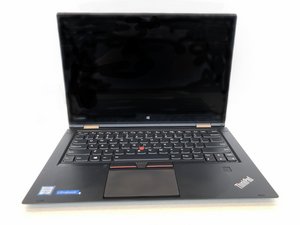

Why my touchscreen is no working?
Touch screen is not working, could you please help me out to fix the problem.
Ist dies eine gute Frage?
Bewertung
2
Rep: 25
 1
 1
Touch screen is not working, could you please help me out to fix the problem.
Ist dies eine gute Frage?
Rep: 553,7 Tsd.
11
426
 1,6 Tsd.
Hi @vnod ,
What OS is installed in the laptop?
Go to Device Manager and check if the touchscreen is OK.
If you have Win 10 installed, right click on the Windows Start button on the left side of the Taskbar and click on the Device Manager link.
When is Device Manager, scroll down to Human Interface Devices and click on the > symbol to the left to expand the list.
If the HID - Compliant Touchscreen entry has a red cross next to it, right click on the entry and select Enable and check if the touchscreen works
If the HID - Compliant Touchscreen entry has a yellow exclamation mark next to it, right click on the entry and select Update driver software and follow the prompts. The laptop has to be connected to the internet for this to work though. Once the drivers have been updated,restart the laptop and check if the touchscreen works
If there is no fault symbol next to the entry, right click on the entry and select Properties > General and view the status of the touchscreen in the Device Status box. Does it say This device is working OK
War diese Antwort hilfreich?
hi, mine has no HID Compliant touch option there. my touch just stopped working
@Koranj Scrap
What is the model number of the laptop?
Try selecting Device Manager > View > Show hidden devices and see if it it then shows up anywhere in Device Manager.
If not also look in Mice and other pointing devices or perhaps in "Other Devices" if there is such a category in your Device Manager list
after going to task manager, disabling and enabling my HID-Touch screen and my screen touch is still not working
yo tengo un problema en mi lenovo thinkpad x1 yoga gen 4, prendo el dispositivo y funciona todo muy bien, pero al momento que cierro la tapa, y la vuelvo abrir, comienza hacer toques falsos, eso me pasa con win 11 pro, no se si sea por el sistema operativo, pero me quiero pasar a win 10a ver si se soluciona
War diese Antwort hilfreich?
Letzte 24 Stunden: 2
Letzte 7 Tage: 9
Letzte 30 Tage: 31
Insgesamt: 4,535



1 Kommentar
i’ve got the same issue tried everything possible x1 carbon 4th gen
von mohamed alansary Teilen