Zum Hauptinhalt wechseln
Gemeinsam reparieren - Jetzt registrieren

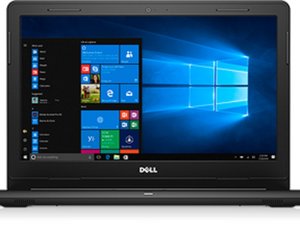
Das Dell Inspiron 14 3467 ist ein von Dell veröffentlichtes 14-Zoll-Notebook.

Blinking Power LED 1 Long White 4 Short Ember

I have a Dell Inspiron 14 3000 (Service Tag 91T5S53)

I have been getting a constant Blinking Power LED (1 long white and 4 short ember) I cant seem to find the error code online.

The computer works fine with the power plugged in no issues, but when unplugged turns off immediately, which I thought indicated a battery replacement. I replaced the battery and nothing changed, I still get the same flashing power LED.

The replacement battery is recognized in Windows with a 55% charged capacity but doesn't charge any further nor does it discharge.

I tried uninstalling the Microsoft ACPI-Compliant Control device driver in Device Manager and restarted the computer, but that failed to fix the issue as well.

I have ran the offline Dell Diagnostic several times but comes back with no errors.

I also ran the Dell Support Assist in Windows, and comes back with no errors as well.

There are no BIOS updates as I have applied all available critical and recommended updates.

Can anyone explain what the issue could possibly be and how to fix it?

Beantwortet! Antwort anzeigen Ich habe das gleiche Problem

Ist dies eine gute Frage?

Bewertung 0
2 Kommentare

Hello, how was the problem solved? I have the same problem.

von

Hello, I had the exact same issue on my Dell G3 3500 gaming laptop. I changed the battery but still had the same issue. It would temporarily resolve when I unplugged and plugged the battery into the motherboard.

The issue resolved when I updated the firmware. Specifically, Toshiba-Solid-State-Drive-Firmware-Update-for-KBG40ZNSxxxx_TKNM3_WIN64_1041.0106_A00_03.

Don't know why a ssd update would affect power management but there you go.

von

Einen Kommentar hinzufügen

1 Antwort

Gewählte Lösung

Hi,

Create a battery report to check the status of the battery.

When you have the report, compare the Design Capacity value versus the Full Charge Capacity value. For a good battery they should nearly be the same.

As far as I could find out a 1 long white, 4 short amber blink error code in Dell laptops means a bad battery.

You may just have got a bad replacement.

War diese Antwort hilfreich?

Bewertung 1

1 Kommentar:

That's usually it with Dell, frankly. The color was amber before Skylake when they went to the white LED, but kept the pattern.

von

Einen Kommentar hinzufügen

Antwort hinzufügen

Jafric Rhyner (Rasjahshout) wird auf ewig dankbar sein.
Seitenaufrufe:

Letzte 24 Stunden: 0

Letzte 7 Tage: 8

Letzte 30 Tage: 35

Insgesamt: 1,567
