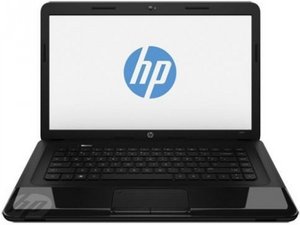
Why my laptop is not working not turing on only chagering light on
Not turning on problem only chagering light is on when I put in charge
Ist dies eine gute Frage?
Bewertung
0

Not turning on problem only chagering light is on when I put in charge
Ist dies eine gute Frage?

Rep: 553
 5
5
 2
2
If your laptop won't turn on but the charging light does come on, it indicates that power is reaching the laptop, but there might be an issue preventing it from booting up. Here are some steps you can take to troubleshoot the problem:
Make sure the power adapter is plugged in securely to both the laptop and a functional power outlet. Try using a different power outlet to ensure the issue isn't related to the power source. Also, ensure that the battery is properly seated in the laptop.
Sometimes, a hard reset can help resolve power-related issues. Disconnect the laptop from the power adapter, remove the battery (if removable), and hold down the power button for about 15-20 seconds. Then, reconnect the battery (if removable) and power adapter and try turning on the laptop.
If you have any external devices (USB drives, printers, etc.) connected to the laptop, disconnect them and try turning on the laptop. A malfunctioning external device could be causing the issue.
When you press the power button, do you hear any sounds (like fans spinning) or see any lights briefly flashing? These signs can provide clues about whether the laptop is receiving power and attempting to start up.
If possible, try using a different compatible charger for your laptop. The charging light might come on even with a faulty charger, but it might not provide enough power to actually boot up the laptop.
If your laptop has an external monitor output, try connecting it to an external monitor. If you see an image on the external monitor, it could indicate a problem with the laptop's display or display connection.
Some laptops have a CMOS battery that helps store BIOS settings. Disconnect the main battery and power adapter, then locate and remove the CMOS battery for a few minutes. Reinsert it and try turning on the laptop.
Happy Fixing!
War diese Antwort hilfreich?
When I press power button I can't hear any sound
Rep: 4,3 Tsd.
3
5
Your laptop is receiving power as indicated by the charging light. Therefore, the power outlet, your adapter, the cable, and the charging circuit in the laptop are functional.
If you press the power button and hear or see nothing on the screen or any LEDs other than the charging LED, then the problem in internal to the laptop. It could be the power switch or associated circuit. Sometimes that circuitry is on a separate PCB. That makes life and wallet a lot easier. If it is on the motherboard, then it may be economically not fixable.
If it has an HDD you should be able to hear it start up. The fans may not initially run fast enough to hear. You should also see something on the screen. In a dark room, the screen will show some light. The HDD activity LED should also be blinking. If none of that is evident, then it is the power switch OR a CPU/motherboard failure.
War diese Antwort hilfreich?
Letzte 24 Stunden: 0
Letzte 7 Tage: 0
Letzte 30 Tage: 8
Insgesamt: 106
