Einleitung
This guide will take you through the steps of replacing your faulty battery on your ASUS Q302L.
Was du brauchst
-
-
Use a Phillips #0 screw driver to remove all ten 10 mm screws around the back of the laptop.
 Frag FixBot
-
-
-
Wedge a plastic opening tool under the rear case near the hinge.
-
Pry around the outer edge to release the plastic clips holding the rear case to the laptop.
-
-
-
-
Once the cover is free from all the clips, remove the cover from the laptop.
-
-
-
Use a Phillips #0 screwdriver and remove all five 5 mm screws securing the battery.
-
-
-
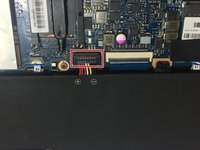
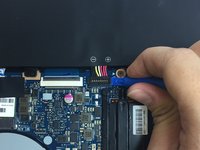
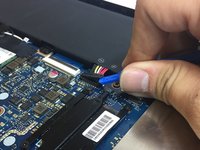
Gently wedge a plastic opening tool under the connector.
-
Carefully lift the connector up away from the socket to disconnect it.
-
-
-
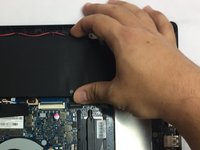
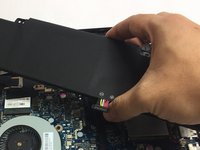
Once the screws and connector are removed, simply pull out the battery from its place.
-




To reassemble your device, follow these instructions in reverse order.
Take your e-waste to an R2 or e-Stewards certified recycler.
Rückgängig: Ich habe diese Anleitung nicht absolviert.
3 weitere Personen haben diese Anleitung absolviert.

Team

USF Tampa, Team S13-G4, Cagle Spring 2017 Mitglied von USF Tampa, Team S13-G4, Cagle Spring 2017
USFT-CAGLE-S17S13G4
3 Mitglieder
9 Anleitungen geschrieben
